AppScreens Review (2026): Pricing, Limits & Alternatives
TL;DR
This AppScreens review finds a capable template-first app store screenshot generator for teams that need reusable projects, iOS and Android sizes, localization, and direct store uploads. The free plan is useful for one simple launch, but it stops at one saved project, five screenshot exports, and manual upload. AppScreens is a strong fit for repeat production. It is less suitable when you want AI to invent several distinct creative directions or when you need a cheap one-off paid export.
Disclosure: ScreenFast is our product. We compare the workflows by fit and state where AppScreens has the stronger offer. We did not buy an AppScreens plan or claim a paid hands-on test.
What AppScreens is
AppScreens is a browser-based app store screenshot maker. You start with an editable template, add app screens and captions, then export the sizes needed by Apple or Google Play. Paid plans extend that workflow with more projects, more templates, localization, custom fonts, advanced frames, and direct uploads.
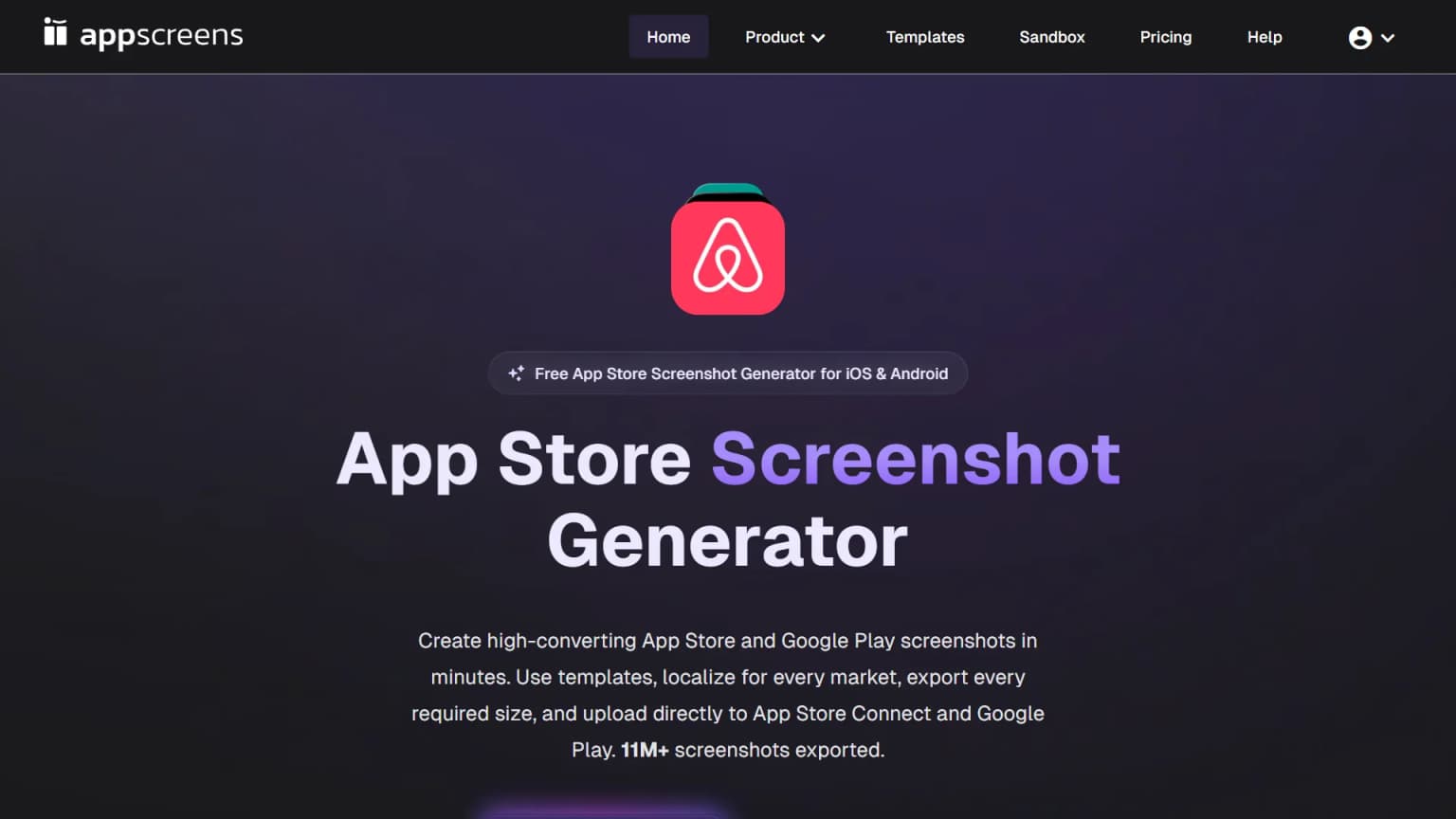
That focus matters. AppScreens is not a general image editor and it is not mainly a 3D mockup renderer. It is a production system for store listing assets. The editor keeps designs reusable, so a team can update captions, switch devices, add a language, or prepare a test without rebuilding every canvas.
The public homepage says the product supports App Store and Google Play screenshots, templates, localization, store-ready exports, and direct upload. It also displays large usage totals. Those totals are vendor claims, not independent evidence, so they should not decide the purchase on their own.
For an indie developer, the useful question is simpler: does the workflow remove enough repetitive work to justify the plan? The answer depends on release frequency, platform coverage, and how much creative control you need.
AppScreens pricing in 2026
AppScreens pricing has a free tier and two paid tiers. On August 20, 2026, the official annual USD view displayed:
| Plan | Annual USD price shown | Saved projects | Localization | Store upload |
|---|---|---|---|---|
| Free | $0 | 1 | No paid localization | Manual upload |
| Pro | $99/year ($8.25/month effective) | 10 | Up to 10 languages | App Store and Google Play |
| Scale | $180/year ($15/month effective) | Unlimited | All 80+ localizations | App Store, Google Play, CPP, and PPO workflows |
Prices can differ when you change the currency selector or billing period. Check the official AppScreens pricing page before buying. Do not rely on an old review that still quotes a previous monthly price.
The free plan needs no card. Pro is aimed at solo builders and small teams that manage up to ten projects and ten localized audiences. Scale is the agency or portfolio plan. It adds unlimited projects, all supported locales, up to 25 screenshots per project, and an extended licence for client work.
There is no separate one-time export pack. AppScreens says a user who needs one month can start a monthly subscription and cancel renewal. That works, but it still creates a subscription decision. A developer who only wants one finished set should compare the full one-month total with a pay-per-app option.
Is AppScreens free?
Yes, AppScreens is free for a narrow launch workflow. The question "is AppScreens free" needs the limits attached to the answer.
Free includes one saved project, essential iOS and Android sizes, and up to five screenshot exports. No card is required. Pro features can be previewed with watermarks, but localization, direct store upload, AI captions and restyling, advanced frames, and the full production allowance require a paid plan.
That is enough when:
- You have one app.
- You need a basic first screenshot set.
- Five images cover the launch.
- Manual upload is acceptable.
- One of the available starter layouts matches the brand.
It becomes restrictive when the app needs an iPad and phone set, many variants, a second project, custom typography, several markets, or frequent listing updates. Pro is the practical step up for a working solo developer. Scale only makes sense when the extra locales, project volume, client licence, CPP, or PPO uploads save real time.
The free offer is a genuine product tier, not just a blank demo. It is better understood as a constrained first-project plan than a complete replacement for the paid production workflow.
What AppScreens does well
It handles repetitive size work
The strongest AppScreens feature is responsive production. Paid tiers cover the full iOS and Android device libraries, while Free covers the core sizes. This is valuable because Apple and Google have different output requirements, and the list changes over time.
One public Reddit search snippet praised that it "handles all the device frames and sizes automatically." That is a user comment surfaced by Google, not a benchmark, but it points to the right benefit: fewer repeated exports and fewer canvases to maintain.
Always check the final files against current App Store screenshot sizes. A tool can simplify exports, but the developer remains responsible for accurate metadata and current store rules.
It supports repeatable localization
App store screenshot localization is where a reusable project starts to beat a static file. Pro supports up to ten languages. Scale supports more than 80, including right-to-left layouts. Captions and designs stay inside one system instead of becoming a folder of unrelated copies.
This is a stronger production workflow than ScreenFast for a team that needs many Android and iOS markets under one editable project. ScreenFast has a built-in localization workflow, but its current product is iOS-first and focuses more on generating the visual direction.
It connects creation to store operations
Pro adds one-click upload to App Store Connect and Google Play Console. Scale also supports Apple's Custom Product Pages and Product Page Optimization uploads. AppScreens does not measure test results, but it can produce and upload the variants.
That operational layer is a real advantage over a general design tool. Figma offers deeper control, but the user has to manage device sizes, files, locale variants, and uploads. AppScreens packages those steps into one store-specific workflow.
It keeps projects editable
An App Store listing is not finished forever. A new feature, a seasonal campaign, a positioning change, or a test result can require a new set. AppScreens keeps the source project available for the next release.
A Reddit snippet described the tool as useful for "rapidly iterating on these kinds of ASO variations." Another snippet also warned that "the design flexibility is limited." Those two observations fit together. Templates speed up iteration because they constrain the canvas.
Where AppScreens falls short
The free plan reaches its ceiling quickly
Five screenshots and five templates may be enough for a simple launch. They are not a large creative library. There are no localized audiences on Free, and advanced design controls remain paid.
This is not a hidden flaw. The official comparison table states the limits. The risk is only that a reader sees "free app screenshot generator" and assumes every device, template, and automation feature is included.
Template speed trades against creative range
Templates help a developer avoid a blank canvas. They can also make different apps feel structurally similar. If a project needs a custom campaign concept, a very specific art direction, or pixel-level control, Figma or a designer remains more flexible.
The question is not whether templates look professional. Many do. The question is whether the chosen layout communicates the app's unique benefit in the first frames. Read the screenshot design patterns guide before treating any template as finished.
Direct upload is not the same as ASO strategy
AppScreens can create, localize, and upload assets. It cannot decide the best value proposition for the app, prove which headline wins, or replace an experiment. Its pricing page cites public ASO lifts, but it also states that outcomes are not guaranteed.
Use Product Page Optimization or store listing experiments with one clear hypothesis at a time. The A/B testing guide explains how to isolate the variable instead of changing the entire set at once.
A one-off paid job still uses a subscription
AppScreens lets a user cancel a monthly plan immediately and retain access for that billing month. That is reasonable, but it is not the same as buying one export pack. People who dislike subscriptions should compare it with one-time tools and manual options.
AppScreens vs ScreenFast
AppScreens and ScreenFast overlap, but they start at different points.
AppScreens starts with a template and gives the user an editable production environment. ScreenFast starts with an App Store URL or uploaded screens and generates 10 different visual directions. The user can then refine, crop, upscale, localize, and export a selected direction.
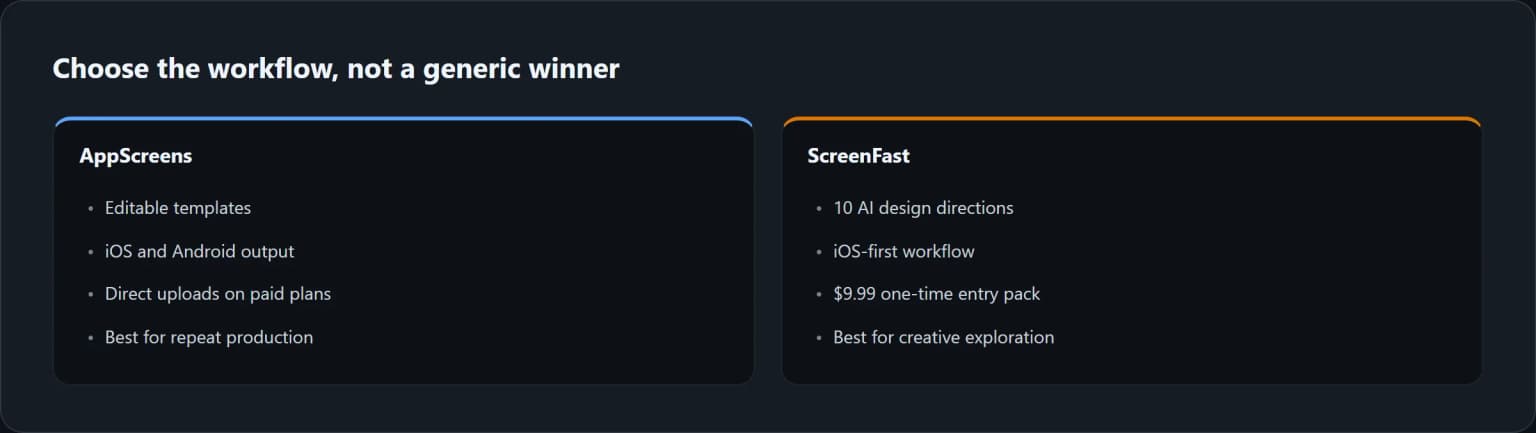
| Decision | Choose AppScreens | Choose ScreenFast |
|---|---|---|
| Starting point | You want an editable template | You want AI to propose distinct directions |
| Platforms | You need iOS and Android | You are iOS-first |
| Store operations | You want direct paid-plan uploads | You prefer export and manual submission |
| Localization | You manage up to 5 or 80+ locales | You need an iOS localization workflow |
| Pricing intent | You update listings repeatedly | You want a $9.99 one-time entry pack |
| Control | You want reusable layout controls | You want faster creative exploration |
Choose AppScreens when the repeated production work is the main problem. Choose ScreenFast when the blank-canvas and concept stage is the main problem. A team may even use both: ScreenFast for early directions, then an editable system for repeated releases.
ScreenFast costs $9.99 for one generation of 10 designs for one app. Monthly plans are available for larger volume. Check ScreenFast pricing for current quotas and refund terms, or try the AI App Store screenshot generator when you want generated directions.
AppScreens alternatives worth considering
An appscreens alternative should solve a specific mismatch, not just copy the same feature list.
- ScreenFast: Best when you need AI-generated creative directions from an iOS app and prefer a one-time entry purchase.
- Figma: Best for complete manual control, reusable design systems, and team review.
- Previewed: Best for 3D device scenes and motion rather than a full store production system.
- Hotpot AI: Best when App Store screenshots are one task inside a wider AI graphics toolkit.
- AppLaunchpad: Worth checking when a template-first iOS and Android tool is the desired category.
- Fastlane Snapshot: Best for developers who want automated raw screenshot capture in a code-driven release process.
The focused ScreenFast vs AppScreens comparison maps the two workflows criterion by criterion. The App Store screenshot generator alternatives hub compares the main categories, while the broader 2026 screenshot generator guide covers more tools by use case.
How we tested
We rechecked the live AppScreens homepage and pricing page on August 20, 2026. We recorded the plan names, displayed annual USD prices, project limits, screenshot limits, locale limits, licences, device coverage, AI features, and upload support. Earlier browser captures remain labeled with their July 24 capture date; current pricing in the text and table comes from the live August 20 page.
We also analyzed the Google top results for "appscreens review", related commercial searches, People Also Ask results where available, and public Reddit snippets surfaced in search. We did not use inaccessible Reddit pages to invent authors, votes, comments, or quotes. The article only uses short snippet wording that was visible in public search results.
The primary Apify crawl returned no dataset items for the JavaScript-rendered pages, so we used the pipeline's browser fallback and documented that failure. We did not create a paid AppScreens account, time the editor, or test its direct upload with our developer credentials. Product capabilities come from the live public pages, not a claimed paid hands-on test.
ScreenFast is our own product. That creates a commercial interest, so the comparison gives AppScreens clear wins for Android, editable template production, direct uploads, and high-volume localization.
Frequently asked questions
Is AppScreens free to use?
Yes. Free includes one saved project, essential iOS and Android sizes, and up to five screenshot exports with no card required. Paid features can be previewed with watermarks.
How much does AppScreens cost?
On August 20, 2026, the annual USD view showed Pro at $8.25 per month billed $99 per year and Scale at $15 per month billed $180 per year. The site includes billing controls, and tax can vary, so confirm the checkout total for your region.
Is AppScreens good for Android screenshots?
Yes. Android support is one of its advantages over an iOS-only workflow. Free includes core Android sizes. Pro and Scale include all supported Android device sizes, and paid plans add Google Play upload.
What is the main AppScreens limitation?
The template-first workflow trades some creative freedom for speed and consistency. The free plan also has tight limits. Users who need a highly custom art direction may prefer Figma or a designer, while users who want generated concepts may prefer an AI-first tool.
Does AppScreens upload directly to App Store Connect?
Pro and Scale support one-click uploads to Apple and Google stores. Free uses manual export. Scale adds Custom Product Page and Product Page Optimization uploads.
What is the best AppScreens alternative?
It depends on the reason for switching. Use ScreenFast for AI-generated iOS directions and one-time entry pricing, Figma for full control, Previewed for 3D scenes, or Fastlane Snapshot for code-driven raw capture.
Is AppScreens better than ScreenFast?
AppScreens is better for editable template production, Android, direct uploads, and many locales. ScreenFast is better for generating multiple iOS creative directions quickly and offering a $9.99 one-time entry pack. The right choice depends on the job.
Last updated: 2026-08-20.