App Store Screenshot Generator Alternatives
App Store Screenshot Generator Alternatives
Choose by workflow, not by a generic winner. Compare AI generation, editable templates, 3D mockups, manual control, localization, and total cost.
Quick answer
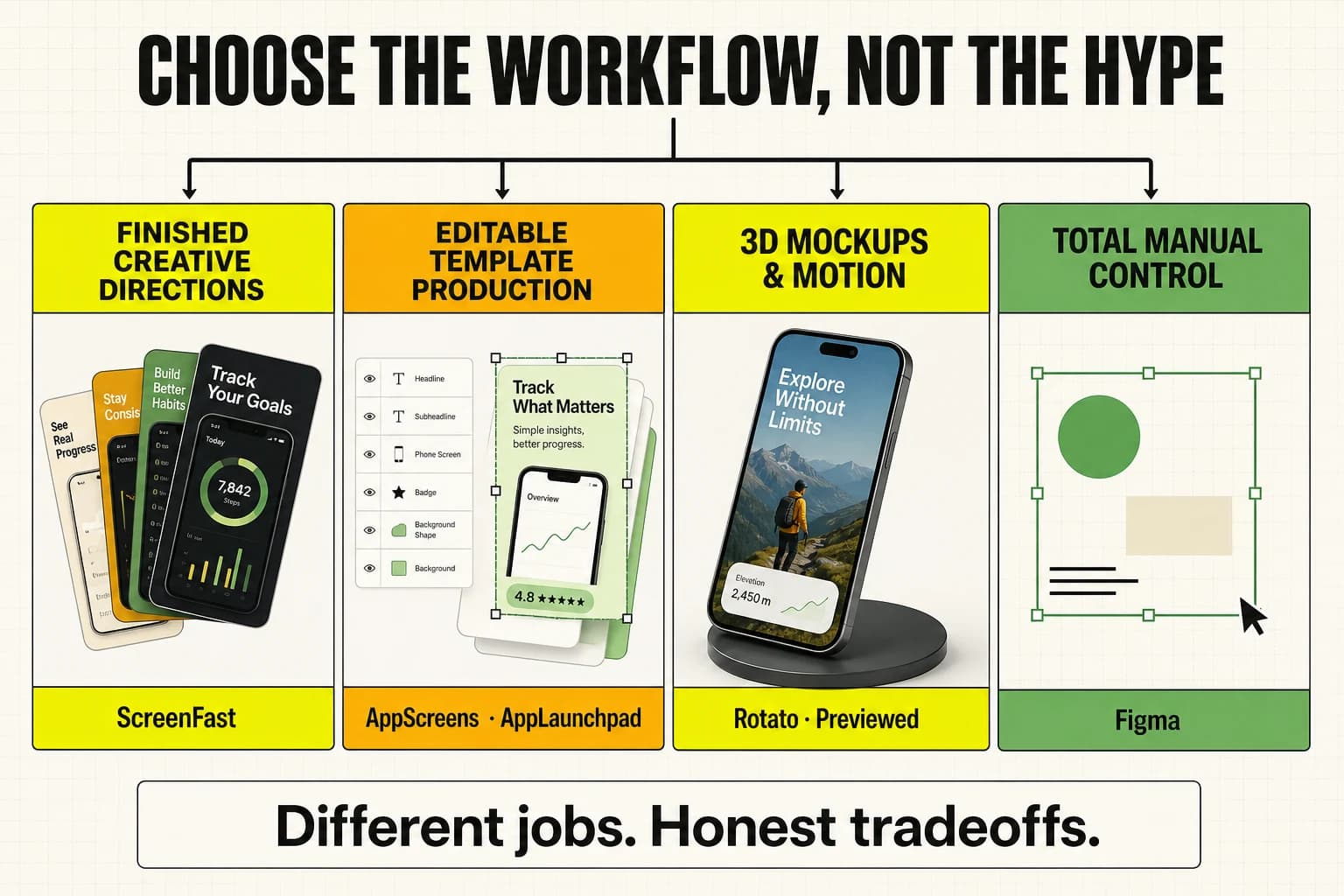
Choose ScreenFast when you want AI to create multiple iOS screenshot directions from your app. Choose AppScreens for editable multi-store production, Launch Shots for hands-on editing plus direct publishing, Previewed for 3D motion, or Figma for manual control.
Product facts and pricing checked: August 25, 2026.
Compare App Store screenshot alternatives
AppScreens
Best for
Editable templates, Android support, many locales, and direct store uploads
Tradeoff
A template-first workflow with paid tiers for advanced production features
Read the comparison →Previewed
Best for
Cinematic 3D device mockups and promotional motion assets
Tradeoff
A different job from generating a complete conversion-focused screenshot set
Read the comparison →Hotpot AI
Best for
A broad collection of general AI image and design utilities
Tradeoff
App Store screenshots are one tool inside a much wider toolkit
Read the comparison →Figma
Best for
Pixel-level manual control and an existing design system
Tradeoff
The user owns layout, copy, device sizing, export, and localization work
Read the comparison →Rotato
Best for
Polished 3D device mockups, app demo videos, and precise camera control
Tradeoff
You bring the finished screen, message, and creative direction
Read the comparison →Screenhance
Best for
Browser editing, templates, animated mockups, screen recording, and many formats
Tradeoff
The workflow is hands-on rather than AI-generated from the app
Read the comparison →AppLaunchpad
Best for
Large template library plus App Store and Google Play production
Tradeoff
More editing control means more decisions and assembly work
Read the comparison →Launch Shots
Best for
Hands-on editing, AI localization, listing management, and direct store publishing
Tradeoff
You still choose and assemble the creative direction in the editor
Read the comparison →LaunchMatic
Best for
Historically, reusable iOS and Android templates with synchronized sizes and translation
Tradeoff
Its official screenshot-product domain returned a gateway error during the August 25 availability check
Read the comparison →App Store screenshot generator comparison
| Tool | Workflow | Pricing model | Best fit |
|---|---|---|---|
| ScreenFast | AI-first generation from an App Store URL or uploaded screens | $9.99 one-time entry pack; monthly plans available | Indie iOS developers who want multiple visual directions quickly |
| AppScreens | Template-first editor with responsive sizes and upload workflows | Free; Pro $99/year; Scale $180/year in the checked annual USD view | Teams managing repeat releases, Android, and many locales |
| Previewed | Manual 3D scene and mockup composition | Free Lite; $9.99 one-time Plus pack; Pro $19/month billed annually | 3D promo visuals and animated device scenes |
| Hotpot AI | General AI design toolkit with an app screenshot utility | Screenshot designs advertised as free or $1 per graphic | Users who also need other AI graphics |
| Figma | Manual blank-canvas or community-template design | Free and paid workspace tiers; templates may cost extra | Designers who need full control and reusable source files |
| Rotato | 3D device mockup and motion production from finished screens | One-time Mac licenses; Rotato Web subscription | Cinematic mockups, video, presentations, and social motion |
| Screenhance | Browser template editor, mockups, motion, and screen recording | Free; $6 Launch Pass; Pro from $12/month when checked | Teams producing static and motion launch assets in one editor |
| AppLaunchpad | Large template and asset library with multi-store sizing | Free and paid Pro options; verify current export limits | App Store plus Google Play production across devices |
| Launch Shots | Hands-on editor, localization, listing management, and direct publishing | One free set/month; PAYG from $0.60/credit; unlimited passes from $0.50/day | Multi-store operators who want editing and publishing in one workflow |
| LaunchMatic | Historically, synchronized multi-device template production | Last indexed copy showed $20/30 days or $50/year; live checkout unverified | Only after its official screenshot-product domain is reachable and rechecked |
How to choose
Start with the output you need. A complete App Store set, a reusable editable project, and a cinematic 3D promo are different deliverables. A tool can be excellent at one and weak at another.
Then price the full workflow. Include template selection, headline writing, device sizes, localized text, revisions, exports, and future updates. The cheapest plan is not always the lowest-cost way to ship.
Finally, choose the amount of control you want. ScreenFast deliberately trades some blank-canvas control for faster creative exploration. Figma makes the opposite trade. AppScreens sits between them with editable templates and production automation.
Questions about App Store screenshot generator alternatives
What is the best App Store screenshot generator alternative?
The answer depends on the job. ScreenFast is strongest for AI-first directions from an iOS app. AppScreens is stronger for editable multi-store production. Launch Shots combines hands-on editing with localization and direct publishing. Previewed is better for 3D promotional scenes, while Figma offers complete manual control.
Which option is best for a one-off iOS launch?
Compare the total work as well as the price. A free template can be enough if you have design time. ScreenFast offers a $9.99 one-time entry pack when you want the creative directions generated for you. AppScreens and other editors may be better when the project must stay editable for frequent releases.
Does ScreenFast replace Figma or a designer?
Not in every workflow. ScreenFast reduces the blank-canvas and concept stage. A designer or Figma remains the better fit when you need exact pixel control, a reusable source system, or agency-grade review and approvals.
Are competitor prices guaranteed to stay current?
No. Vendors change plans and features. This page shows the date of its pricing check and links to detailed comparisons. Confirm final pricing on each vendor's official site before buying.