App Store Screenshot Localization Tool

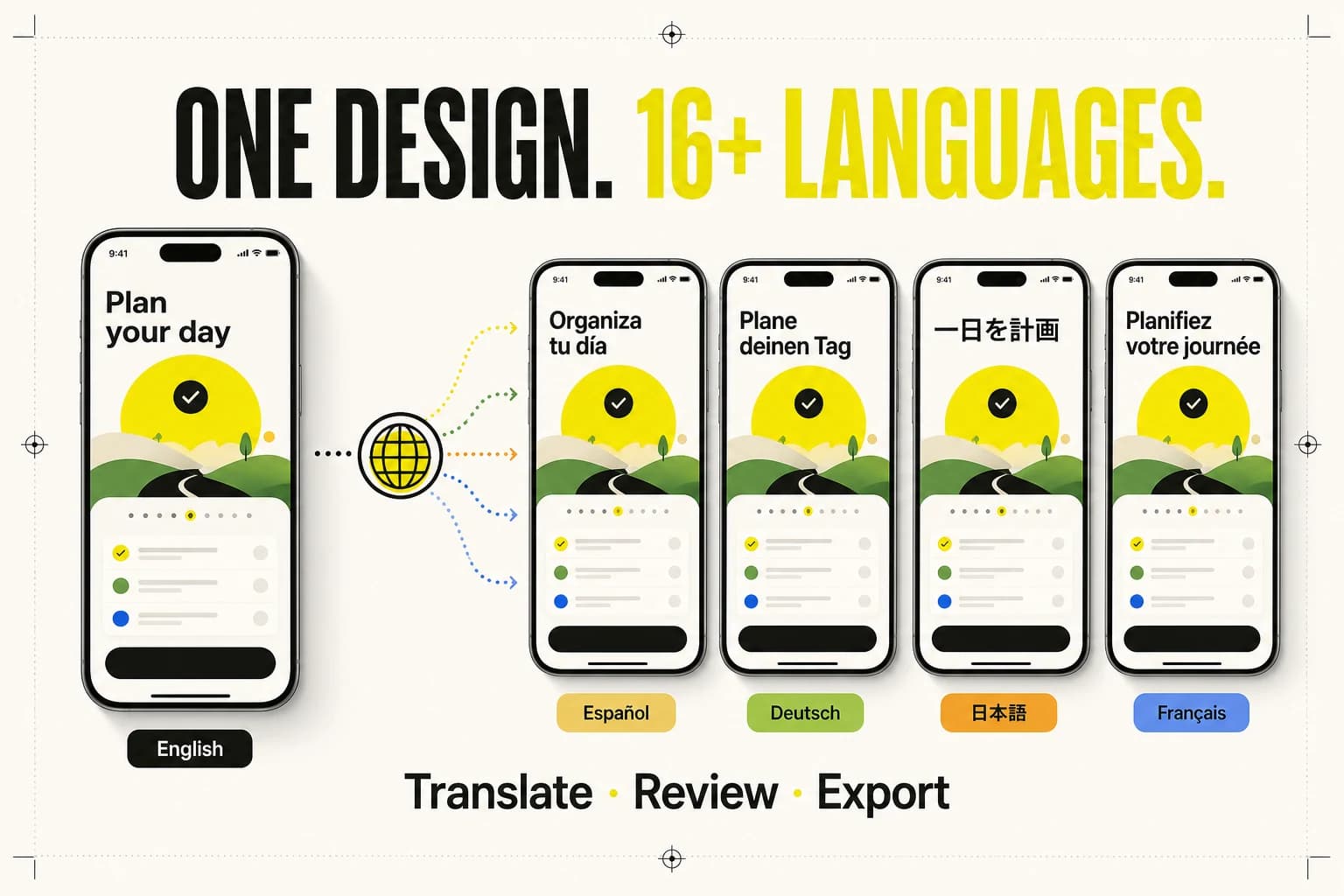
One screenshot design, 16+ languages

Translate the promise, review the copy, and re-render the artwork without rebuilding every App Store screenshot by hand.

One App Store screenshot design adapted into Spanish, German, Japanese, and French versions
Concept illustration created for ScreenFast. Every production translation still goes through a review step.

16+

supported languages

RTL

Arabic and Hebrew

1 flow

translate, review, export

Product workflow

How to localize App Store screenshots without chaos

  1. 01

    Upload the source set

    Start from finished App Store screenshots. ScreenFast detects the visible copy and keeps each source screen attached to its localized versions.

  2. 02

    Choose target languages

    Select the markets you are preparing for. The workflow creates a translation job per screen and language instead of flattening everything into one unreviewable batch.

  3. 03

    Review the copy

    Compare the source and translated line, edit terminology, confirm product names, and choose the version that fits your message before final rendering.

  4. 04

    Re-render and export

    Generate localized artwork with language-aware typography and layout, then download the approved files for App Store Connect.

Translation is not enough

Localize the selling idea

App Store screenshots are ads inside the product page. A literal translation can preserve the words while breaking the pitch.

German copy often expands. Japanese can carry the same meaning with a different visual rhythm. Arabic and Hebrew reverse direction. A useful workflow must let you edit the line in context before the artwork is finalized.

ScreenFast separates translation, review, version selection, and rendering so a reviewer can fix terminology before you export the set.

Review checklist

  • Keep the benefit, not the English word order
  • Protect product names and branded terminology
  • Check line breaks on the actual artwork
  • Allow text expansion without shrinking to unreadable type
  • Review right-to-left alignment and visual flow
  • Export one clearly named folder per locale

Supported languages

Start with the markets that already produce impressions or revenue. A reviewed set in five useful locales beats twenty rushed machine translations.

EnglishSpanishFrenchGermanItalianPortugueseJapaneseKoreanChineseArabicHebrewRussianTurkishIndonesianVietnamesePolish

Ready for a market test?

Upload one source set and localize it

Localization credits are included in monthly plans. Open the uploader now or compare quotas first.

App Store screenshot localization FAQ

What is App Store screenshot localization?

It is the process of adapting the text and visual layout inside App Store screenshots for a specific language and market. Good localization goes beyond direct translation: it preserves the selling idea, handles text expansion, respects directionality, and keeps the composition readable.

Can I use the tool with screenshots made outside ScreenFast?

Yes. The standalone localization entry lets you upload finished screenshot images. You do not need to generate the original set in ScreenFast first.

Does ScreenFast support Arabic and Hebrew?

Yes. Arabic and Hebrew are included in the supported language set. Right-to-left copy needs more than word replacement, so review direction, line breaks, and visual alignment before export.

Will it translate text that is part of the image?

The workflow is designed around visible marketing copy in the screenshot artwork. Complex text baked deeply into a product UI may need manual review or a localized source screen to keep the final image accurate.

How much does screenshot localization cost?

Localization images are included in ScreenFast subscription quotas. Current plan limits and add-on pricing are shown on the pricing page because they can change over time.

Should every market use the same headline?

Not necessarily. Preserve the promise, but allow natural local phrasing. A literal English headline can become too long, too formal, or culturally awkward in another language. Review the message in context, not as an isolated sentence.