App Store Screenshot Tools Without a Subscription: Buying Guide
TL;DR: no renewal does not mean unlimited forever
If you want app store screenshot tools without subscription billing, compare what the payment buys. Previewed sells an export allowance. Launch Shots offers credits and a fixed launch window. AppScreenStudio sells time-limited Pro access without renewal. ScreenFast, our product, has a one-time iOS design purchase. These are not interchangeable lifetime deals.
Last updated: 2026-10-17. Prices below are public USD examples, before applicable tax. This guide covers buying models, not a ranked claim that one tool produces better designs.

Four meanings of a one-time payment
The phrase "pay once" can hide very different products. Before comparing prices, identify the unit being sold. Is it a template, one generated concept pack, a fixed number of downloads or access for a set period?
A credit pack ends when you spend the credits. A time-limited pass ends on a date. A template purchase gives you rights under its license, not necessarily every future feature of the editor. A generated design pack gives you the stated output, not unlimited revisions of the app forever.
| Buying model | What can run out | What to check |
|---|---|---|
| Export or action credits | Credit balance | What consumes a credit and whether credits expire |
| Fixed-term access | Access period | Start date, export allowance and post-expiry access |
| Template purchase | Scope of licensed design | Apps, clients, assets and redistribution terms |
| Generated design pack | Included generation and revision allowance | Output format, corrections and extra screens |
No automatic renewal is a useful condition. It does not answer the other questions. Keep the checkout description and the relevant terms with your project notes so you know what you bought when the app needs an update.
Current options at a glance
Here is a focused shortlist for different jobs. It is not the same as our broader screenshot generator comparison, which includes recurring workflows and free options.
| Option | Public non-recurring offer | Important boundary |
|---|---|---|
| Previewed Plus | $9.99 one-time, 10 exports at 1080p+ | An export allowance, not unlimited future output |
| Launch Shots top-up | Credits advertised from $1.93 each | Generation, download and store push can be separate actions |
| Launch Shots Launch Kit | $39 once, 14-day launch window | A time window, with specific AI allowances |
| AppScreenStudio Pro | $10 for one month at our check | Fixed-term access that ends; not lifetime Pro |
| AppMockUp Studio templates | Paid template examples at $9.97 | The selected template and its license, not the entire catalog |
| ScreenFast one-time | $9.99 for one app's 10 design directions | Paid generation after a free audit; iPhone masters |
Check the live offer before buying. "From" prices may depend on the pack, and features can change. If the lowest possible spend is your only goal, start with our free tools guide instead of buying a small package by default.
Previewed: budget for the export allowance
Previewed's public pricing lists Plus as a $9.99 one-time purchase with 10 exports at 1080p+ and a commercial license. It also lists a free Lite tier with 720p 2D exports and attribution licensing. Do not confuse that free output with the paid allowance.
The useful question is whether the allowance covers your actual deliverables and revisions. If you need several device sizes, alternate compositions and a video, map each planned export against the current billing rules. Do not assume that "one app" means one export.
For a planning example, imagine six final still images and four additional downloads after revisions. That uses ten export events if the vendor counts each event that way. The arithmetic is simple; the important part is verifying the unit before purchase. We did not test Previewed's paid credit deduction in this review.
Previewed can also create mockups and motion assets. That makes it relevant beyond a flat screenshot set, but it does not make every promotional video suitable for Apple's App Preview format. Read our Previewed pricing review if that is the product you are considering.
Launch Shots: credits and a launch window solve different problems
Launch Shots offers non-expiring top-up credits and a separate Launch Kit. At our check, the Kit cost $39 once and included a 14-day period of unlimited downloads. The pricing table separately described AI generation allowances. Do not read the broad marketing headline as unlimited AI usage forever.
The credit model deserves particular attention. The page defines a screenshot set around one page and one device type. It also explains that AI generation, download and store push can each consume credits after the initial free generation allowance. Those are separate workflow actions, not automatically one combined charge.
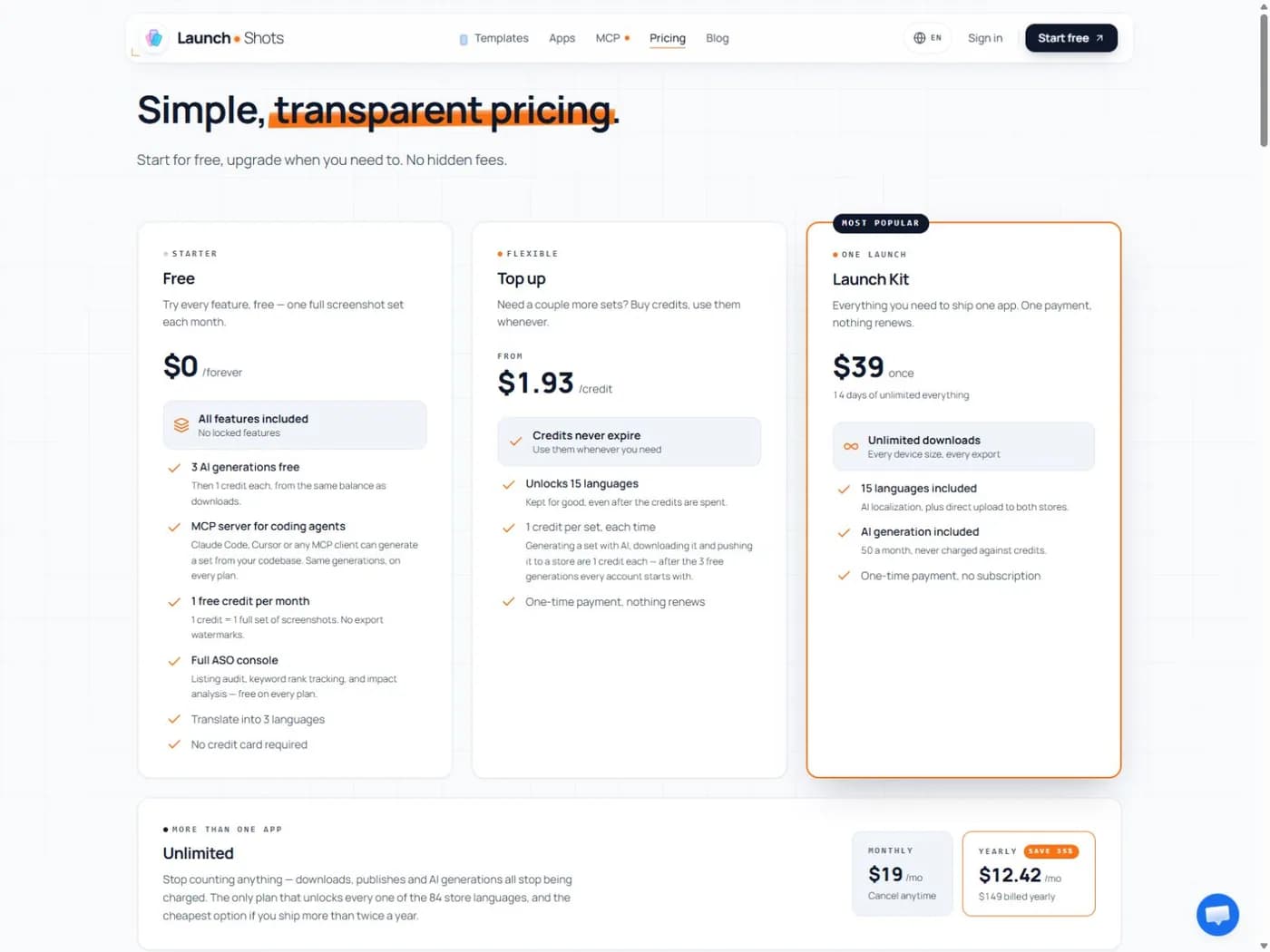
For occasional updates with an uncertain release date, credits may be easier to plan around than a short access window. For a concentrated launch sprint with many exports, a fixed window may be worth evaluating. Neither recommendation establishes the cheapest option without your output count.
If your release depends on external approval, do not start a short pass before the inputs are ready. Have the captures, copy and translations prepared first. Then use the paid window for the work that actually requires it. Our Launch Shots review explains the wider product context.
AppScreenStudio: a month of access without a recurring charge
The AppScreenStudio site explicitly distinguishes its Pro access from a subscription. At our check, it offered one month for $10, with unlimited exports and 500 AI credits. It also described a one-year purchase. The access expires at the end of the purchased period rather than renewing automatically.
That is a useful model if you want a period of concentrated editing without remembering to cancel. It is still a period, not permanent access to every Pro feature. Confirm what remains accessible after expiry and save the final files you need.
Keep export limits separate from AI allowances. Unlimited downloads do not necessarily mean unlimited translation or image generation. A month can contain plenty of export work but still use a finite balance of AI credits.
For a small launch, also check the free Essential plan before buying. Its public page lists one export per day and up to two projects. Whether that is enough depends on what an export contains and how many revisions you need. See the AppScreenStudio review for the broader evaluation.
AppMockUp: pay for a template only when it fits
AppMockUp Studio provides a public editor and a mixed template catalog. In our current browser check, we saw free choices and paid template cards, including $9.97 examples. A template purchase is a different expense from buying a month of an editor.
Judge the template against your own content before paying. Does your app have a useful screen for each position? Can your real headline fit without shrinking the type too far? Does the visual style match the product, or only the sample app shown in the demo?
A template can save layout work without solving copy, translation or final export checks. Also confirm client-use and redistribution terms if you are buying it for someone else. Our AppMockUp review shows the catalog and the export panel we inspected.
ScreenFast: a one-time concept purchase, with clear limits
ScreenFast is our own product. Its one-time plan currently costs $9.99 per app and includes 10 AI design directions. The process begins with a free audit; generation happens after payment. We do not show a free generated image first.
This can suit an iOS developer who needs help finding a visual direction rather than another template library. It is not the same offer as an editable multi-device production system. The base run provides 1290 x 2796 iPhone masters. Extra screens and localization are not included in that one-time package.
AI output may need correction before you use it. Check every word and visual against your real app. If you need precise text editing, a client-owned source system or native Android and iPad sets, include those needs in the tool decision. The ScreenFast walkthrough explains the paid boundary and review steps.
Work out the real launch cost
Make a list of final outputs before you count credits. Separate stores, device sets, locales and creative variants. Then add the operations you expect to repeat: regeneration, revised download or direct publishing. Each vendor may meter those operations differently.
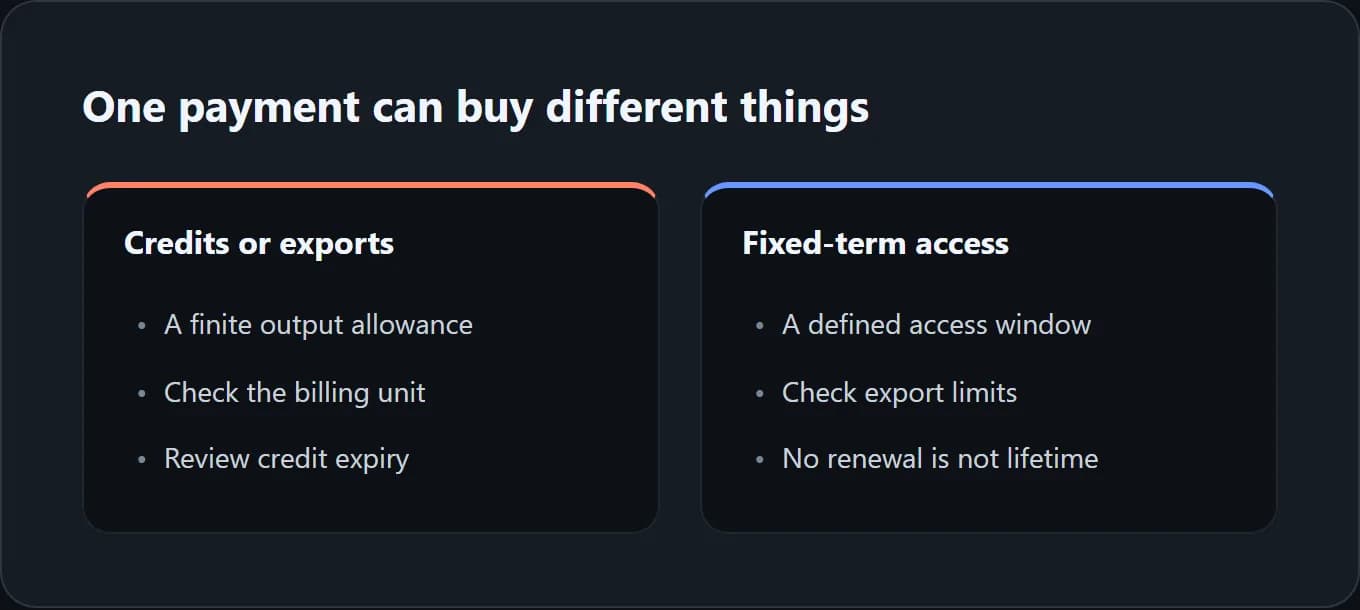
Here is an illustrative project, not a vendor invoice: one app, five screenshot positions, two required size sets and three locales. That produces 30 final image files. A tool might charge by image, by set, by action or by access period. You cannot multiply a per-credit headline price by 30 until you know which rule applies.
Now add a revision buffer. Perhaps the app's UI changes after the first review. Perhaps one translated caption needs a second export. Write those possibilities down rather than assuming the first download is always the last.
Use the same finished deliverable list for every candidate. Otherwise, a cheap concept pack can appear cheaper than a complete localized release workflow simply because the two quotes include different work. The comparison should show those differences, not hide them.
A purchase checklist that prevents surprises
Before payment, answer five questions in writing:
- What exactly am I buying? Name the template, credits, access window or generation package.
- What ends, and when? Distinguish credit expiry from feature access and renewal.
- What consumes the allowance? Include revisions, alternate sizes and publishing actions.
- What rights do I need? Own-app marketing, client deliverables and source redistribution are different uses.
- What will I keep? Save approved exports, original captures, copy and any permitted source files.
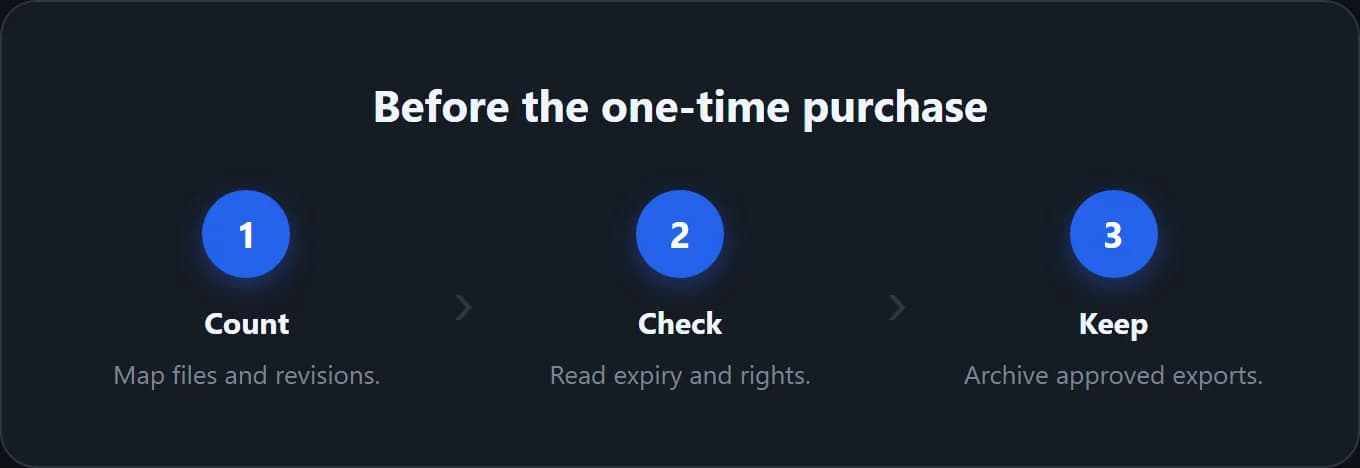
If a checkout describes recurring billing, it is not a non-subscription purchase merely because you plan to cancel immediately. That may still be an acceptable choice, but label it honestly. Confirm cancellation through the vendor's normal account controls and keep the confirmation.
Finally, check the files against the store requirements. A one-time purchase is good value only if the result is usable for your launch. Our screenshot size reference helps with that final check.
Methodology
We reviewed the linked public pricing pages on October 17, 2026, and inspected AppMockUp Studio's catalog in Chrome. The calculations in this guide are planning examples. We did not buy every package, measure credit deductions or promise any vendor's refund outcome.
We disclose ScreenFast ownership and describe its limitations alongside the alternatives. Prices and plan conditions can change. Recheck the exact offer at checkout, especially when your release date or client contract depends on it.
Frequently asked questions
Does one-time payment mean lifetime access?
No. It can buy a fixed period, a finite allowance or a single template. Read the access and usage terms separately from the renewal setting. A product can have no recurring charge and still stop providing paid features after a month.
Which option is cheapest for one app?
There is no universal answer. A free editor may be enough. A small export pack may fit a few finished files. A launch pass may suit many revisions. Count your actual deliverables and compare equivalent work.
Do Launch Shots credits cover generation and download together?
Do not assume that. Its current pricing explains separate credit-consuming actions for generation, download and store push, subject to the stated free allowances and plan. Map your intended workflow before buying credits.
Can I keep using files after access expires?
That depends on the applicable license and purchase terms. Access to the editor and rights to an exported file are separate questions. Keep the license details and ask the vendor if the wording does not cover your use.
Is ScreenFast's free audit a free screenshot generator?
No. The free stage provides an audit and creative brief. Paid generation unlocks the design directions. If you need a free manual editor, use the separate free-tools comparison rather than expecting free generated designs.
What should I save before a launch pass ends?
Keep the approved files, source captures, final copy, locale list, export dimensions and any source project you are allowed to retain. Record the final order too. A folder of unlabeled drafts is not a reliable release archive.