AppMockUp Review: Free Editor, Paid Templates and Export Checks
TL;DR: a useful free editor, not an all-free catalog
This AppMockUp review covers AppMockUp Studio at app-mockup.com, not similarly named apps or AI services. Its public editor is worth trying for a manual screenshot set. We opened a free template and inspected the export panel without an account. The catalog also sells paid templates, so "free editor" does not mean every design is free.
Last updated: 2026-10-17. Disclosure: we make ScreenFast, a paid AI screenshot tool. We did not buy AppMockUp templates or complete a production-store submission.
First, make sure you are reviewing the right AppMockUp
Search results can mix several products with similar names. The product in this article has its main site at app-mockup.com and its editor at studio.app-mockup.com. Keep those domains in mind when checking prices or reading reviews.
For example, Canva's App Screenshot Gen listing links to appmockupgenerator.com. That is a different domain and service. A price for AI credits there should not be presented as AppMockUp Studio's price. Likewise, an App Store listing with "app mockup" in its name may refer to a separate native app.
This distinction matters because the buying models differ. A free manual editor, a paid template catalog and an AI generation service can all appear under similar searches. Before entering payment details, match the vendor, domain and exact item in the checkout.
What we actually found in the public editor
We opened the Studio catalog in Chrome. It showed starter choices for iOS, Android, both platforms and custom devices. The template filters separated categories, prices, screen counts, device types and stores. That gives you a practical way to narrow the library before touching a design.
At the time of inspection, the catalog displayed 80 templates: 16 free and 64 paid. These are observed catalog counts, not a promise that the library will stay the same. Several visible paid cards displayed $9.97. We did not treat that as the price of every template or bundle.
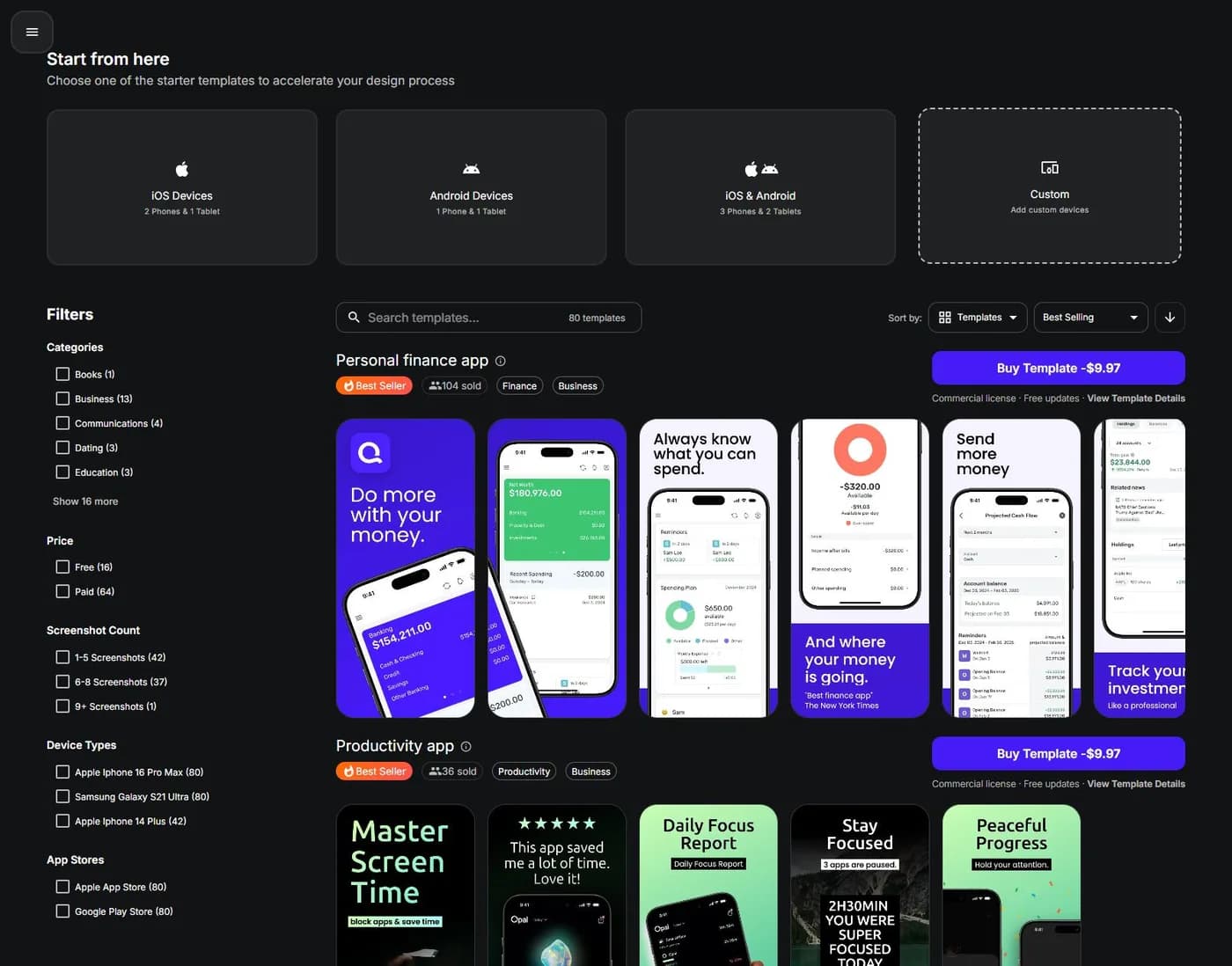
After selecting the Free filter, we opened the Books app template. It loaded an editor with controls for adding elements, switching to Preview and opening Export. The design used placeholder copy and image areas. That is a starting layout, not a finished screenshot set for your app.
The practical benefit is clear: you can inspect the workflow before committing to a paid design. The limit of our check is equally clear: opening a template does not verify every editor feature, long-term project storage or the quality of a downloaded file.
Free templates, paid templates and rights
The catalog labeled the free Books template with a commercial license note and a free-use label. Paid cards also displayed a commercial license note. Those labels are helpful, but a short card is not the whole license. Read the current template details before using assets in paid client work or distributing source files.
| Item | What we verified | What you should still check |
|---|---|---|
| Public editor | Opened without an account | Your browser and project persistence |
| Free templates | Separate filter and a template that loaded | Rights for the intended use |
| Paid templates | Visible purchase cards, including $9.97 examples | Exact template or bundle price |
| Device outputs | Multiple device groups in the export panel | Required sizes for your app |
| Export setup | PNG, quality control and ZIP output preview | Actual downloaded files |
| Store acceptance | Not tested | App Store Connect validation and review |
Do not buy a template only because its demo looks polished. Check whether your own captures fit its layout. A finance template may rely on a wide chart, while your app's useful action lives in a narrow list. A beautiful mismatch can take longer to fix than a simpler free design.
If your main requirement is zero spend, compare the workflow with our free screenshot generator guide. If you are happy to pay once, use the non-subscription buying guide to distinguish templates, credits and time-limited access.
The export panel is more informative than the template thumbnail
In the free Books template we opened, the Export view listed six selected device groups. It showed eight screenshots per group and an output preview of 48 files. The options included PNG and Full quality, with a ZIP archive as the delivery format.
The visible device groups included an iPhone 16 Pro Max output at 1320 x 2868 and an iPhone 14 Plus output at 1284 x 2778. It also listed older iPhone, Android and tablet outputs. Those are observations from that template, not a recommendation to upload every generated size.
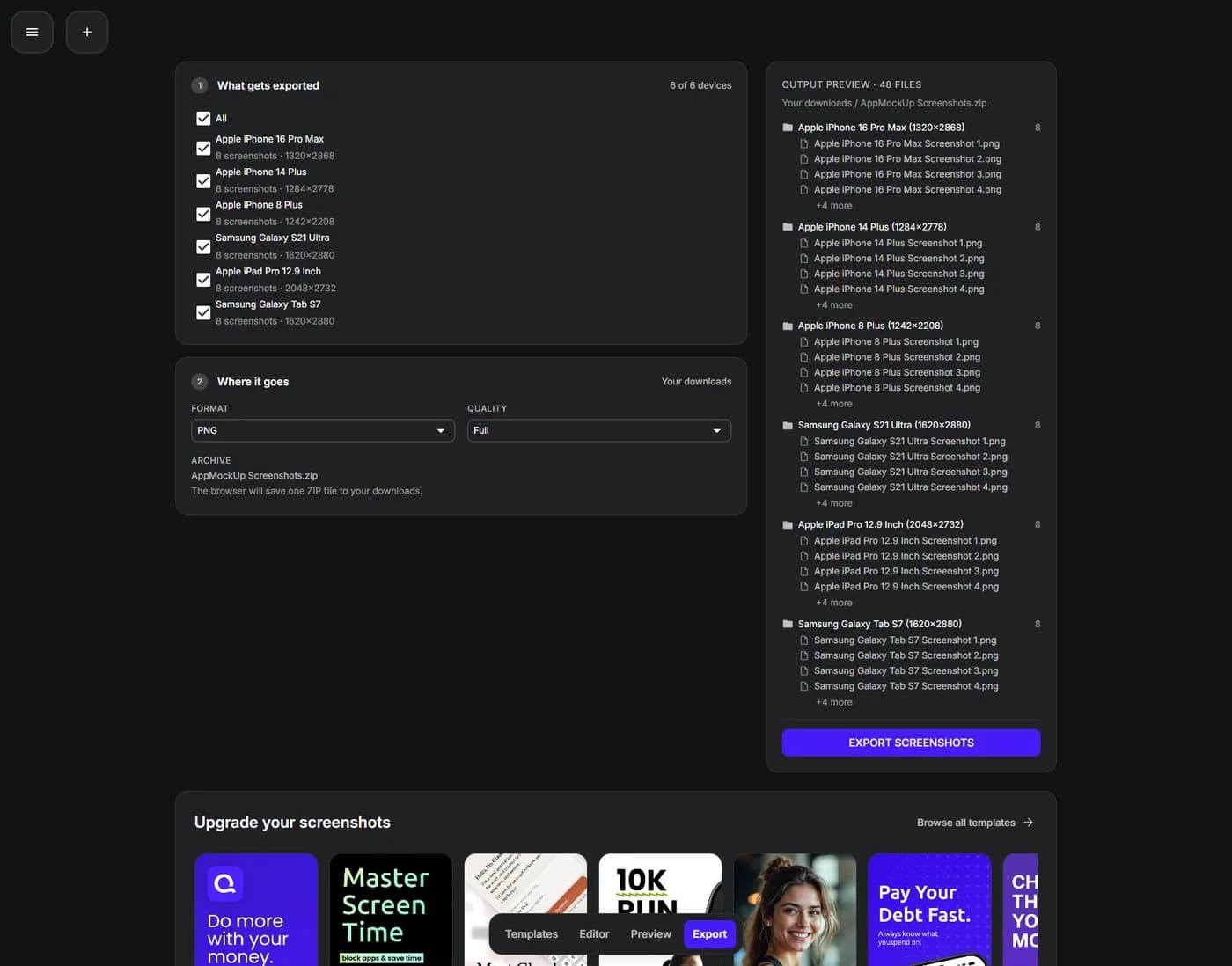
This is where you should slow down. The presence of an old device option does not make the tool unusable, and a new device name does not guarantee the correct upload slot. Match the pixel dimensions against Apple's screenshot specifications and your app's supported devices.
We inspected the panel but did not complete and validate a ZIP download. We therefore do not claim that these files passed a production submission or that every export is watermark-free. You can resolve those questions with one small test before designing the full set.
A practical first-session checklist
Start with the free template that is closest to your content structure, not necessarily your app category. A layout with one strong caption and one large capture is often easier to evaluate than a panoramic design with several linked elements.
Replace the first placeholder with a real capture from your app. Use demo data you are allowed to publish. Then replace the caption with a concrete benefit, such as what a person can do on that screen. Do not keep sample ratings, awards or testimonials from a template unless they are true of your app.
Build only one complete screenshot at first. Inspect it at a small display size. Check the text hierarchy and the visible controls. If the layout only works when you zoom in, it is not ready for the listing.
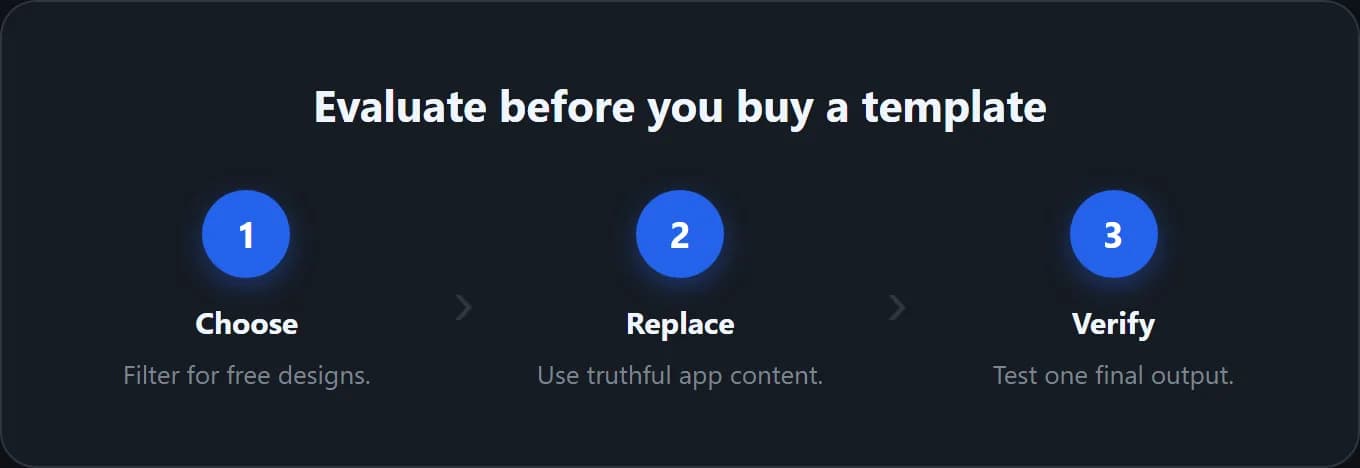
Next, open Export and select only the device outputs you actually need for the test. Download a sample using the product's normal export control. Check the file type, dimensions, image quality and any watermark. A screen capture of the editor is not a substitute for the licensed export.
Finally, close and reopen a safe test project to understand how saving works in your setup. Do not use your only production copy for that experiment. Keep original captures and approved copy outside the editor so you can recover if the browser state is lost.
Where this workflow looks like a good fit
AppMockUp Studio is a sensible candidate for an indie developer who wants to arrange real captures by hand and try a template without creating an account first. The visible catalog and export preview make it possible to inspect much of the job early.
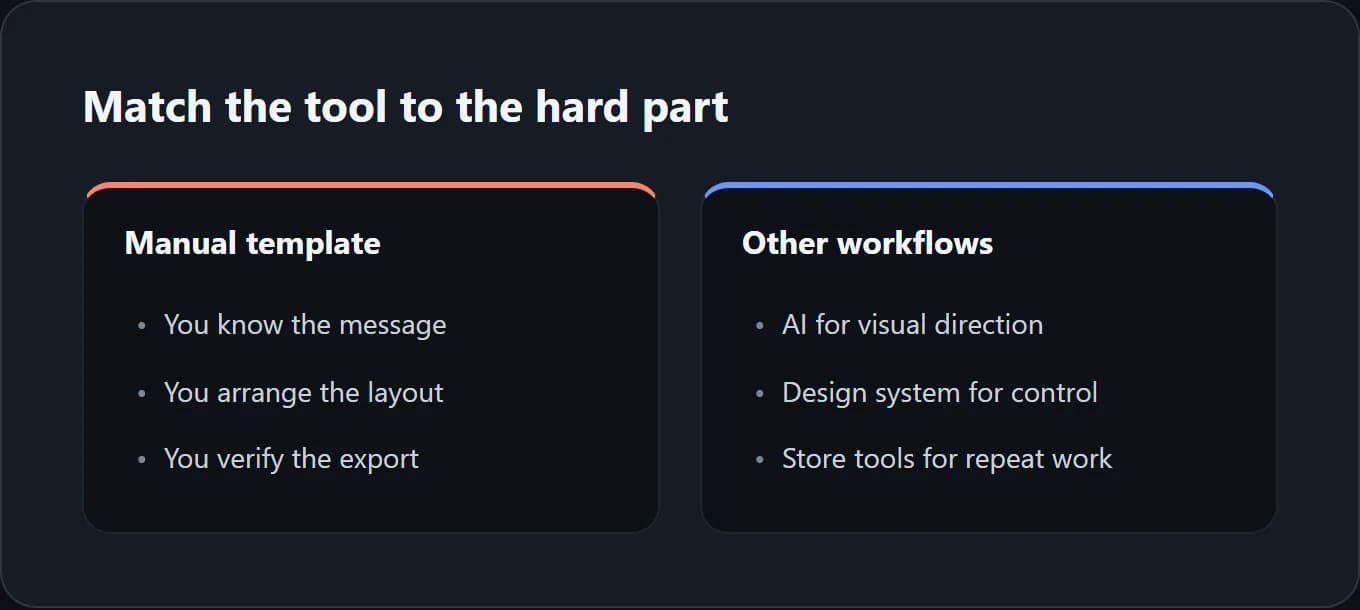
It can also suit someone who already knows the message they want to communicate. In that case, the remaining work is mainly layout: choosing a device frame, setting a background and placing concise copy. You are not asking the tool to invent the product story for you.
Another useful case is a small refresh. If you need to replace a few captures and retain a clear visual style, a manual editor may be enough. Test how the selected template responds to the new UI before paying for a broader system.
The important word is candidate. We would not commit a large client portfolio based on a successful template load alone. Check storage, recovery, rights, language handling and the real export package against the size of your operation.
Where you may want a different tool
If you need a reusable design system with detailed component control, a general design tool may be the more natural home. See our Figma template workflow for that route. It gives you a way to organize the source, but you own more of the export process.
If you need repeated locale production and direct store delivery, evaluate a store-workflow product such as AppScreens. That is a different buying decision from selecting one free template. Our AppScreens review separates the current plan and license limits.
If you are stuck before layout because you do not know what direction to take, ScreenFast may be relevant. Our screenshot generator starts with a free audit and then offers paid AI generation. It does not supply a free design preview before checkout.
ScreenFast's base output is iPhone masters and can need manual corrections. It is not a reason to dismiss a free manual editor that already meets your needs. Read our process guide if you want to understand that tradeoff before buying.
Three checks no editor can do for you
Check that the screenshot tells the truth. A template can contain dramatic claims, sample stars or impressive numbers. Remove anything you cannot substantiate. Apple's review guidelines require accurate metadata and screenshots that reflect the app in use. A polished layout does not excuse a misleading feature claim.
Check that the order makes sense. Each image should answer a different question. Start with the main outcome, show how it works, then address a meaningful objection or secondary benefit. Do not fill every available slot with near-duplicates just because the template has room.
Check the final file, not only the canvas. Open the downloaded image outside the editor. Look for cropped letters, blurry UI and accidental private information. Verify dimensions and orientation. If App Store Connect rejects the file, our upload-error guide helps separate file problems from processing delays.
For a team, assign these checks to named people. One person approves the product claims. Another can check language and visual quality. The release owner confirms that the approved files, rather than earlier drafts, reach the correct locale and device slot.
How we tested
On October 17, 2026, we inspected the main website and used the public Studio in Chrome. We checked the catalog filters, opened the free Books template and viewed its export configuration. The real captures in this article document those steps. The hero is an editorial illustration, not an AppMockUp output.
We did not buy a template, upload private material, test account recovery, measure generation speed or validate a final ZIP. We did not submit an app for review. The verdict is therefore about the visible editor and suitability checks, not a full paid-product benchmark.
Frequently asked questions
Is AppMockUp Studio completely free?
The public editor and some templates are free to try. The catalog also contains paid templates. During our check it listed 16 free and 64 paid options. Verify the selected design's terms rather than assuming the whole library is free.
Does AppMockUp require an account?
We opened the catalog, loaded a free template and inspected Export without creating one. That observation does not establish every storage or recovery behavior. Test how your project is saved before relying on it for production work.
Is AppMockUp the same as AppMockup Generator?
Not in this article. We review app-mockup.com and studio.app-mockup.com. Appmockupgenerator.com is a different domain, also linked from a Canva app listing. Always match the product domain when comparing prices and features.
Can it prepare iPhone and Android screenshots?
The template we inspected showed device groups for both platforms, plus tablets. Check the exact required dimensions and the final exported files. We did not verify a production upload to either store.
Can I use a template for client work?
The catalog displays commercial-license labels, but those labels alone do not settle every client-delivery or source-redistribution question. Read the current terms for the template and ask the vendor if your intended use is unclear.
Will a paid template improve app downloads?
A paid template can offer a useful starting layout, but it cannot guarantee more downloads. The message, real UI, readability and fit with the audience matter. Evaluate the design and test changes rather than treating price as evidence of performance.