AppScreenStudio Review: Free Exports, Credits and Limits
TL;DR: AppScreenStudio is worth testing for a first listing because its current free plan lists two saved projects, unlimited screenshots and one full-resolution export per day. Credits and Pro unlock more capacity or features. The key test is whether you can finish your real listing within the free limits, not how large the template gallery looks.
Many screenshot tools let you design for free and reveal the important export limit later. This AppScreenStudio review starts with the export promise instead. A free plan that can finish a small listing changes the buying decision: you can judge a real output before deciding which paid feature has value.
That does not mean every app needs no paid work. Project count, daily exports, premium templates and AI features have separate boundaries. We checked the public pages to explain those boundaries without turning an unclear paid price into a confident recommendation.
ScreenFast owns this article and offers a competing AI-led workflow. Our product appears near the end with its limits stated. This is a public-document review, not a paid account test or a conversion study.
What AppScreenStudio offers a first-time buyer
AppScreenStudio is a browser-based workspace for App Store screenshots and Google Play assets. Its public pages emphasize templates, device frames, export sizes and optional AI features.
The useful promise is a complete first listing at full resolution. If your app fits the free capacity, you can spend time on copy and visual proof before buying a larger plan. That is a better test than judging a tiny watermarked preview alone.
However, a supported export size and a good screenshot are different things. You still need clean app captures, a readable headline and an honest benefit. A store template gives those elements a layout; it cannot prove a feature that the app does not have.
Before opening the editor, write the job of each panel in plain English. The first might show the main outcome, the second a key action and the third a reason to trust the result. This small brief makes template selection much easier.
AppScreenStudio pricing: verified free limits, careful paid claims
The official pricing page listed the following on October 17, 2026.
| Item | Publicly stated free allowance or paid boundary |
|---|---|
| Saved projects | Two on the free plan |
| Screenshots | Unlimited within the stated project allowance |
| Daily exports | One per day on Free |
| Export | Full-resolution PNG and JPG; multi-size export listed |
| Templates and frames | Most templates and all device frames included; premium templates require Pro |
| Expansion | Credits or Pro for unlimited projects and exports and selected features |
| AI translation | Ten credits per language on the pricing page |
The page says credits do not expire and describes a pay-as-you-go option with no recurring subscription. It also describes premium templates as a Pro feature. We did not verify a paid checkout amount for every package, so this review does not repeat a homepage price as though it were a confirmed universal plan.
That caution matters. Public pages can show different billing labels or offers during a product change. If you need a paid pack, check the exact checkout description, included credits, recurring status and feature access before paying. Do not infer those details from a small price badge alone.
The former September plan illustration has been retired because its screenshot and language limits no longer describe the current free offer.
What the free plan can realistically tell you
The AppScreenStudio free plan can answer a specific question: can this workflow produce a usable small listing from your app's material? That is valuable even if you expect to pay later.
Use one project for a real app. Pick a free template and create three panels with actual captures. Do not begin with the most elaborate design in the gallery. Start with the layout that leaves enough room for your interface and one clear headline.
Add a second language only if you have reviewed copy and checked the current locale workflow. A locale count is not a substitute for choosing markets. Translating into a language you cannot support may create work without improving the user experience.
Export a sample at the required dimensions and open it outside the editor. Check the pixels, visible marks, crop and file format. If the public promise and the actual account behavior differ, save the evidence and ask the vendor before expanding the project.
This test costs some time, but it produces a useful artifact. You are no longer comparing vague feature lists. You are comparing a file you can inspect with the needs of your release.
Where credits and Pro become relevant
Paid gates are not all the same. More project capacity helps a developer with several apps. More languages helps a release with a real localization plan. A premium template may help a specific visual direction. AI generation is a different kind of purchase again.
List the exact gate you have hit. If you only need a third saved project, do not value unrelated mascot or background features as though you would otherwise buy them. If a premium template is the only blocker, first check whether a free layout can communicate the same benefit well.
For AI translation, separate generation from review. Credits buy the system's work; they do not guarantee that a headline is idiomatic or fits the canvas. Keep a glossary and have an appropriate reader check important locales.
For AI visual features, preserve the real app interface as the source of truth. An attractive generated background can support a screenshot. An invented button, result or feature can mislead a prospective user. Compare every final image with the app before submission.
A four-step export test
First, select a free layout. Use a template that suits the amount of information in your app. A dense finance screen needs a different crop from a simple habit tracker. Do not make the interface unreadable to fit a decorative phone frame.
Second, build a short sequence. Three strong panels reveal more than ten nearly identical ones. Give each screenshot a distinct role and make sure the order makes sense when a visitor sees only the first few.
Third, test both ends of your size range. A design that works on the largest canvas may need a different crop or type scale on another device. Use current store requirements, not a years-old device label in a tutorial. Apple's screenshot specifications are the authority for Apple slots.
Fourth, revise one thing everywhere. Change a shared product name or benefit phrase. Record how many manual edits that creates. This tells you whether the workflow will remain manageable after your next release, when the first template choice no longer feels new.
Keep the original app captures and approved copy outside the editor too. That is not a criticism of this tool; it is a basic release habit. Source files make it easier to correct a mistake, switch tools or hand the project to another person.
Localization: separate the workflow from AI credits
The current public offer does not repeat the old two-language cap. Do not infer unlimited free AI translation from that change. The pricing page still lists ten credits per target language for AI translation. Confirm the actual project and locale controls before planning a large batch.
Choose markets you can support. Keep an approved source caption and a glossary for product and plan names. Have a fluent reviewer inspect the final rendered text rather than only the translated string. Check line breaks, glyphs, direction and the interface shown inside the capture.
Our localization guide covers the review process. A paid translation action produces a draft; it does not establish that the copy is natural, the claim is true or the app supports that language.
Who should shortlist AppScreenStudio?
| Buyer | Why it deserves a test | Main question before expanding |
|---|---|---|
| Solo developer launching one app | A meaningful free export allowance | Can the full set fit within the listed limits? |
| Developer maintaining two small apps | Two saved projects may cover the scope | How often will shared copy and captures change? |
| Team shipping many locales | Paid expansion and AI translation are available | What is the total credit and review cost? |
| Agency handling client assets | Multiple projects may be relevant | Are the license and handoff terms right for the client work? |
The strongest free-plan case is a small, well-defined listing. The weaker case is treating it as an unlimited production platform before checking the gates. Confirm your actual project shape first.
If you are comparing paid store operations rather than a first free listing, read our AppScreens review. For a broader selection across manual, template and AI routes, use the screenshot generator buyer guide.
Plan around a daily export, not a screenshot-count cap
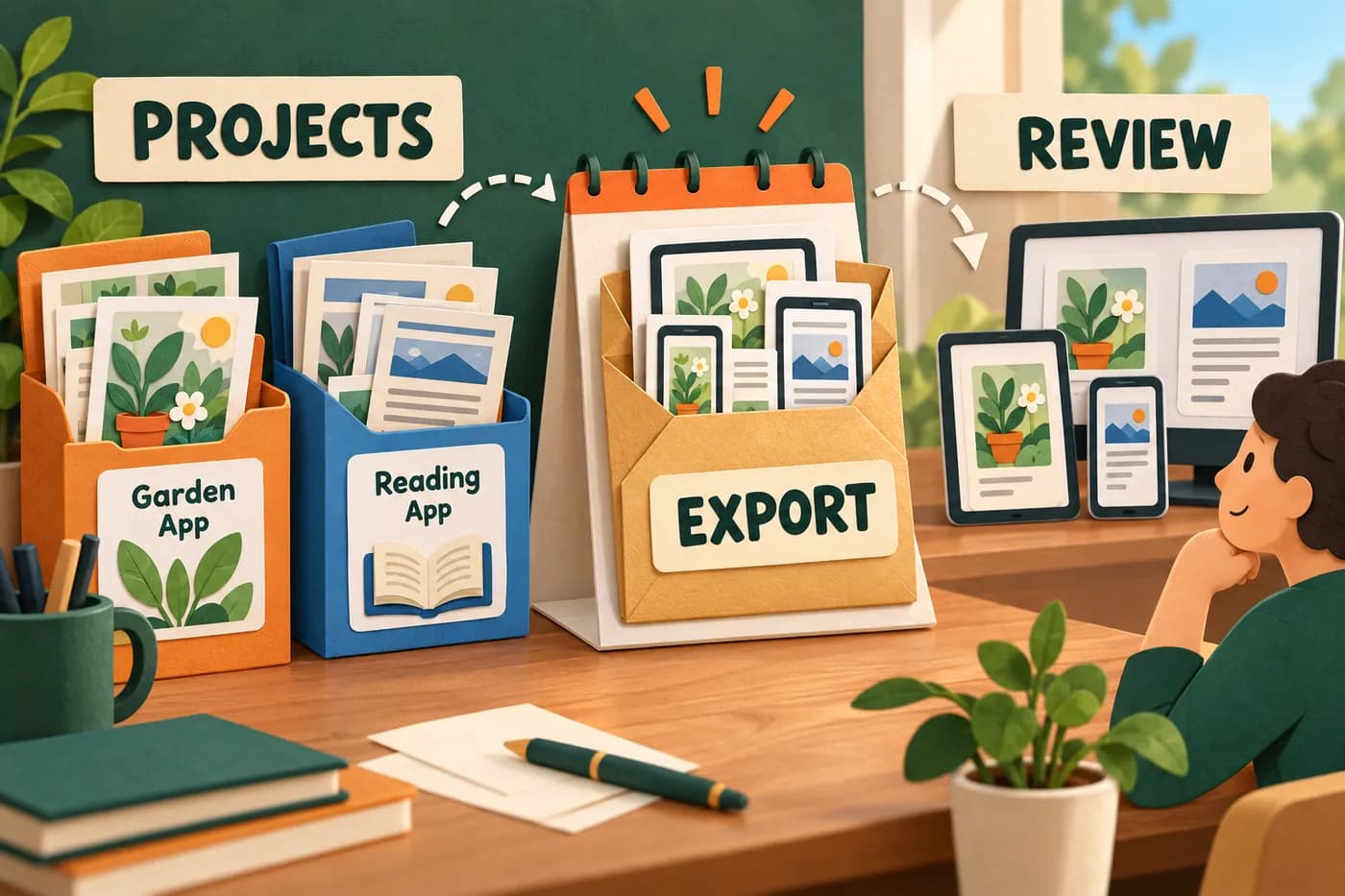
Fictional release queue. It illustrates planning units, not the AppScreenStudio interface or a tested export counter.
The current free offer changes the production question. The public page lists unlimited screenshots within up to two projects, but only one export per day. A developer can therefore have room to design more frames while still needing to plan when to download a final set. Do not use the earlier ten-screenshot or two-language figures as current plan limits.
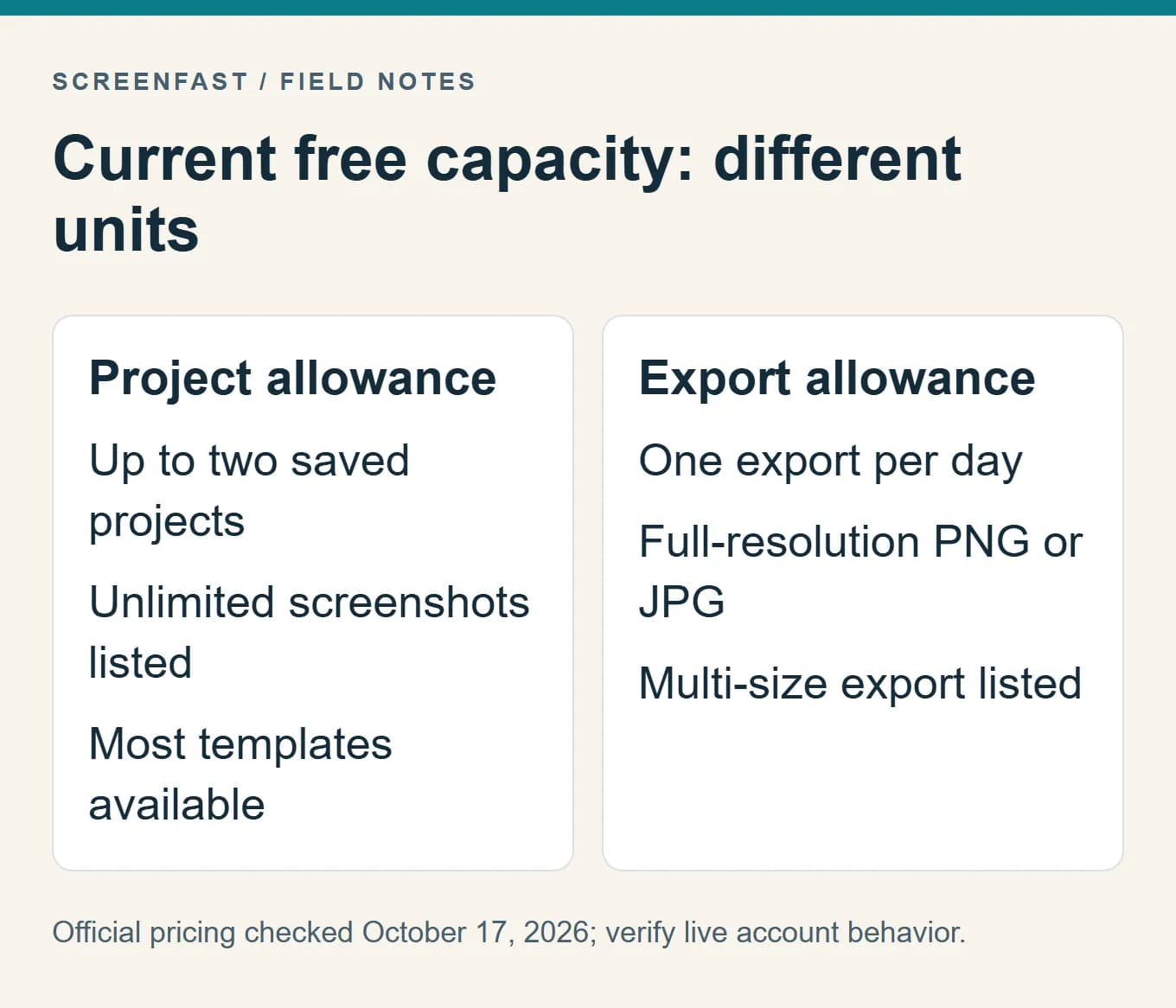
Before exporting, review the complete sequence and target sizes. Check the source captures, caption spelling, paid-feature labels and device mapping. This reduces the chance of spending an allowance on an obvious draft error. It does not prove that a failed download or a second file request is counted in any particular way; inspect the live account behavior if that detail matters.
Keep capacity, AI usage and premium access distinct
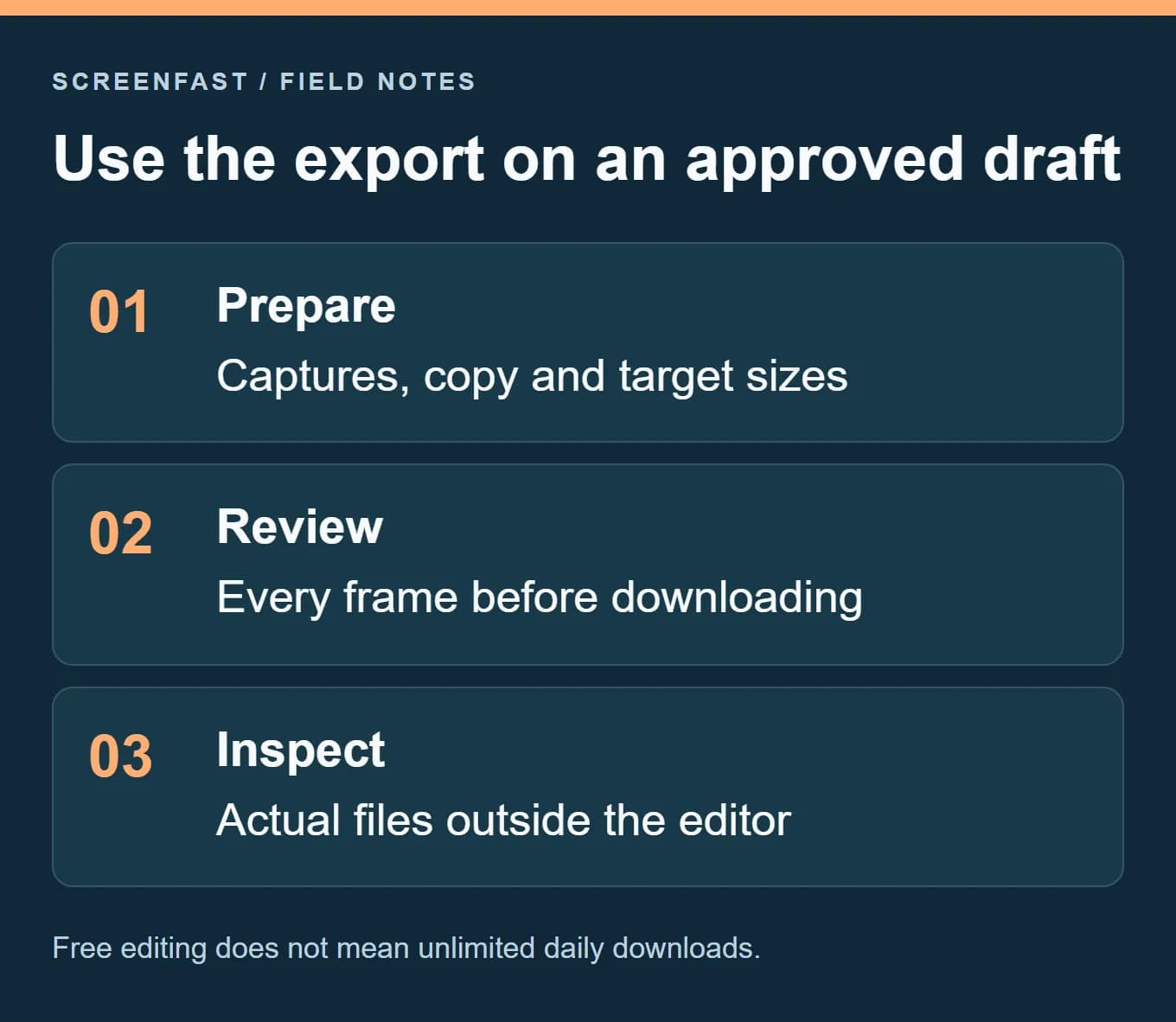
A project slot stores work. An export delivers files. AI translation consumes a separate resource under the published credit rules. A premium template has its own entitlement. Collapsing all four into "free versus paid" hides the actual reason to upgrade.
For a fictional two-app launch, use one project per app and approve the first export before moving to the second. If both releases must ship on the same day, confirm the paid route that removes the daily boundary. If the schedule is flexible, a free workflow may be sufficient. This is a planning scenario, not a recommendation to structure every account this way.
Save the approved source copy and captures separately. If the app changes next month, you should be able to identify which frame needs updating without reverse-engineering a flattened export. That source discipline matters whether the editor costs nothing or uses a paid pack.
AppScreenStudio or ScreenFast?
These tools address different points in the process. AppScreenStudio gives you a template-led workspace to assemble and edit a listing. ScreenFast starts with a free audit of your app context, then offers ten AI design directions after payment.
ScreenFast's one-time purchase is $9.99 per app. Optional subscriptions are separate on the pricing page. Its native image output is iPhone-focused at 1290x2796, not a native multi-platform export system for iPad and Android. It does not generate native video or upload directly to the stores.
If you know the layout you want and need control over each element, start with the template route. If you are stuck on the visual direction, the AI screenshot generator may be worth considering. Review the generated text and UI, since AI output is not a substitute for final quality control.
There is no reason to dismiss a usable free tool merely because another product is ours. The useful recommendation is the one that fits the work. A free first listing can be the right answer for a small app; a paid concept workflow can be the right answer when design decisions are the real blocker.
How we tested
We rechecked the official pricing page on October 17, 2026. It now lists unlimited screenshots, two projects and one full-resolution export per day, replacing the earlier screenshot and language limits. We removed the outdated plan visuals and kept paid checkout amounts unquoted because they were not verified.
We did not purchase credits, use paid templates, test translation quality or measure export speed. The workflow above is a proposed acceptance test, not an invented account of using a paid plan. The cover and decision cards are editorial visuals; the pricing capture is labeled as a public source.
FAQ
Is AppScreenStudio actually free?
The current public pricing page offers two saved projects, unlimited screenshots and one full-resolution export per day. It lists full-resolution output rather than only a small preview. Verify that behavior with your own sample export.
Does the free plan include every template?
No. The pricing page says most templates are included, while premium templates require Pro. Choose a free template for the first workflow test so the visual choice does not hide another gate.
Do AppScreenStudio credits expire?
The public pricing page says they do not. Check the terms of the specific package you buy, including which actions consume credits and which require a separate entitlement.
Is AI translation free?
The pricing page lists AI translation at ten credits per language. The ability to work with a locale is not the same as unlimited AI translation. Keep generation cost and locale capacity separate.
Can it make Google Play assets too?
The vendor advertises App Store and Google Play export sizes. Confirm the exact slot with a sample file and the current platform rules. A format label alone is not final submission validation.
Should I buy Pro before designing?
Usually, test a small free sequence first. Buy when you can name the feature or limit that blocks a useful result. That gives you a clearer decision than paying before you know the workflow.
Last updated: 2026-10-17. Current public limits checked; no paid checkout or export test claimed.