AppLaunchpad vs Canva: Which Fits Your App Launch?
TL;DR: store package or wider campaign?
AppLaunchpad vs Canva is a choice between a dedicated screenshot builder and a general design workspace. Start with AppLaunchpad if your main deliverable is a set for the App Store and Google Play. Start with Canva if you already manage brand assets there and also need social posts, banners and launch graphics. Test an actual export before paying.
We make ScreenFast, a separate paid AI screenshot product. This comparison is not a claim that our tool replaces both options. Last updated: 2026-10-17.
Start with the deliverable list
The wrong comparison starts with which tool has the most templates. The useful comparison starts with what you need to hand over on launch day. A founder shipping one iPhone app has a different job from a marketer preparing two stores, a website and a week of social posts.
Write your deliverables in plain terms: five portrait screenshots, one tablet set if required, three locales, one social tile and a website banner. Separate mandatory store files from optional marketing assets. Then ask which workflow keeps the most important items easy to update.
| Decision | AppLaunchpad | Canva |
|---|---|---|
| Main focus | App Store and Google Play screenshots | General visual content |
| Starting point | Store-specific templates and layouts | Custom canvas or a suitable template |
| Repeated device outputs | Dedicated sizing workflow | You must manage sizes or use suitable features/apps |
| Campaign reuse | Check which extra design outputs fit | Useful when your campaign assets already live there |
| Free evaluation | Free plan with stated export limits | Free design route, with paid assets/features to watch |
| Buying risk | Assuming every trial output is unlimited | Assuming every template or integration is included |
This is not a claim that Canva cannot make store screenshots. It can. The question is how much store-specific setup you want to own.
What AppLaunchpad is built to do
AppLaunchpad offers a browser editor with templates, device mockups and screenshot sizing for the two major app stores. Its public product page puts that workflow at the center. You bring the real app captures and adapt the presentation around them.
For someone without an established design file, that focus is useful. You are not starting from a blank social-media canvas and trying to work backward to a store slot. Still, a template is only a structure. It cannot decide whether your opening headline describes the feature people care about most.
The pricing page listed Pro at $15 per month, or $10 per month with annual billing selected. The latter implies $120 across a year, before any applicable tax. The annual equivalent is not a $10 one-month pass.
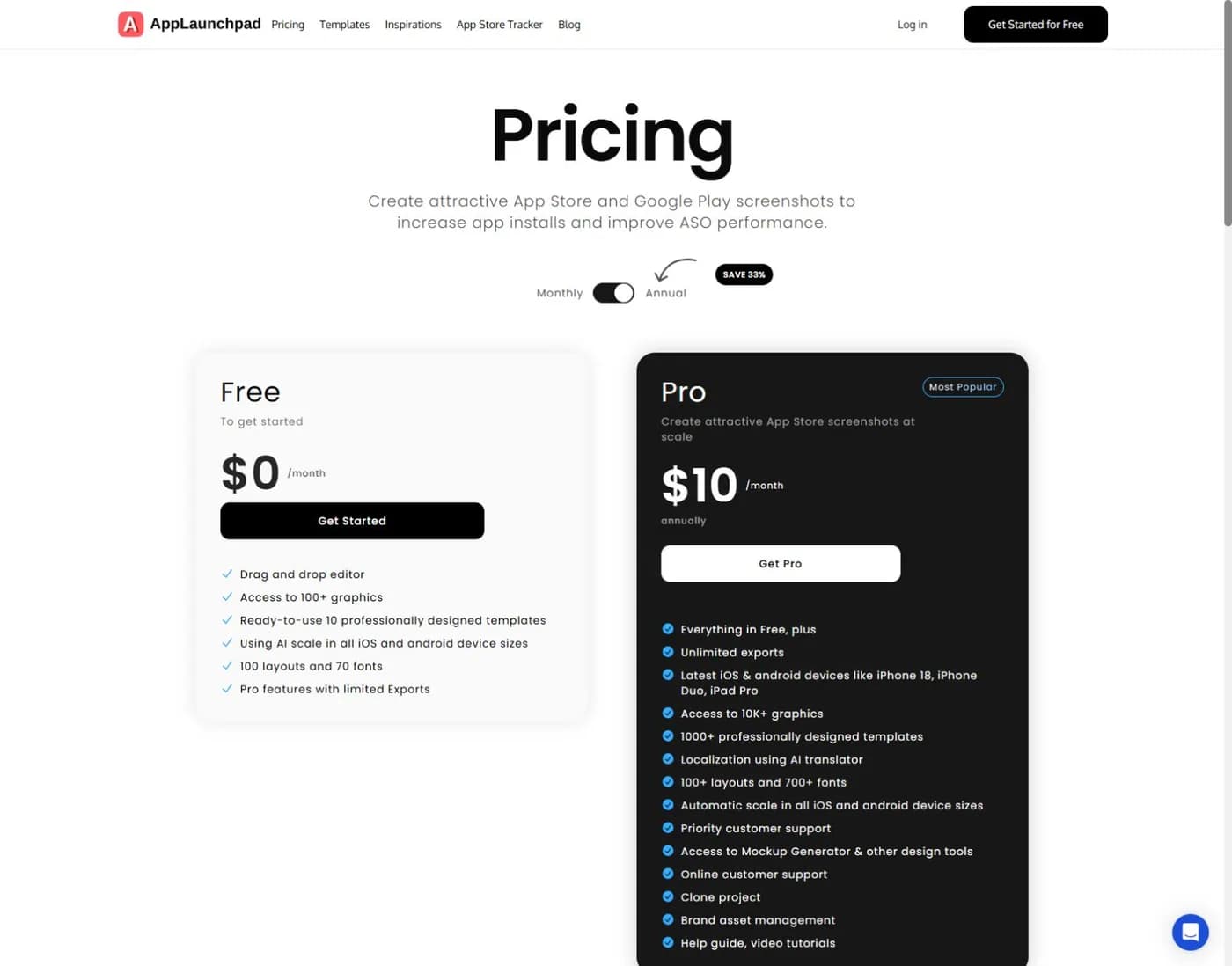
Pro advertises unlimited exports, AI translation, project cloning and brand asset management. Its FAQ lists up to 100 projects under Pro. The free tier describes limited exports rather than a universal, unlimited production allowance. Check the actual export you want during the trial.
For the fuller product-specific assessment, see our AppLaunchpad review. This page stays focused on the choice against Canva, not every AppLaunchpad feature.
What makes Canva a sensible alternative
Canva can be a good fit when you already have your logo, colors, launch deck and social graphics in one place. Keeping the screenshot set close to those assets can make it easier to maintain a consistent campaign. A headline change can start from the same approved copy document rather than a fresh brief.
The benefit is broader reuse, not automatic store compliance. A canvas that looks like an iPhone mockup may have the wrong pixel dimensions. A social template may crop a key control or make your UI too small. Treat a store screenshot as a specific output, not just another attractive portrait image.
Our Canva screenshot export guide walks through that setup. Before scaling up, create one file using your own capture and assets that your plan permits. Download it and inspect its dimensions. Do not wait until the whole set is designed to discover a paid element or a size problem.
Canva also has third-party apps. For example, its App Screenshot Gen listing describes an app-store screenshot workflow from an external developer. That is different from saying the base Canva editor includes every feature or that a Canva subscription covers the app's charges.
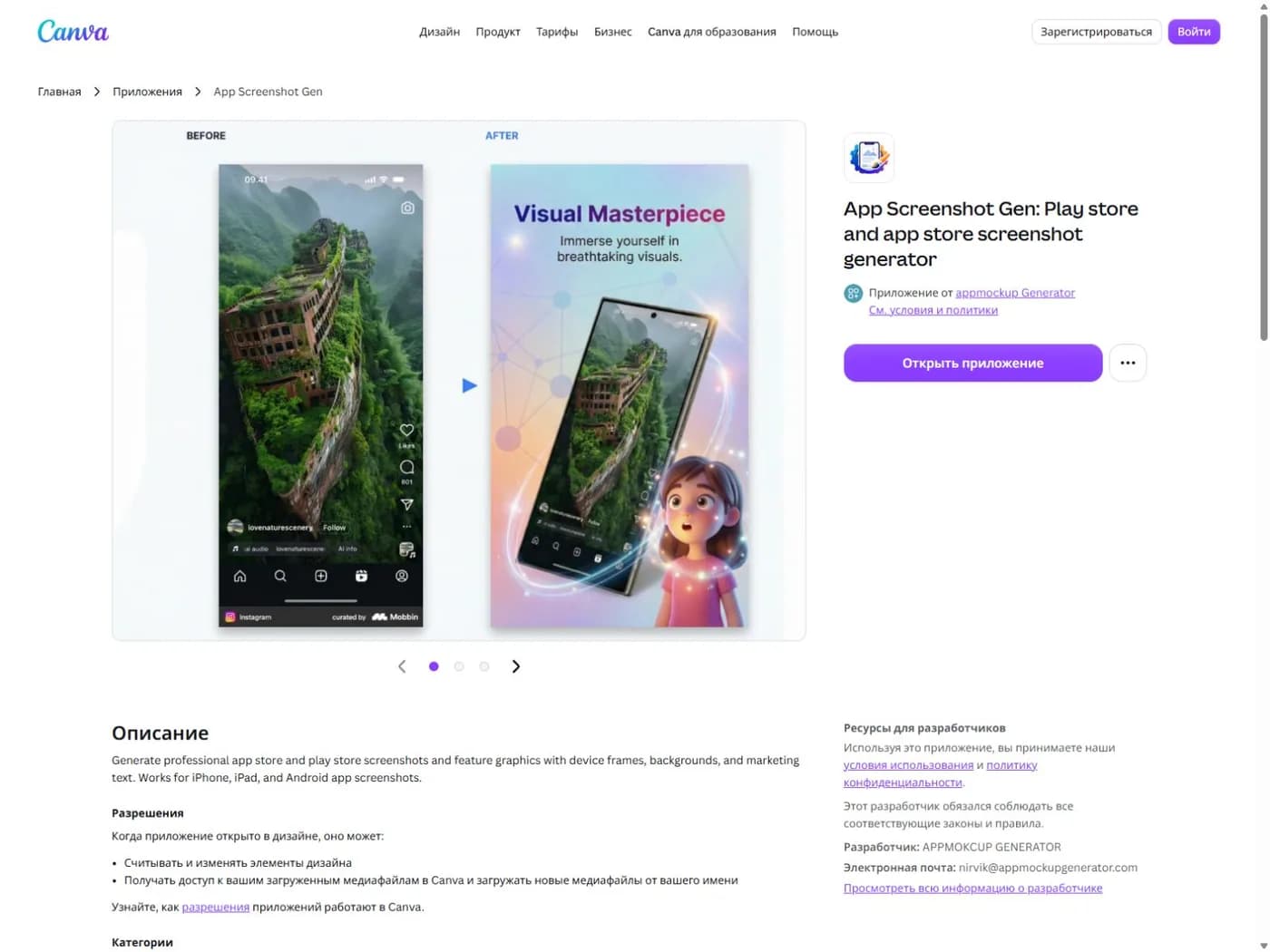
We inspected that listing, not a paid integration session. Review permissions, terms and pricing before connecting an app to client files. The presence of an app in a marketplace is not proof of its quality or suitability for your data.
Compare costs without hiding the manual work
If you already pay for Canva and it covers the assets you need, the extra software spend may be small or zero. That does not mean the work is free. You may still need to create each required size, adjust translated captions and keep the exported folders organized.
If you buy AppLaunchpad solely for a launch, compare the real billing term with your schedule. A monthly plan and an annual plan solve different budget problems. Also check what happens if your release slips and you need another round of exports later.
For Canva, we do not quote a universal paid-plan price here. The right price depends on the plan, market and account context. Use the current checkout for your situation. More importantly, confirm whether the specific feature you need is available in that plan rather than inferring it from a broad plan name.
A simple cost sheet should have four rows:
- New software spend for this release.
- Separate assets, templates or app charges.
- Setup and review time.
- The cost of reopening the project for the next update.
Do not compare a paid specialist's complete output against an unfinished free canvas. Compare two checked files that both meet your needs. That is the point where the price comparison becomes meaningful.
A three-part trial that reveals the better fit
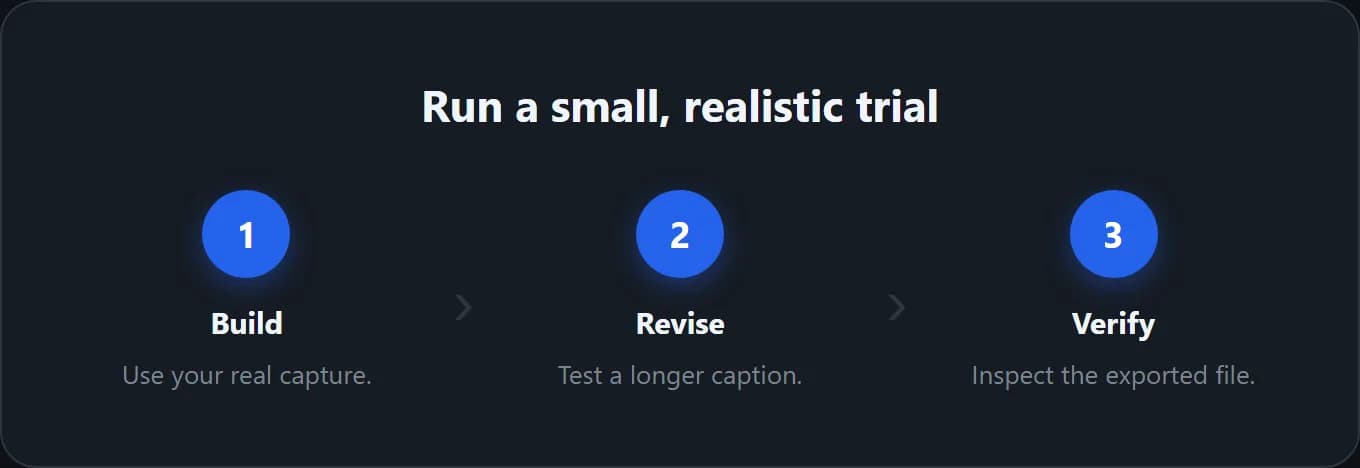
Use a small trial instead of a full redesign. Choose a real screen with enough detail to expose cropping and legibility problems. Use a benefit headline that could plausibly appear in your final listing. Avoid customer names, private account data and paid stock you have not licensed.
First, make the opening screenshot. Check the visual hierarchy at the size a visitor will see in a store listing. Does the benefit read before the decorative frame? Is the important part of the app still large enough to understand?
Second, make a revision. Replace the underlying capture, change the headline and add one longer translation. Note whether each change stays controlled or breaks the layout. A template that looks great with placeholder copy may not fit your app's actual message.
Third, make one extra campaign asset. If Canva makes that part easier because your assets are already organized there, include that benefit in the decision. If your campaign only needs store screenshots, do not pay a complexity cost for hypothetical future formats.
Record the result in a short note. Which tool needs fewer manual corrections for your actual brief? Which file can another person update without a call? Those observations are more useful than a vendor's broad claim about speed.
Localization is more than replacing the headline
AppLaunchpad advertises AI translation on its paid plan. Canva workflows can also involve translation features or apps. In either case, translated words still need review in context. Do not assume an automatic translation matches the terminology used inside your app.
Give the reviewer both the original capture and the caption. A label that works in isolation may describe a different action in the interface. A short English phrase may become a much longer sentence. Some markets need different units, example data or price presentation.
Keep a copy sheet with one row per screenshot and one column per locale. Mark approval there before exporting. It is easier to catch a missing translation in a small table than in a folder of dozens of nearly identical PNGs.
If the app itself is not localized, be careful with the promise your screenshots make. A translated headline wrapped around English-only UI can set the wrong expectation. Explain the feature honestly and show the product the user will actually receive.
Rights, source files and handoff
Canva's licensing explanation distinguishes content licensing from owning the original asset. Do not assume that paying for a design tool gives you unrestricted rights to redistribute its stock or templates. Check the terms that apply to the elements in your final composition.
For AppLaunchpad, verify the intended use and handoff rights before delivering client work. A page aimed at agencies does not answer every question about source files, team access or redistribution. If the terms do not clearly cover your contract, ask the vendor for a written answer.
Define the delivery package before you start. Will the recipient get only final PNGs, an editable project link, or both? Who will keep the software subscription? Who fixes a caption after the app launches? These questions matter even when the client is simply another person on your own team.
Use a clear filename pattern such as en-US_iphone_01-benefit_v03.png. Keep drafts away from approved exports. Add a small manifest listing the app version, locale, size and final order. The tool can help produce files; the manifest makes the delivery understandable.
Which one should you choose?
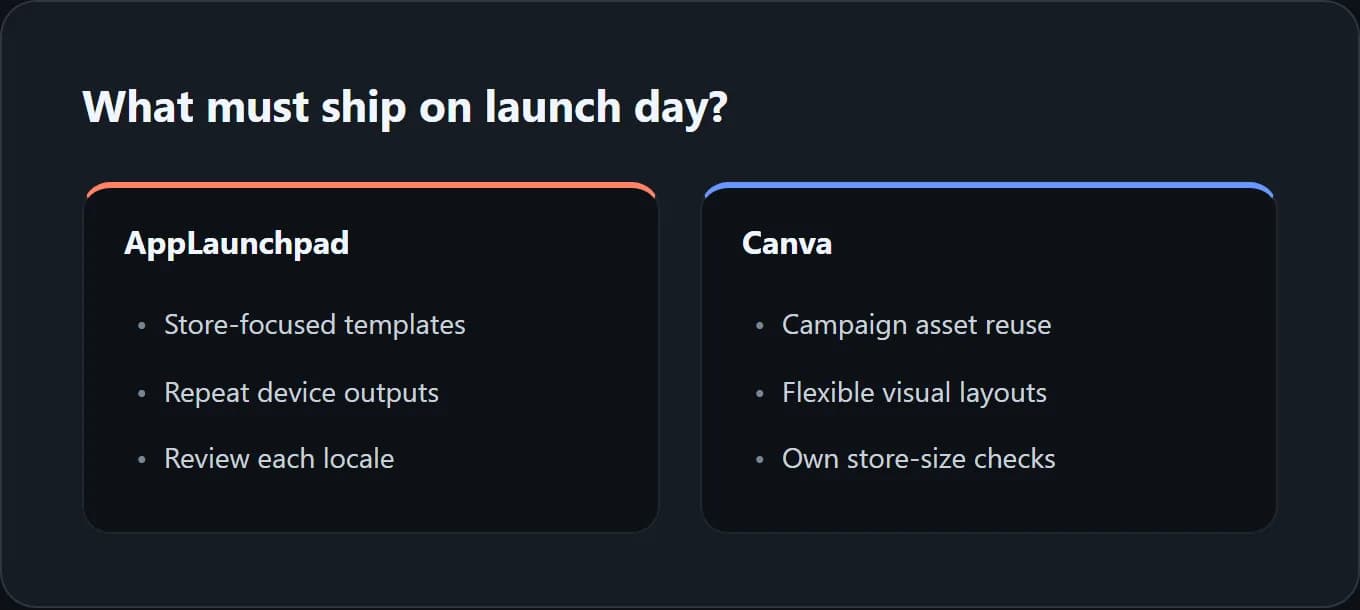
Choose AppLaunchpad first if you want a store-focused starting point, need repeated device outputs and do not already have a strong general design workflow. Test the free tier, then evaluate the paid features against a real release rather than a sample gallery.
Choose Canva first if your launch campaign already lives there, you enjoy adjusting layouts and you can own the store-size checks. It can be a sensible choice for a small number of outputs. A growing language and device matrix is the point where you should reassess the manual work.
If neither addresses your main problem, ask whether the problem is actually creative direction. ScreenFast, our product, starts with a free audit and offers paid generation of 10 directions. It is not a free image preview, a full campaign suite or a native multi-store export system.
See how the ScreenFast process works before buying. Its one-time option can suit a single iOS concept task, but exact copy and visual checks remain necessary. If recurring billing is the concern, compare non-subscription screenshot options separately.
Methodology
We inspected AppLaunchpad's public pricing in both billing modes and reviewed its product page. We checked Canva's licensing information and official third-party app listing. We did not purchase either plan, install the Canva app or connect a store account.
The trial and handoff checklist are our editorial framework. They are not measured time savings or customer results. Official Apple requirements remain the reference for accepted screenshot dimensions, regardless of which editor you use.
Frequently asked questions
Is AppLaunchpad free?
It has a free plan, but the public table describes limited exports and a smaller feature set. Test the exact output you need. Do not assume that access to an editor means unlimited production downloads.
Is the AppLaunchpad annual plan $10 in total?
No. The page showed $10 per month with annual billing selected. That is a $120 yearly equivalent before applicable tax. The separate monthly view showed $15 per month at our check.
Can Canva make screenshots in App Store sizes?
Yes, with a correctly sized canvas and a suitable export workflow. You must confirm the final file's pixel dimensions. A phone-frame template alone does not prove that the file matches an upload slot.
Does Canva Pro include every screenshot app?
Do not assume that. Third-party apps can have separate terms, permissions and charges. Review the specific listing and purchase conditions. We did not verify paid access to App Screenshot Gen.
Which is better for both iOS and Android?
AppLaunchpad explicitly focuses on both stores. Canva can produce designs for both, but the workflow depends on your canvas setup and chosen tools. In either case, review each platform's actual files instead of reusing an iPhone image blindly.
Can I use the same design for social media?
You can adapt a design if the asset licenses permit it. Recompose the layout for the new format rather than stretching the store screenshot. A social tile may need a different headline and a much larger visual focus.