Previewed Pricing & Review: Free, $9.99 Plus or Pro?
TL;DR
This Previewed app review finds a strong browser-based mockup tool for 2D store images, 3D device scenes, and app promo video. Previewed is best when you already have the screen, message, and visual idea and want to present them in polished devices. The free plan supports unlimited 720p 2D exports with attribution. A $9.99 one-time Plus pack adds ten higher-resolution commercial exports, including 3D and video. Pro was shown at $19 per month with annual billing when checked. Previewed is less suitable when you want AI to invent the App Store screenshot concept and copy.
Disclosure: ScreenFast is our product. We did not buy a Previewed plan or claim a paid hands-on test. This review uses the vendor's public pages and states where Previewed is the stronger product.
Last updated: 2026-10-07
Previewed at a glance
| Area | What Previewed offers |
|---|---|
| 2D mockups | App Store and Google Play images, including panoramic layouts |
| 3D snapshots | Device scenes with camera, color, position, and environment controls |
| Motion | 3D animations and app promo video |
| Devices | iPhone, iPad, Android phone and tablet, laptop, and display mockups |
| Formats | JPEG, PNG, and MP4 |
| Collaboration | Shared mockup groups and cloud template storage |
| Pricing | Free Lite, $9.99 one-time Plus exports, and Pro subscription |
Previewed is not only an App Store screenshot generator. Store images are one use case inside a wider mockup and motion product.
What is Previewed?
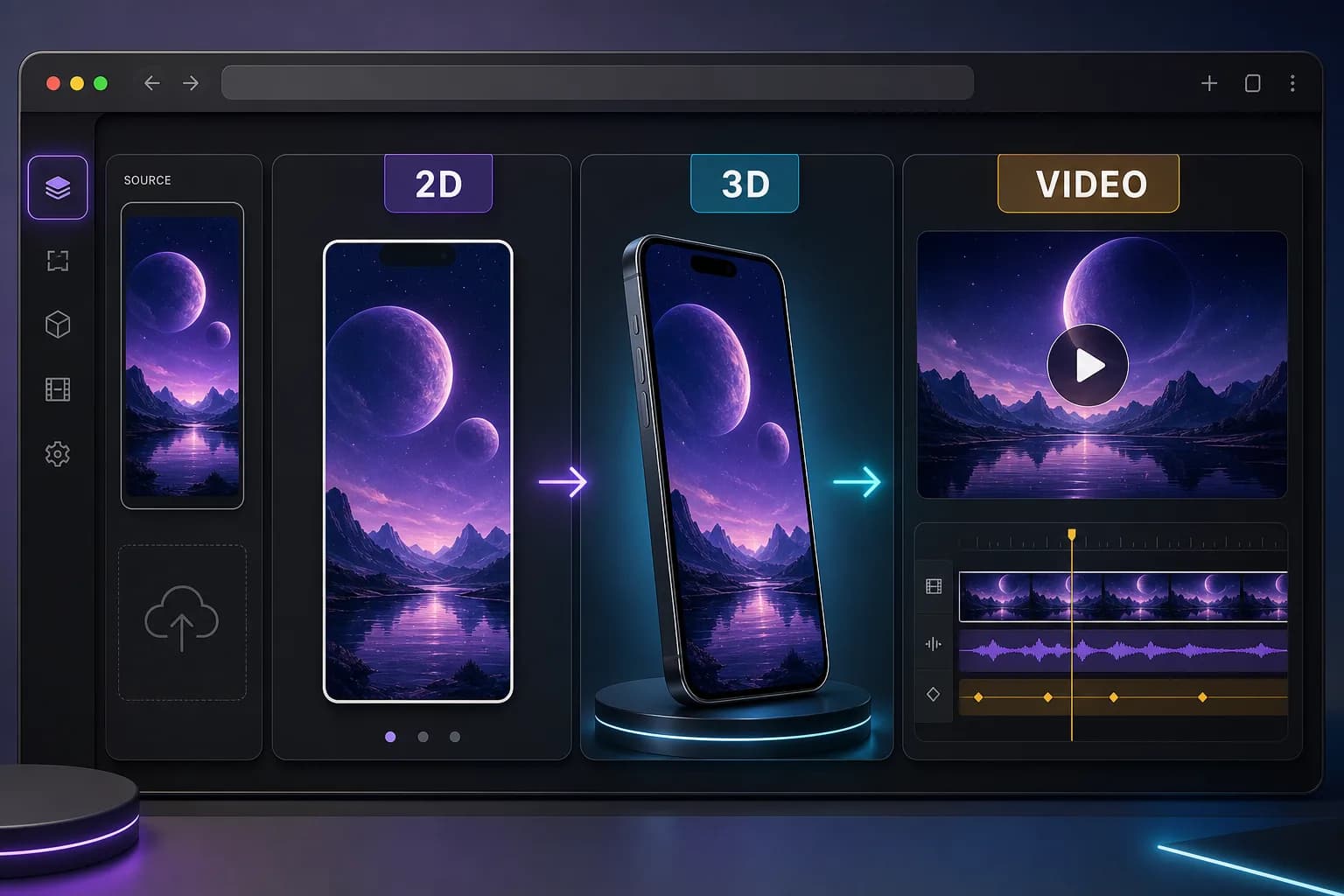
Previewed is a browser mockup generator. Users upload an image or video, place it inside a device, add text and supporting images, and adjust the scene. The product supports 2D images, 3D snapshots, and 3D animations.
The main page positions 2D output for App Store and Google Play, 3D snapshots for promotional banners, and animation for blog or social content. It also offers an app promo video workflow.
This scope is useful for a launch that needs more than store tiles. A team can create a screenshot, a social asset, and a motion scene from the same product screens.
The important limit is the starting point. Previewed presents finished UI. It does not inspect an app and decide which customer promise should lead the store listing. You still bring the concept and caption.
Previewed pricing in 2026
The official Previewed homepage showed three ways to pay on October 7, 2026:
| Plan | Price shown | Main limit |
|---|---|---|
| Lite | $0, free forever | Unlimited 2D exports at 720p with CC attribution |
| Plus | $9.99 one-time | 10 exports at 1080p or higher, plus 3D and video exports |
| Pro | $19 per month, billed $228 yearly | Unlimited exports, Pro features, 3D, 60fps video, commercial license |
The pricing section also advertised annual billing with a 35 percent saving. Billing labels can change, and the page may show monthly or annual controls. Confirm the current terms on the official Previewed site before purchase.
The Plus option is notable. Many design tools force a subscription for commercial high-resolution output. Previewed offers a one-time export pack. This can fit a single launch if ten exports cover the job.
Lite is useful for evaluation and low-resolution work. Attribution and 720p output make it a poor default for a paid App Store campaign, but the plan lets a buyer test the editor before paying.
Which Previewed plan fits one app launch?
Start with the deliverables, not the monthly headline. A store screenshot set, a 3D website image, and a promo video are different outputs. Previewed's Plus allowance is ten exports, not ten reusable projects or ten AI-generated design concepts.
| Your job | Starting option | Check before paying |
|---|---|---|
| Explore the editor and make a small 2D mockup | Lite | 720p output and the vendor's CC attribution terms |
| Prepare a limited commercial launch package | Plus | Whether ten exports cover the required images, video and revisions |
| Produce assets repeatedly across releases | Pro | Annual charge, current billing selector and recurring terms |
| Generate screenshot concepts and headlines from an app | An AI-first workflow | Mockup rendering and idea generation are different jobs |
For a one-off project, write down the number of final deliverables before choosing Plus. Ask the vendor how revised downloads and mixed image/video outputs use the allowance if your plan depends on that detail; the public pricing table does not settle every edge case. Do not assume an unused credit balance or a refund rule that the page does not promise.
For Pro, $19 per month with annual billing means $228 billed per year in the displayed plan. It is not evidence of a cancellable $19 month-to-month plan. Check the billing mode, renewal terms and final checkout total.
Can the free 720p export go straight into App Store Connect?
Not as a general rule. Apple requires specific pixel dimensions for each display class; "720p" and "1080p+" are not submission specifications. Check the final exported file against the current App Store screenshot size table. A paid resolution label alone does not prove that the chosen canvas matches the required well.
If the upload remains stuck after the file dimensions are correct, use the App Store Connect upload troubleshooting guide. Separate file preparation from the upload-processing problem.
What Previewed does well
It combines 2D, 3D, and video
The strongest Previewed feature is range. A user can create flat store graphics, polished 3D renders, and device animation without moving into a full 3D application.
This matters for a launch with several channels. App Store screenshots need a direct product story. A landing page may need a 3D hero. Social media may need motion. Previewed can support all three.
It gives detailed scene control
Previewed lets users adjust device colors, position, angle, screen media, text, images, dimensions, background, and transparency. It also promotes custom camera and environment controls for 3D work.
That control is a benefit when the creative direction is fixed. It is also work. Someone must make each choice and review the result.
It covers many device types
The product advertises iPhones, iPads, Android phones, tablets, laptops, monitors, and other displays. This is broader than an iOS-only screenshot tool.
A team can use one mockup system across mobile product pages, launch decks, website sections, and social posts.
It offers a one-time commercial path
The $9.99 Plus pack gives a one-off buyer a way to unlock higher resolution, 3D, video, and a commercial license for ten exports. That is clear and easy to compare with a recurring plan.
The main question is whether ten exports cover the full job. A ten-screen store set plus several social and video versions can use the allowance quickly.
Where Previewed is weaker
It does not create the marketing idea
Previewed can render a strong idea. It does not create the full screenshot strategy from the app.
The user still decides:
- Which benefit leads screenshot one.
- Which screen proves the promise.
- What each caption says.
- How the first three screenshots form a sequence.
- Which visual direction fits the category.
If this is the blocker, study App Store screenshot examples or use an AI-first App Store screenshot generator.
A broad mockup tool can create extra decisions
Camera controls, device choices, animation, fonts, images, colors, and positioning create flexibility. They also create more review points.
An indie developer under launch pressure may not need every option. A simple 2D store set can be better than a polished 3D scene that hides the actual product message.
Free output has attribution and resolution limits
Unlimited free exports sound generous, but the 720p limit and CC attribution matter. Check whether the exact App Store or campaign asset can use that license and resolution.
Localization is not the main product story
Previewed can change text and layouts, but its main public offer focuses on mockups and motion. A team with many markets may prefer a store production tool with locale management or a dedicated App Store screenshot localization tool.
Previewed vs ScreenFast
Previewed and ScreenFast begin at different stages.
ScreenFast begins with an App Store URL or raw prelaunch screens. AI creates ten design directions with headlines, backgrounds, composition, and a primary iPhone store canvas.
Previewed begins with media that is ready to present. The user chooses a 2D template or 3D scene, places the screen, and controls the output.
Choose Previewed if:
- You need 3D device scenes or app promo video.
- You already have the visual direction and copy.
- You need many device families.
- You want a one-time commercial export pack.
- You enjoy precise scene control.
Choose ScreenFast if:
- The blank canvas is the main blocker.
- You want ten different directions before editing.
- You need a complete iOS screenshot concept quickly.
- You want the headline and visual treatment generated together.
Read the full ScreenFast vs Previewed comparison for a feature-by-feature decision.
Previewed alternatives
The right Previewed alternative depends on the missing job.
Use Rotato when 3D motion, offline Mac privacy, and detailed animation are central. Read our Rotato review.
Use AppScreens or AppLaunchpad when reusable templates, store sizes, Android, and many ongoing releases matter.
Use Figma when the team needs total manual control and reusable source components.
Use ScreenFast when the team wants the concept and screenshot direction generated before the mockup stage.
The App Store screenshot generator alternatives guide maps these products by workflow.
Methodology
Pricing checked: October 7, 2026. The figures below were checked against the official Previewed homepage pricing section, not an affiliate price list. We did not purchase a plan or test export-credit accounting.
We reviewed Previewed's public homepage, pricing section, feature descriptions, device lists, use cases, and export claims on October 7, 2026. We used vendor pages for current product details. We did not use old pricing from affiliate reviews and did not claim a paid test.
We compared the work the product completes, the work left for the user, and the type of final asset. Vendor template or feature claims are useful product facts, not proof of conversion performance.
FAQ
Is Previewed free?
Yes. Previewed Lite was shown as free forever with unlimited 720p 2D exports under a CC attribution license. Paid plans add higher resolution, 3D and video; the vendor explicitly labels Plus and Pro with a Commercial License. Read the linked license terms for the exact rights and attribution requirements.
How much does Previewed cost?
When checked, Plus cost $9.99 one time for ten higher-resolution commercial exports with 3D and video. Pro was shown at $19 per month with annual billing. Verify the current selector and checkout terms.
Can Previewed make App Store screenshots?
Yes. Previewed supports App Store and Google Play screenshots, including 2D and panoramic mockup layouts. It also creates 3D promotional scenes and video.
Is Previewed better than Rotato?
Previewed is attractive for a browser workflow that combines 2D store images, 3D, and video. Rotato is a deeper 3D mockup specialist with Mac and web products. The better choice depends on whether store image editing or advanced 3D presentation is the main job.
What is the best Previewed alternative?
ScreenFast is a strong alternative when you need AI-generated screenshot concepts. Rotato is strong for 3D motion. AppScreens and AppLaunchpad are strong for editable store production. Figma is strong for total manual control.