App Store Listing Optimization Checklist (2026): 25 Checks
TL;DR
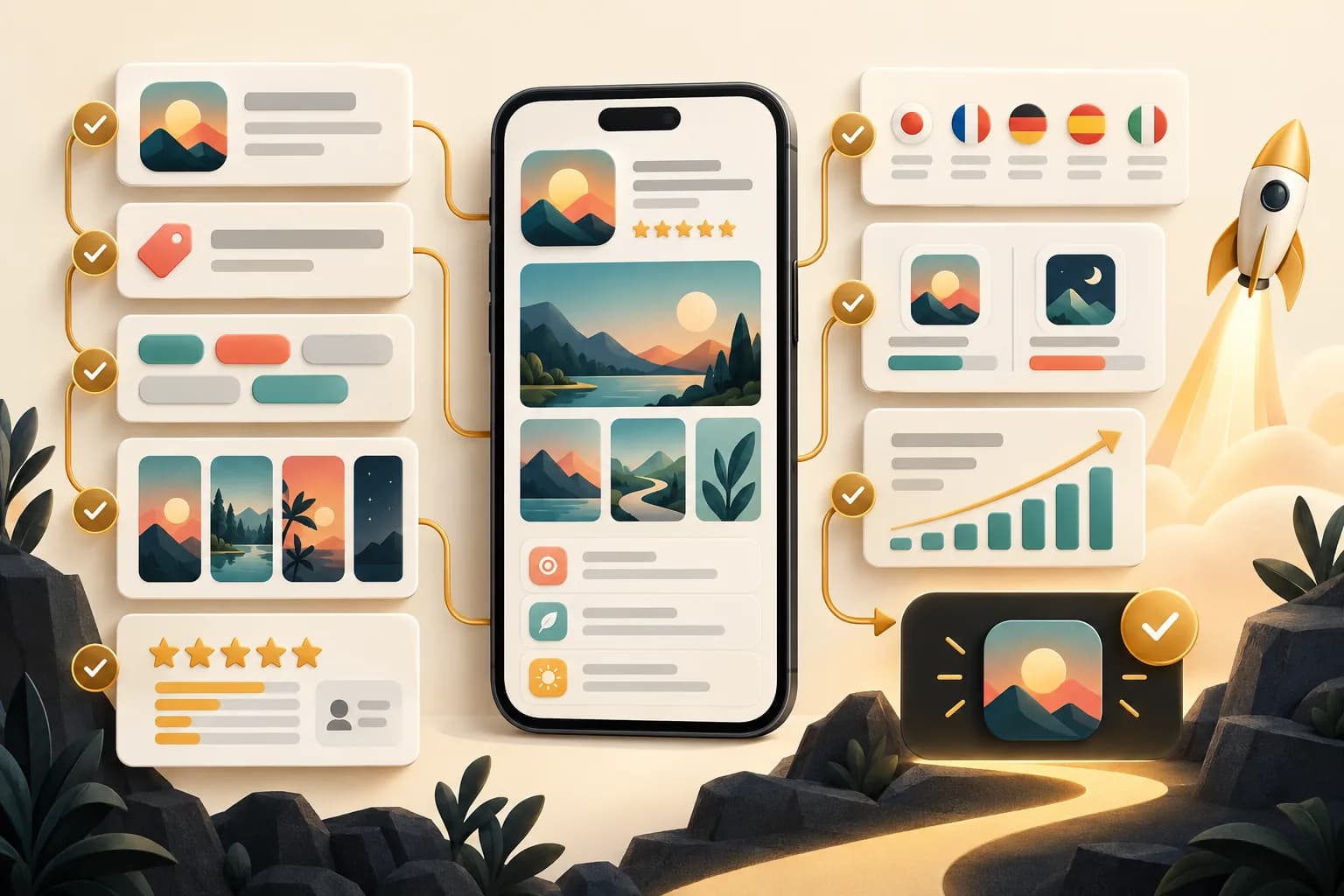
An App Store listing works only when discovery and conversion support the same promise. First decide who the page is for. Then align the app name, subtitle, keyword field, description, screenshots, and localized assets. Check Apple's current file rules before upload. Test one creative idea at a time, and measure product-page conversion instead of judging a design by taste.
This App Store listing optimization checklist gives you 25 checks in the order we would run them before a launch or listing refresh. It is also a practical App Store optimization checklist for teams that need one review path for metadata and creative.
Last updated: 2026-09-22.
Disclosure: ScreenFast makes an AI App Store screenshot generator. The product is relevant to the screenshot checks below, but it does not replace metadata research, localization review, App Review compliance, or measurement.
Start with the job of the listing
The listing has two jobs. It must help the right person discover the app, then give that person enough evidence to install it. A high rank for a vague term can bring poor-fit traffic. A beautiful screenshot set cannot help if the app is invisible for relevant searches.
1. Name one audience
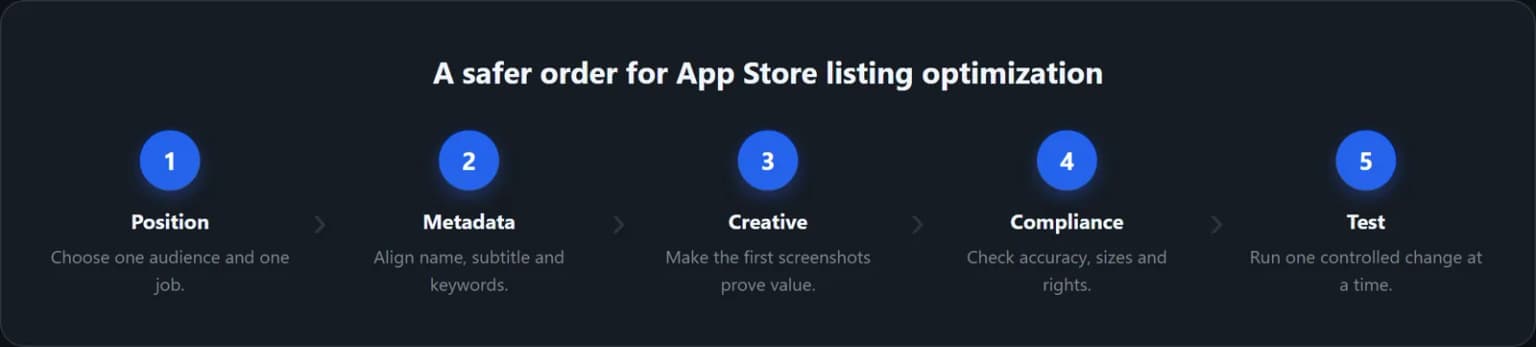
Write one sentence: "This page is for [audience] who want [outcome]." Use that sentence to reject unrelated keywords and generic creative. If the app serves several audiences, keep the default page broad enough to be truthful and use custom product pages for distinct campaigns.
2. Choose one primary outcome
Decide what the first screen must prove. A budgeting app may lead with control over spending. A habit app may lead with a simple daily routine. Do not ask the first screenshot to explain every feature.
3. Save a baseline before editing
Record current impressions, product page views, downloads, conversion rate, territories, and traffic sources. Keep the old metadata and screenshot set. Without a baseline, a listing refresh becomes an opinion contest.
Optimize App Store Connect metadata
Apple separates app-level information from version-level information. The App Store metadata character limits below come from Apple's current references. Some fields can change only while the app or version is in an editable state. Check the current status before planning a same-day release.
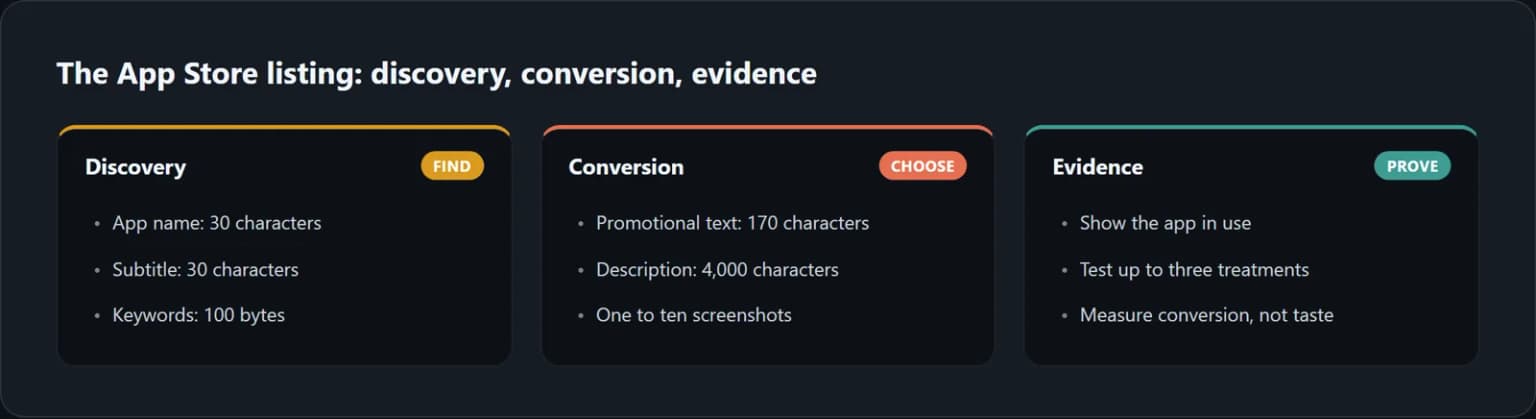
4. Keep the app name within 30 characters
Apple allows an app name from 2 to 30 characters. Use a unique name and plain language that accurately describes the app. Apple warns against stuffing names with trademarked terms, popular app names, prices, or irrelevant phrases. Confirm the current rule in Apple's App information reference.
5. Check the app subtitle character limit
The subtitle appears below the name and can be no longer than 30 characters. It should add context that the name does not already provide. Avoid repeating the same words or making a claim you cannot prove.
6. Treat the keyword field as a 100-byte budget
Apple permits up to 100 bytes of keyword content. Each keyword must be longer than two characters. Apple also says not to duplicate the app name or company name, and it does not allow names of other apps or companies in this field. Start with relevant phrases, remove duplication, then verify the byte count before saving. The source is Apple's platform version information reference.
7. Use promotional text for a current message
Promotional text is limited to 170 characters. Apple says it can announce current features without requiring an updated submission. Use it for a timely release, offer, or feature. Do not turn it into a second keyword list.
8. Write the description for comprehension
The description can contain up to 4,000 characters and must be plain text. Apple says it should explain features and functionality. It is also used for web search results after release. Put the primary value, audience, and core proof near the top. Use short paragraphs and concrete examples.
9. Complete the supporting fields
Check the privacy policy URL, support URL, category, content rights, age rating, and regional declarations that apply to the app. The support page should load without authentication. The privacy policy should match the data practices declared in App Store Connect.
| Field | Current Apple limit | Practical check |
|---|---|---|
| App name | 30 characters | Unique, accurate, no irrelevant brands |
| Subtitle | 30 characters | Adds context instead of repeating the name |
| Keywords | 100 bytes | Relevant terms, no app or company duplication |
| Promotional text | 170 characters | One current message |
| Description | 4,000 characters | Plain text, outcome and proof near the top |
| Screenshots | 1 to 10 | Correct size, no alpha, shows the app in use |
| App previews | Up to 3 | Optional, correct format and poster frame |
Build screenshots that survive both review and the search result
Screenshots are not decoration. They are evidence. Apple's current App Store screenshot requirements define the allowed count, formats, dimensions, and transparency rule. A user should understand the app's main result while scanning the first frames at a small size.
10. Upload between one and ten screenshots
Apple accepts a minimum of one and a maximum of ten screenshots in JPEG, JPG, or PNG format. More is not automatically better. Use only the frames that add a new reason to install.
11. Export an accepted pixel size
Use Apple's live screenshot specifications as the source of truth. The accepted iPhone 6.9-inch portrait sizes currently include 1260 × 2736, 1290 × 2796, and 1320 × 2868 pixels. Apple can scale a highest-resolution set to smaller device sizes when the interface is the same. iPad support still requires the appropriate iPad assets.
12. Remove alpha channels and transparency
Apple states that screenshot images cannot include alpha channels or transparency. Flatten the canvas before export. A file can look opaque in an editor and still contain an alpha channel, so inspect the exported file rather than trusting the preview.

If your interface needs motion to make sense, see the iOS app preview video guide for honest capture, submission specs and testing.
13. Show the app in use
For games, the first frame should make the playable action clear. See the App Store screenshots for games guide for capture, orientation, and gallery sequencing.
Apple's App Review Guideline 2.3.3 says screenshots should show the app in use, not only title art, a login page, or a splash screen. Text and image overlays are allowed when they help explain the experience. Keep the real interface visible enough to verify the claim.
14. Give screenshot one a single promise
Write a short headline that names the outcome. Pair it with the screen that proves the claim. Avoid a logo-only opener. A brand mark can appear, but it should not consume the frame that must earn the next swipe.
15. Make every later frame answer a new question
A useful sequence often moves from outcome to mechanism to proof to objection. For example: get control, see the dashboard, automate a task, protect data, then show a secondary feature. Repeating the same layout with five vague headlines does not create five reasons to install.
16. Review the set at search-result size
Shrink every frame before approval. Check whether the headline remains readable, the interface remains recognizable, and the first two frames are clearly different. Our guide to first versus second App Store screenshots explains how to assign separate jobs to those slots.
Check accuracy, rights, and localization
Creative performance does not override App Review rules. Apple requires all metadata to reflect the app's actual core experience and stay current as the product changes.
17. Remove claims the app cannot prove
Check every headline against the shipping build. If a feature needs a subscription, account, region, or device capability, say so where a reasonable user would expect the limitation. Apple Guideline 2.3.2 also requires screenshots and descriptions to indicate when featured items require an in-app purchase.
18. Use fictional account data
Apple requires developers to secure rights to materials used in icons, screenshots, and previews. It also says screenshots should use fictional account information instead of real personal data. Inspect names, messages, locations, photos, balances, and health data before export.
19. Complete the age rating honestly
An unrated app cannot be published on the App Store. Answer the age-rating questionnaire based on the real content and capabilities of the app. Apple documents the current process in Set an app age rating.
20. Localize the promise, not only the words
Apple supports localized metadata and screenshots. Review product terms, line breaks, cultural context, and the interface shown inside the capture. If no matching localization exists, Apple may fall back to another language. Use our App Store screenshot localization workflow to keep source copy and image variants aligned.
Use App Store growth surfaces deliberately
Apple now offers several product-page surfaces. They solve different jobs, so do not treat them as interchangeable.
21. Decide whether an app preview earns its first position
App previews are optional. Apple permits up to three per supported device size and language. Previews appear before screenshots, so a weak video can displace a stronger first image. Choose the poster frame deliberately and allow processing time. See Apple's upload instructions for current formats and status requirements.
22. Test creative with Product Page Optimization
Apple's Product Page Optimization can test screenshots, app previews, and icons. A test can include up to three treatments. Apple recommends waiting until at least one treatment is declared better or worse with at least 90% confidence before applying a winner. Change one meaningful idea per treatment so the result remains interpretable.
23. Use custom product pages for distinct intent
Apple allows up to 70 custom product pages. Each page can use different screenshots, previews, promotional text, and keywords. It also gets a shareable URL. Assign a unique intent to each page, such as a sport, character, workflow, or campaign. Apple's custom product page guide explains current eligibility and publishing steps.
After release, use the 12-week post-launch ASO timeline to turn this checklist into a measured sequence of diagnosis, iteration, and screenshot testing.
Turn the checklist into a repeatable release loop
24. Measure the whole funnel
Track impressions, product page views, downloads, conversion rate, and source. Segment by storefront and device where the sample allows it. A higher conversion rate with fewer qualified downloads may still be a bad result. Compare the listing outcome with retention and purchase quality after install.
Our App Store conversion rate benchmark guide explains why impression-to-download and page-view-to-download are different metrics.
25. Keep a change log and review cadence
For each change, record the date, fields changed, hypothesis, traffic split, and decision. Review the listing after a major product update, a new localization, a pricing change, or a clear shift in search demand. Do not rotate keywords and creative on an arbitrary calendar if the current test has not collected enough evidence.
If the screenshot production step is the bottleneck, the ScreenFast App Store screenshot generator starts with a free audit and unlocks ten design directions for a one-time $9.99 generation. It produces iPhone-focused files. You still need to verify every claim, localization, and App Store Connect field before submission.
Final pre-submission checklist
- One audience and one primary outcome are written down.
- Baseline metrics and the old listing are saved.
- App name and subtitle fit their 30-character limits.
- Keyword content fits 100 bytes and contains no prohibited brands.
- Promotional text and description match the shipping product.
- Privacy, support, category, rights, and age-rating fields are complete.
- There are 1 to 10 screenshots in an accepted format and pixel size.
- Every screenshot is flattened with no alpha or transparency.
- The first frame states one outcome and shows real app UI.
- Claims, purchases, account data, and localizations are accurate.
- Preview video, Product Page Optimization, and custom pages have clear jobs.
- The release has a measurement plan and change log.
How we tested
We rebuilt this checklist against Apple's live documentation on September 22, 2026. Primary sources included App Store Connect references for app information, platform version information, screenshot specifications, screenshot upload rules, age ratings, localization, Product Page Optimization, custom product pages, and App Review Guideline 2.3.
We removed claims from the old draft that Apple does not document, including the claim that screenshot caption text is an App Store ranking field. We also removed universal conversion-lift percentages and fixed maintenance intervals. Those figures vary by app, source, territory, and experiment design. The limits and rules above link directly to Apple so you can recheck them before each release.
Frequently asked questions
What is App Store listing optimization?
It is the process of aligning discoverability fields, conversion creative, compliance, localization, and measurement on an App Store product page. It includes ASO, but it is broader than keyword selection alone.
What is the App Store app name character limit?
Apple permits 2 to 30 characters for the localized app name. The subtitle also has a 30-character maximum.
Is the App Store keyword field 100 characters or 100 bytes?
Apple's current platform version reference says 100 bytes of content. That distinction matters for some non-ASCII characters. Check the byte count of the final localized string.
How many App Store screenshots can I upload?
Apple accepts from one to ten screenshots per supported device size and localization. Use JPEG, JPG, or PNG files with an accepted pixel size and no alpha channel or transparency.
Does Apple index text inside screenshots for App Store search?
Apple's public search guidance lists the app name, subtitle, keywords, and company name. Apple does not publicly document screenshot text as a standard keyword-ranking field. Write screenshot captions for comprehension and conversion, not as a substitute for metadata.
Can I update screenshots without a new app version?
Apple says that after a version is submitted and approved, you must create a new version to update its screenshots. During an editable status, upload or replace them in the platform version section.
How many Product Page Optimization treatments can I test?
You can test up to three treatments against the original product page. Keep each treatment focused on one hypothesis and wait for enough evidence before applying a winner.
How many custom product pages can an app have?
Apple currently allows up to 70 custom product pages per app. Each can highlight a distinct feature or audience with its own screenshots, previews, promotional text, keywords, and URL.