ASO Keyword Research for Indie Developers: A Practical Guide
TL;DR
ASO keyword research for indie developers starts with relevance: what can your app do, who needs that task, and what language do they use in the target App Store storefront? Build a small candidate list, inspect actual search results, compare dated evidence and assign accurate terms to your metadata. There is no universal volume score, difficulty cutoff or waiting period that guarantees a ranking.
Apple describes search relevance using the app title, subtitle, keywords and categories, alongside user behavior. It does not publish numerical weights for those fields. This guide separates that documented behavior from a practical research workflow you can run with a spreadsheet and, optionally, an App Store research tool.
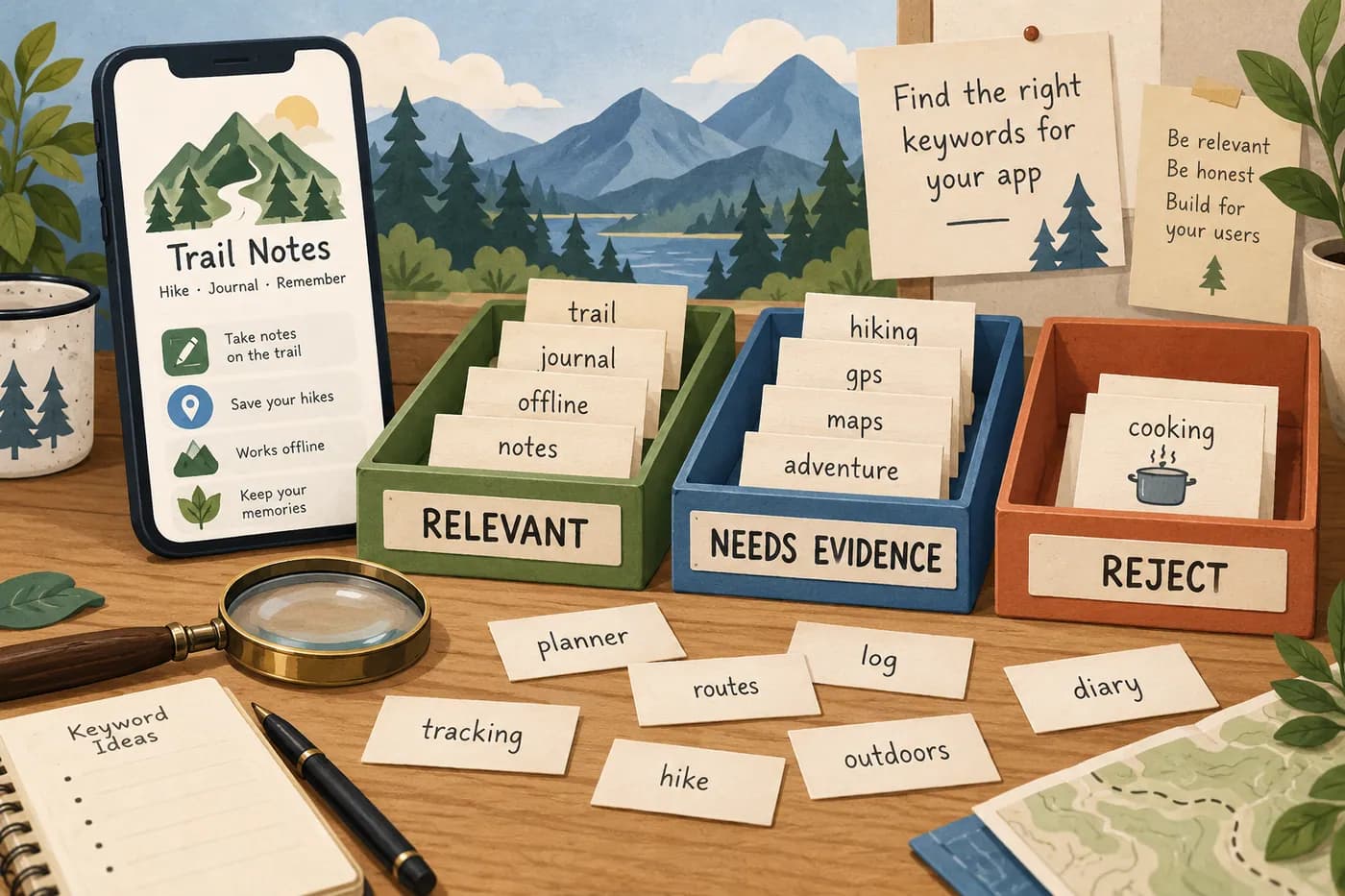
Start with the product, not a popular phrase
Write the main job your app performs in plain language. Then list the features that make the job possible and the limits a new customer must know. This prevents the most expensive keyword mistake: attracting people whose problem your app cannot solve.
Consider a fictional hiking journal. It lets users save text notes and photos from a walk. It does not offer turn-by-turn navigation, live trail conditions or emergency alerts. "Hiking journal" is worth researching. "Offline GPS navigation" is not an accurate promise merely because the audience also likes hiking.
Use three groups of seed terms: the task, the object and a real constraint. For this example, the task could be recording a trip; the object could be a hike or trail; the constraint could be offline note-taking if that feature really works without a network connection. Combine terms only when the phrase still describes the app naturally.
Do not force every plausible term into the release. A candidate list is a research inventory, not a keyword field ready for upload. You need room to reject words, distinguish markets and record why an apparently attractive phrase was not selected.
Know what the metadata fields actually do
Apple's App Store search guidance names relevance and behavior signals but does not give an exact title-versus-subtitle weighting formula. Avoid plans based on claims such as "the name has twice the weight" unless you are clearly describing a limited third-party experiment.
The platform metadata reference explains the fields you edit. Treat each field as a different communication surface, not as another place to repeat the same string.
| Field | Main editorial job | Common mistake |
|---|---|---|
| App name | Identify the product and its core use | Turning the name into a list of search phrases |
| Subtitle | Add a useful, accurate distinction | Repeating the name without adding meaning |
| Keywords | Supply relevant additional search terms | Duplicates, competitor names and unrelated phrases |
| Description | Explain the product, limitations and value | Writing for a supposed first-500-character ranking rule |
| Promotional text | Communicate a current message | Treating it as a keyword-ranking field |
| Screenshots | Demonstrate the promise visually | Assuming text inside images is a guaranteed keyword index |
Apple's guidance says promotional text does not affect search ranking. It also warns against competing app names and unauthorized trademarked terms in keywords. Researching a competitor's positioning is useful; inserting that competitor's name into your own keyword field is a different action.
Do not claim that Apple indexes the first 500 characters of the description most heavily. That formula is not established by the documentation cited here. Write a strong opening because people need to understand the app, not because an invented field weight says to repeat five keywords there.
Collect language from real user tasks
Read relevant reviews, support questions and the language people use when explaining the problem. Distinguish a user's task from a request for a feature you do not have. "I want to remember where I took this photo" could suggest a useful research direction, but it does not prove your app stores location data.
Record short paraphrases with a source and date. Do not copy private support messages into public marketing without permission. Do not invent quotations or review counts to make a keyword hypothesis look popular.
Search suggestions can help identify wording, but a suggestion is not a count of searches. A missing suggestion is not proof of no demand. Storefront, language, device and time can change what you see, so write down the conditions of each observation.
If you already have users, ask a neutral question such as "What were you trying to do when you looked for an app like this?" Avoid leading with your preferred phrase. "Did you search for the best hiking journal?" mostly tells you whether the person agrees with your wording.
Inspect the actual App Store results
For each promising phrase, inspect results in the intended storefront. Note whether the top results are doing the same job, serving a broader task or using a different meaning of the word. A phrase with strong apparent demand can still be wrong for your app.
Write a short result note rather than assigning a made-up difficulty score. "Mostly navigation apps, few journals" is useful evidence for the hiking example. "Only two titles contain the phrase, therefore easy" is not a reliable competition model. A strong app can be relevant without repeating the exact phrase in its visible name.
Look at what a visitor sees before opening the full product page: app name, subtitle, rating and the visible creative. Apple says up to three screenshots or previews may appear, depending on platform and orientation. That makes message alignment important, but it does not assign a universal conversion percentage to those frames.
Keep a record of the query, storefront, language, device, date and a few relevant result URLs. Avoid mixing screenshots from different markets into a single competitive conclusion. A result captured in one country is not a global rank.
Use tool scores as comparative evidence
An App Store research platform may offer estimated popularity, difficulty or tracked positions. Read the provider's definitions before using the numbers. A score of 30 in one system is not necessarily equivalent to 30 in another, and a popularity index is not a verified count of monthly users.
Web-search tools answer a different question. Google Keyword Planner can reveal language around a problem, but its web-search volumes are not App Store search volumes. Do not paste a web volume into an ASO forecast and call it the number of potential installs.
If you compare candidates using a paid tool, keep the tool, market and collection date consistent. Save the raw signal alongside your interpretation. When the account does not expose a metric, mark it unavailable instead of treating the missing value as zero.
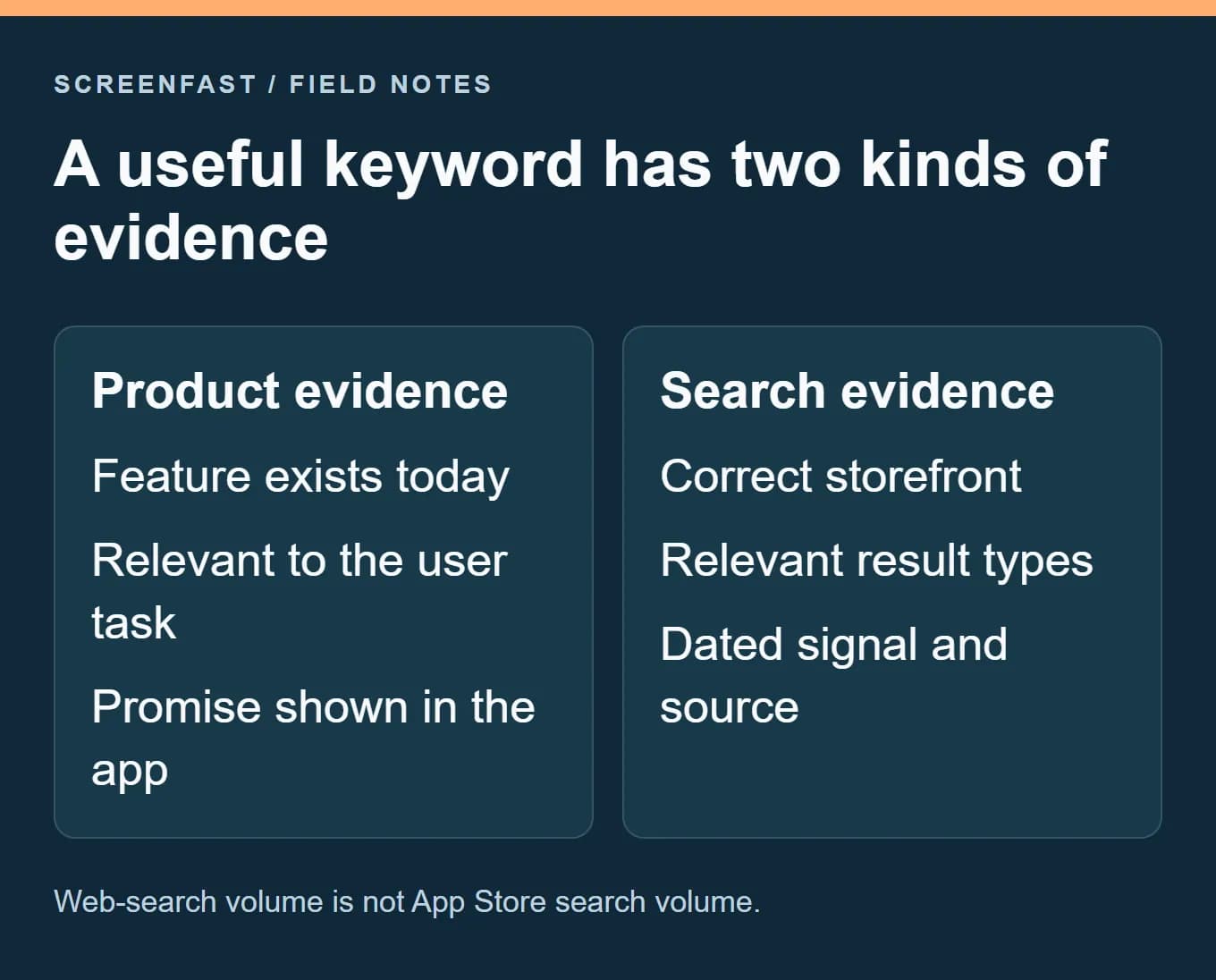
You do not need a subscription just to create the first shortlist. Manual result inspection and a clear product brief can eliminate many bad candidates. A research tool becomes more useful when repeated tracking, multiple storefronts or a larger portfolio makes manual work unreliable. Check current vendor pricing before buying; this guide does not publish unverified "free tier" promises.
Build a candidate sheet you can defend
Use one row per meaningful phrase, not one row for every spelling variant. The following example is fictional; it illustrates decisions, not measured demand or current rankings.
| Candidate | Product fit | Evidence still needed | Decision |
|---|---|---|---|
| hiking journal | Core task | Storefront result match | Research first |
| trail notes | Plausible wording | User language and result meaning | Keep as candidate |
| offline diary | Only if notes work offline | Real offline behavior and query intent | Conditional |
| GPS navigation | Unsupported feature | None needed to reject it | Exclude |
| competitor brand | Not your product identity | Apple keyword rules | Do not insert into metadata |
Add fields for source, observation date, proposed metadata location and reason for selection. A useful final row explains both why a term matters and what could invalidate it. For example, "offline diary" should leave the shortlist if the app requires a network connection to open saved notes.
Prioritize accurate product fit before a numerical opportunity score. Then consider the result intent, strength of the evidence and the cost of supporting the promise. There is no need to pretend that all factors can be reduced to an objective formula.
Draft metadata without keyword stuffing
Write the app name and subtitle as language a person can understand. The name should still identify a product. The subtitle should add information rather than repeat the same nouns in another order. Validate the current field limits in App Store Connect before submission.
Apple's public search guide describes a 100-character keyword limit. Its platform version reference specifies 100 bytes. These are not identical for all text. Check the actual App Store Connect field validation, especially with non-ASCII keywords. Apple advises comma-separated terms, no spaces between entries, and avoiding words already present in the name, subtitle or category. Spaces inside a phrase can be used where appropriate. Do not apply English tokenization assumptions blindly to every language.
For the fictional journal, draft a name and subtitle first, then remove duplicate words from the keyword candidates. Do not aim for an arbitrary number such as twenty terms: the available space depends on word length and what the other fields already cover. An accurate shorter set is better than filling the field with irrelevant words.
Review spelling and meaning with someone fluent in the locale. A technically valid character count does not prove a phrase sounds natural. Keep the listing optimization checklist nearby for the wider metadata review.
Make the screenshots continue the same promise
A person who searches for a hiking journal should see evidence of journaling, not a gallery that resembles a route-planning tool. Show the relevant screen and give it a specific caption. If the keyword suggests an offline use case, demonstrate the supported offline task accurately rather than making a broad "works everywhere" claim.
This is where search research becomes a creative brief. Write a line connecting the need, the screen and the caption: "Remember a walk -> saved trip note -> Keep the details of your hike." The example is editorial copy, not a measured conversion claim.
Use the screenshot design-pattern guide to choose a layout that makes that proof legible. ScreenFast, our own product, can help generate visual directions from the app's source material. It is not an App Store keyword-volume tool and does not guarantee rankings.
Measure by release and keep uncertainty visible
Save the old and new metadata, the release date and the storefronts changed. Note campaigns, pricing changes, featuring, major product updates and screenshot changes that occur at the same time. Without that log, it is easy to credit a keyword edit for traffic caused by an unrelated event.
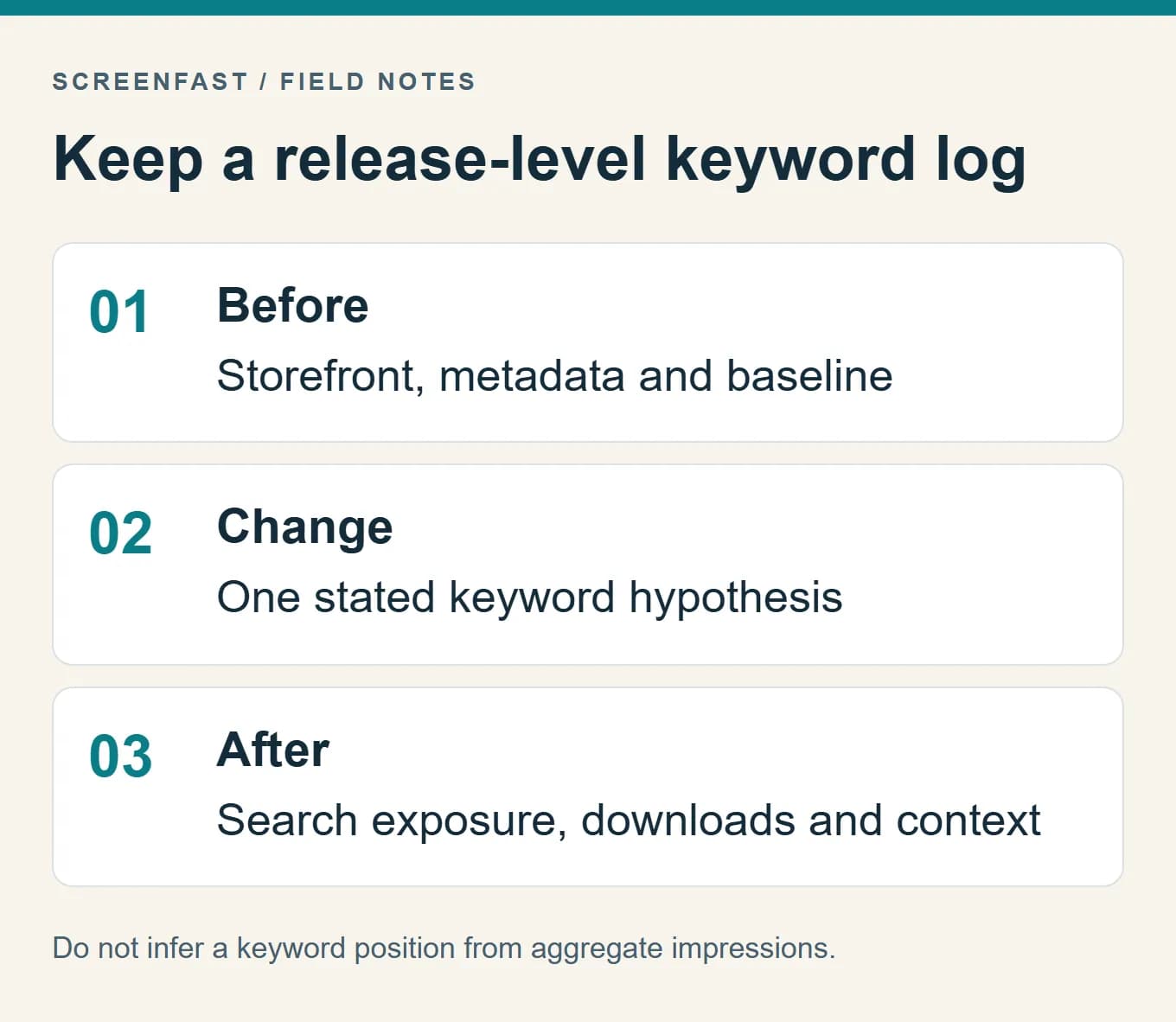
Use App Store Connect to review relevant exposure and download metrics by available source and territory filters. Aggregate impressions do not reveal the exact position of a particular keyword. If you need per-query ranks, use a suitable tracking source and retain its market/device settings.
Do not automatically delete every term outside the top thirty after one month. First check whether the term is relevant, whether the data is reliable, whether the listing changed as intended and whether enough comparable traffic exists. A low-volume but accurate phrase may deserve a different decision from a popular phrase with the wrong audience.
Choose review dates that fit your release rhythm and data volume. Two weeks is not a universal stabilization period. Record "not enough evidence" when the sample cannot support a conclusion, then decide whether to retain the hypothesis or test a clearer alternative.
Methodology
We checked Apple's search and metadata documentation on October 17, 2026. The hiking-journal examples are fictional teaching cases, not a keyword export or an app we launched. We did not collect new keyword-volume data or paid-tool rankings for this article and do not present guessed numbers as demand.
This guide replaces unsupported ranking weights, stale tool prices and fixed success thresholds with a repeatable evidence log. For locale-specific assets, continue with the screenshot localization guide.
Frequently asked questions
Can I do ASO keyword research for free?
You can build and filter an initial list using product knowledge, user language and manual App Store inspection. Paid tools may help with scale and tracking, but their current access limits need checking.
Is Google keyword volume useful for App Store research?
It can suggest language and adjacent questions. It is not a measurement of App Store query volume and should not be presented as one.
Should I include competing app names in the keyword field?
No. Apple's search guidance explicitly lists competing app names among terms not to include. Use competitor research to understand the task, not to copy a protected name into metadata.
How many keywords should I choose?
There is no universal count. Choose accurate terms that fit the field, avoid duplicates and complement the visible name and subtitle.
Does App Store Connect show every keyword's ranking?
Aggregate search exposure and downloads are not a per-keyword rank report. Use the correct data source for the question and do not infer a position from total impressions.
Can better screenshots improve keyword rankings automatically?
Do not assume an automatic or fixed ranking effect. Screenshots help explain the app to people. Measure the relevant creative and acquisition outcomes rather than promising keyword gains from an image change.
Bottom line
Build a shortlist you can explain: a real task, an accurate feature and dated evidence from the right market. Then make the metadata and screenshots tell the same truthful story. When the creative brief is ready, the ScreenFast workflow explains how to turn source screens into reviewed design directions.
Last updated: 2026-10-17.