Previewed vs Rotato (2026): 3D Mockups, Video and Pricing
TL;DR
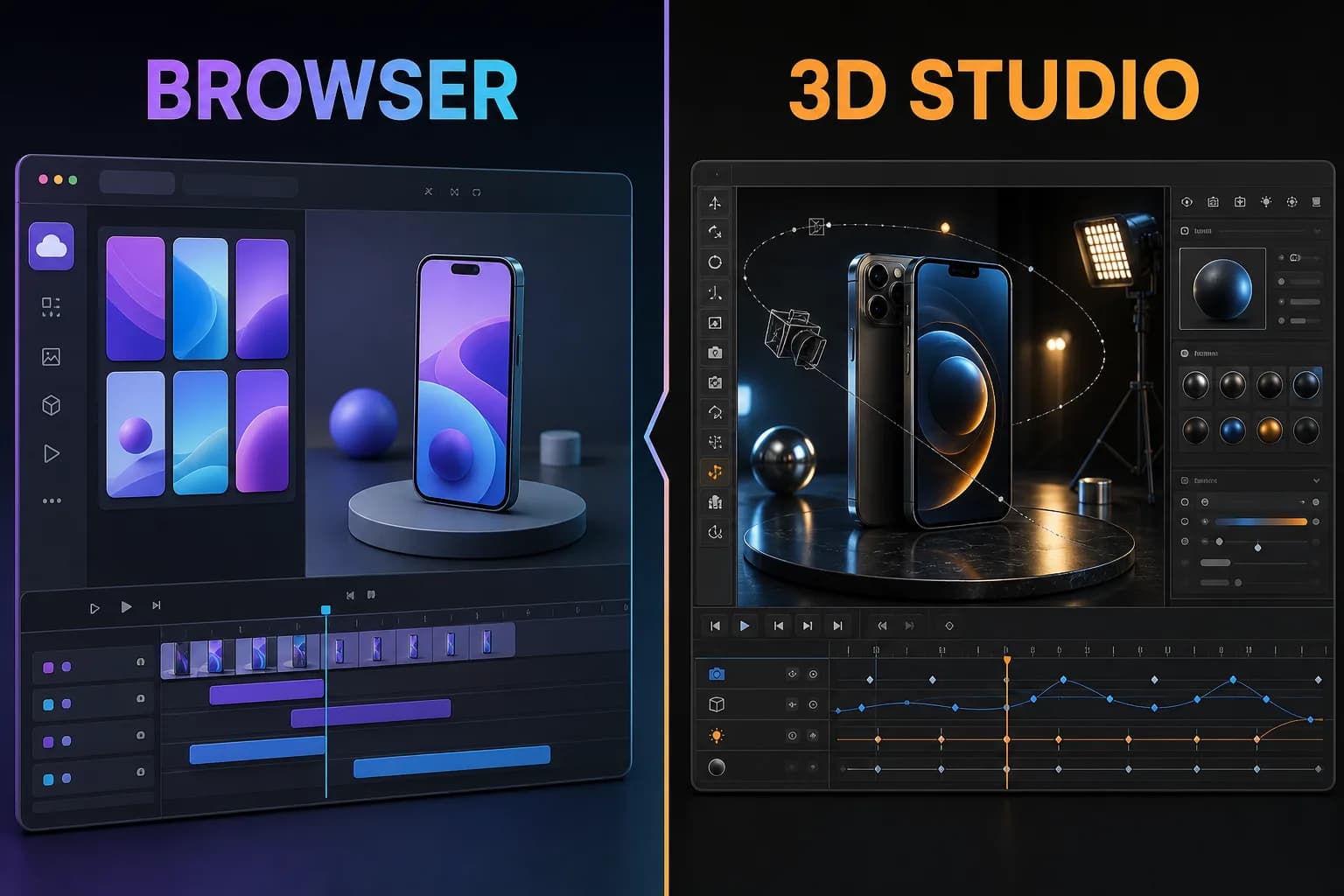
Previewed vs Rotato comes down to workflow depth. Previewed is the easier browser choice when you want 2D App Store images, 3D snapshots, and app promo video inside one product. Rotato is the stronger specialist when detailed 3D mockups, animation, camera control, high-resolution output, Figma integration, and an offline Mac workflow matter most. Previewed offered a $9.99 one-time ten-export pack when checked. Rotato's Mac product uses one-time license tiers, while Rotato Web uses a subscription.
Disclosure: ScreenFast is our product. We compare two competitors here. We did not buy either paid plan or claim a hands-on paid test.
Last updated: 2026-07-30
Previewed vs Rotato at a glance
| Decision | Previewed | Rotato |
|---|---|---|
| Main workflow | Browser mockup editor | 3D mockup specialist on Mac and web |
| 2D store images | Core use case | App Store image export and automation |
| 3D snapshots | Yes | Core strength |
| Animation | 3D scenes and app promo video | Timeline, templates, camera, audio, and advanced motion |
| Devices | iPhone, iPad, Android, tablet, laptop, display | 30+ device mockups on paid Mac plans |
| Free access | Unlimited 720p 2D with attribution | Free trial and free templates, with paid export limits |
| Paid model | $9.99 one-time Plus or Pro subscription | One-time Mac license tiers or Rotato Web subscription |
| Privacy | Cloud template storage | Mac product advertises local, offline design files |
Both products can make a phone look polished. Rotato offers more depth around the 3D scene. Previewed covers a wider mix of simple 2D store work and browser-based mockups.
What Previewed is best at
Previewed brings several asset types into one browser editor. The public site promotes 2D App Store and Google Play images, 3D snapshots, and 3D animation.
This makes it useful for a small launch team. The same tool can create a flat store image, a website banner, and a short device scene. Users can change text, images, dimensions, color, transparency, device position, and rotation.
Previewed also offers many device families. The site lists iPhone, iPad, Android mobile and tablet, laptops, monitors, and more.
Its pricing is friendly to a one-off project. The Lite plan provides unlimited 720p 2D exports with attribution. Plus was shown at $9.99 one time for ten high-resolution commercial exports, including 3D and video. Pro was shown at $19 per month with annual billing.
Read our full Previewed app review for plan details and limits.
What Rotato is best at
Rotato focuses on high-quality 3D device presentation. The Mac product advertises more than 30 device mockups on paid plans, a Metal renderer, 4K or 8K output by plan, animation templates, a timeline, Figma integration, custom camera controls, labels, reflections, shadows, and audio.
The depth is clear in the workflow. A user can import images or videos, adjust the device and scene, control camera and material choices, then render an image or movie.
Rotato also promotes App Store image export and automation. Users can add labels, import several images, and render store sizes. This makes it more than a social mockup tool.
The Mac product's privacy model is a real strength for unreleased work. Rotato states that designs stay on the computer and are not uploaded to its cloud. Rotato Web is a separate browser product with its own subscription.
Read our Rotato app screenshot review or direct Rotato alternative comparison.
Browser workflow vs Mac depth
Previewed is easier to access. Open the browser, upload media, and begin. There is no Mac-only requirement for the main editor.
Rotato now has a web product, but its established Mac product remains the deeper offer. The native app uses local rendering and gives users detailed control over camera, motion, materials, devices, and output.
Choose a browser workflow when:
- A team uses Windows, Mac, and shared machines.
- Fast access matters more than advanced scene control.
- The asset mix includes simple 2D store images.
- Cloud template storage helps collaboration.
Choose the Mac product when:
- Unreleased screens should stay local.
- The launch needs high-end 3D or video.
- The designer wants camera and animation control.
- The team will reuse the tool across many presentations.
App Store screenshot production
Previewed puts App Store and Google Play screenshots near the center of its use cases. It can create panoramic layouts and 2D mockups. Users add text, images, devices, and backgrounds.
Rotato offers App Store image export inside a broader 3D product. The features page promotes labels, multi-image automation, inspiration, and rendering across store sizes.
Neither tool creates the marketing strategy from the app. The user still decides the headline, order, promise, and proof.
If the hard part is the creative direction, review App Store screenshot examples or use a generator that creates multiple directions from the app.
3D images and video
Rotato has the advantage for advanced 3D presentation. Its product is built around device mockups and motion. Features include an animation timeline, templates, camera controls, reflections, shadows, materials, labels, audio, and several export options.
Previewed makes 3D more accessible inside the browser. It supports snapshots, animation scenes, app promo video, custom camera settings, and environment controls. This is enough for many launch assets.
The decision depends on expected polish and control. A short social clip can fit Previewed. A recurring motion workflow with precise scene art direction can justify Rotato.
Pricing model
Previewed pricing is easy to understand for one project:
- Lite at $0 with 720p 2D and attribution.
- Plus at $9.99 one time for ten higher-resolution commercial exports.
- Pro at $19 per month with annual billing when checked.
Rotato separates Mac and web pricing.
The Mac pricing page advertises Basic, Standard, and Premium as one-time payments. The license can be used forever, while new devices and updates are included for a set period by plan. The page did not expose every dollar amount in the text we reviewed, so confirm the live checkout.
Rotato Web uses monthly or yearly subscription billing for access to its templates and devices.
Do not compare only the first payment. Count the number of exports, the need for future device updates, the commercial license, the platform, and how often the team will make motion assets.
Privacy and collaboration
Rotato for Mac is the stronger choice for local privacy. Its feature page says design files stay on the computer.
Previewed stores saved templates in the cloud and supports shared mockup groups. This can be useful for collaboration, but it is a different security model.
Teams with unreleased banking, health, enterprise, or security screens should review privacy terms before upload. A visual tool should not become an accidental product leak.
Which should you choose?
Choose Previewed if:
- You want a browser tool for 2D, 3D, and video.
- A $9.99 one-time export pack covers the launch.
- You need App Store and Google Play images plus social assets.
- You prefer an accessible editor over deep 3D control.
- Cloud template storage helps the team.
Choose Rotato if:
- 3D mockups and motion are the main deliverables.
- You need detailed camera, material, animation, and output controls.
- High-resolution rendering is important.
- A local Mac workflow protects unreleased designs.
- You expect to reuse the tool across many launches.
Choose neither as the first step if you still need the screenshot strategy. ScreenFast's App Store screenshot generator creates ten directions from an App Store URL or uploaded screens. A mockup tool can then present the selected direction.
The alternatives hub compares AI generation, templates, 3D motion, and manual control by job.
Methodology
We reviewed the official Previewed homepage and pricing section, Rotato's product, feature, pricing, template, and web pages on July 30, 2026. We used vendor pages for current capabilities and plan structure. We did not treat testimonials or install counts as proof that either product improves conversion.
Prices and plan limits can change. Verify the final checkout, license, resolution, watermark, and update terms before purchase.
FAQ
Is Previewed better than Rotato?
Previewed is better for a broad browser workflow that includes 2D store images, 3D snapshots, and video. Rotato is better for deeper 3D, animation, camera control, local Mac privacy, and high-resolution presentation.
Which is cheaper, Previewed or Rotato?
Previewed has a clear $9.99 one-time pack for ten commercial exports when checked. Rotato Mac uses one-time license tiers, while Rotato Web uses a subscription. The cheaper option depends on the current tier, number of exports, and need for future updates.
Can both tools make App Store screenshots?
Yes. Previewed offers App Store and Google Play mockup layouts. Rotato offers App Store image export, labels, and multi-size automation. Both still require the user to bring the message and creative idea.
Which tool is better for video?
Rotato is the deeper motion specialist. Previewed can create 3D animation and app promo video in the browser, which may be enough for a simple launch asset.
Which tool keeps files private?
Rotato for Mac advertises an offline workflow where design files remain on the computer. Previewed uses cloud template storage. Review each privacy policy for the exact project requirements.