Previewed vs AppScreens: Which iOS Screenshot Tool Wins in 2026
TL;DR
Picking the best app store screenshot tool comes down to one question: do you want a mockup studio or a store-specific generator? Previewed is a versatile browser-based iOS screenshot tool best at 3D device renders, panoramic shots, and animated promo videos. It is not App-Store-specialized. AppScreens is purpose-built for the App Store itself. One responsive design generates every required size automatically, with built-in localization. If you need pure App Store output with minimal manual work, AppScreens wins. If you want mockups that double as marketing visuals across blogs, social, and the App Store, Previewed wins. Both sit in roughly the same indie-tier price band (around $10 one-time, with free tiers on top). Both leave headline writing and design choice to you, unlike AI-driven tools.
What real indie devs say on Reddit
Reddit sentiment on these two tools splits along clear lines. Listed below are honest quotes pulled from public Google SERP snippets on r/iOSProgramming, r/AppStoreOptimization, and r/AppBusiness threads (we link to each thread, we do not cite upvote or comment numbers because Reddit blocks third-party scraping).
I use appscreens for my apps, it's the best one out there!
Source: r/iOSProgramming
A second dev praised AppScreens for iteration speed:
AppScreens is really good for rapidly iterating on these kinds of ASO variations without redesigning everything from scratch.
Source: r/AppStoreOptimization
But not everyone agrees. A counter-opinion on the same subreddit:
One of the biggest mistakes I made early was using App Screens templates for my App Store screenshots.
Source: r/AppStoreOptimization
And the localization-vs-flexibility trade-off:
I've tried AppScreens and Launchd. They're good if you need localization at scale, but the design flexibility is limited.
Source: r/AppStoreOptimization
Previewed appears in different contexts. A common pattern: it gets paired with mockuphone.com as part of a multi-tool workflow:
I use mockuphone.com to frame my screenshots and previewed.app to lay them out.
Source: r/iOSProgramming
The most useful Previewed comment we found explains the workflow cost:
Previewed has a canvas style because you have to design every single size you need separately.
Source: r/AppBusiness
That single line captures the core trade-off. Previewed is a canvas; AppScreens is a generator. Read on to see which one fits your workflow.
What Previewed actually is
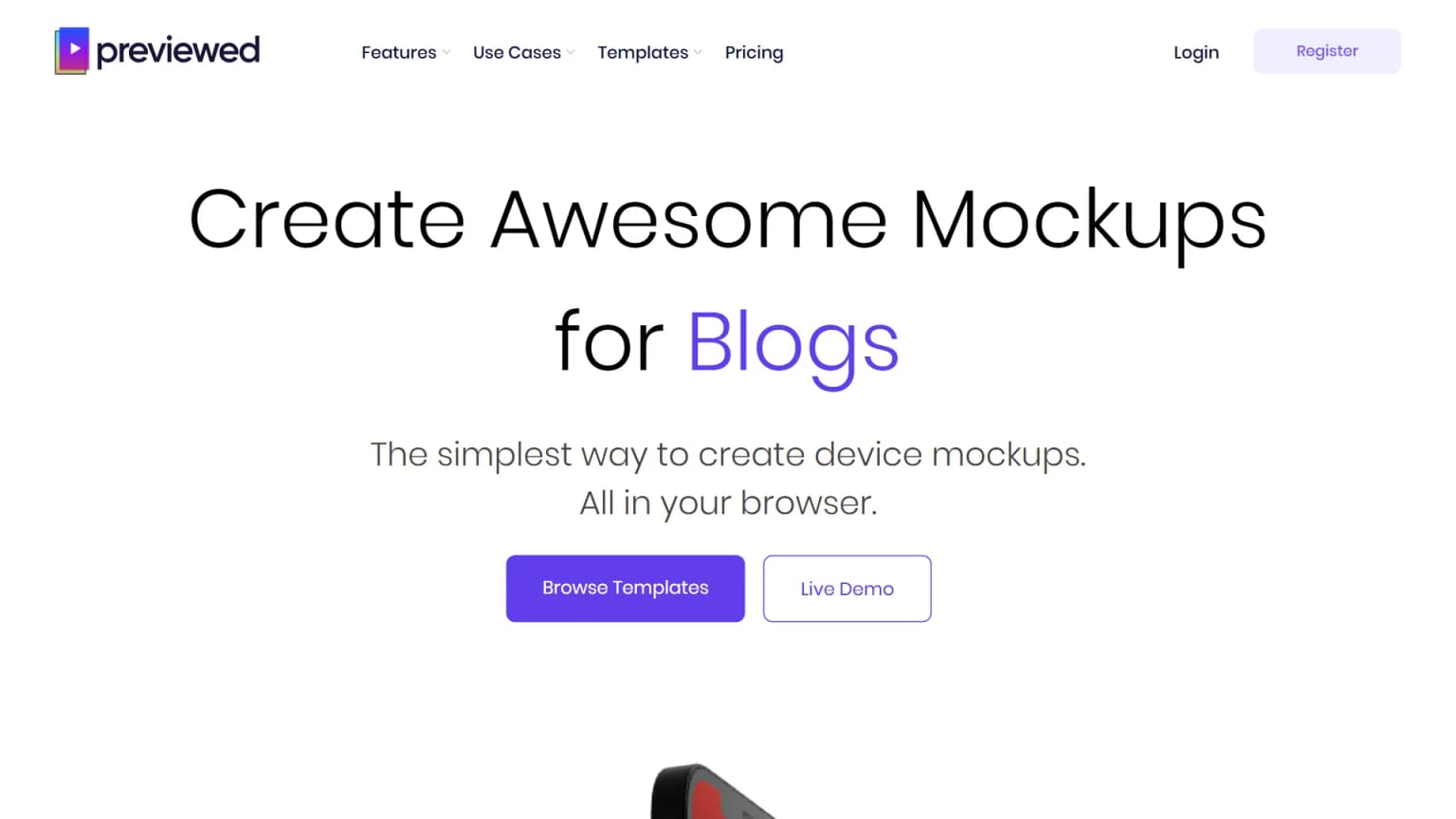
Previewed positions itself as a general-purpose mockup studio for blogs, social media, App Store listings, and product pages. The homepage hero we captured shows the "Blogs" use case (Previewed appears to rotate this label across visits, but we did not verify every variant). The browser-based canvas lets you drop in screenshots and arrange them inside 3D-rendered devices.
What Previewed is strong at:
- 3D device mockups: photorealistic iPhone, iPad, Mac, and Apple Watch renders with depth and lighting. Best in class among browser-based tools.
- Panoramic layouts: scenes where multiple devices appear together (great for hero images, not for individual App Store tiles).
- Animated promo videos: short loops of devices in motion, useful for App Store preview videos and marketing landing pages.
- Versatility: the same design can be exported as a tile, a hero banner, a story-format vertical, or a video.
What Previewed is not built for:
- Bulk App Store screenshot generation: each App Store tile (you need up to 10 per locale) is a separate canvas. Per the Reddit comment above, you design "every single size you need separately". For 10 tiles across 16 locales, that is 160 manual designs.
- Localization-as-data: there is no "swap headline text for 16 languages" pipeline. You duplicate the canvas, swap text, re-export.
- Auto-sizing for new device classes: when Apple ships a new iPhone display size, you redo the layouts.
Pricing on Previewed.app, per The App Launchpad's 2026 alternatives review, is around $9.99 one-time for the indie tier with no recurring subscription, plus a free tier with watermarks and limited template access. We did not independently verify the live pricing page when we shipped this article. Always confirm current numbers on previewed.app before you buy.
If your workflow is "build a mockup once, reuse across blog, social, App Store", Previewed is a strong choice. If your workflow is "ship 160 App Store tiles for 16 locales every release", it becomes painful.
What AppScreens actually is
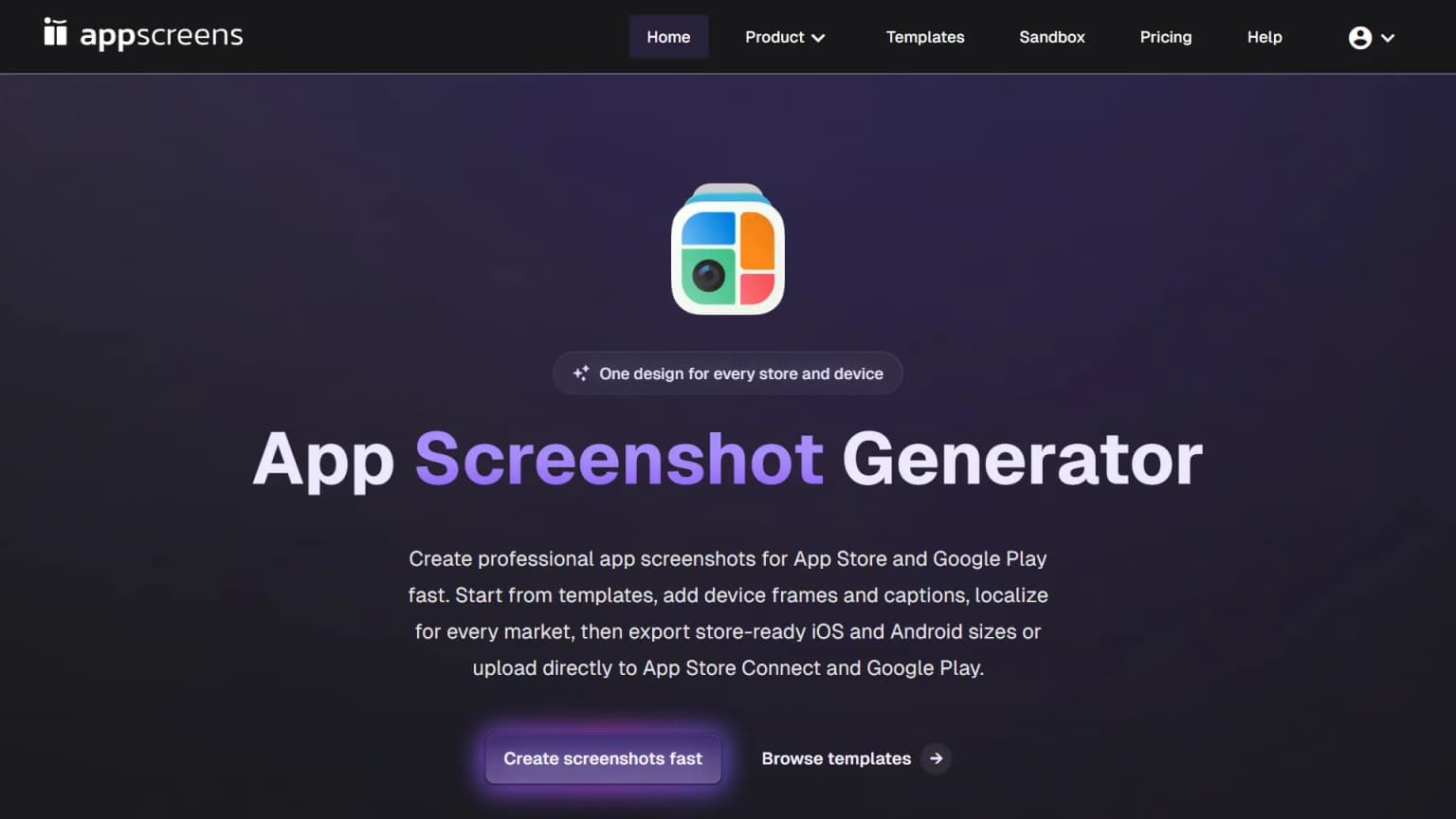
AppScreens has a one-line value prop printed directly on the homepage: One design for every store and device. That is the engineering bet, and it is what makes the tool different from Previewed.
You design once. AppScreens auto-generates the same design at every required size for both the App Store and Google Play, with device frames and captions positioned responsively per format. Then you swap the caption text for each locale, and the tool re-renders all sizes in that language.
What AppScreens is strong at:
- Single-design responsive output: one canvas, all sizes, automatically. Saves the bulk of the manual export loop that Previewed forces.
- Localization at scale: caption text is treated as a data field, so swapping 16 languages takes 16 text inputs, not 16 canvas duplicates.
- Device frames and store-specific layouts: built-in templates for iPhone 6.9", iPad 13", and Google Play sizes. New device classes can be added without you redoing the layout.
- Rapid iteration: the Reddit comment we quoted earlier about "rapidly iterating on ASO variations without redesigning from scratch" reflects how the tool is intended to work.
What AppScreens is criticized for:
- Design flexibility ceiling: templates feel template-y. The dev who called using AppScreens "one of the biggest mistakes" was unhappy with how identical their listing looked to other AppScreens-built apps in the same category.
- Top-100 differentiation gap: if you want a fully bespoke design that does not read as "template", AppScreens is the wrong tool. For that you need a designer or a tool that generates layouts from scratch.
- No 3D mockups or panoramic mode: AppScreens lives strictly in the App Store tile format.
Pricing has a free tier with export limits, a paid indie tier, and team subscriptions. AppScreens' published pricing tends to land in the low double-digits one-time, but we did not independently verify the live page when we shipped this article. Confirm current numbers on appscreens.com before you buy. Their own blog also publishes a comparison post listing AppScreens, Figma, Canva, Placeit, and Previewed (a marketing piece, but useful as a baseline of how AppScreens frames itself).
Side-by-side comparison
The honest summary across the dimensions indie iOS devs actually care about. Numbers and feature notes drawn from each tool's public pricing page, Reddit threads, and indie-blog reviews (cited above and in How we tested).
| Dimension | Previewed | AppScreens |
|---|---|---|
| Primary purpose | Mockup studio for blogs, social, App Store | App Store screenshot generator |
| Canvas model | One design per size | One design, auto-renders all sizes |
| 3D mockups | Yes, best in class | No |
| Panoramic / hero layouts | Yes | No |
| Animated promo videos | Yes | No |
| Localization (text-as-data) | Manual | Built-in |
| Device frames | Wide library (iPhone, iPad, Mac, Watch) | iPhone + iPad, store-specific |
| Free tier | Yes, with watermark + limits | Yes, with export limits |
| Indie pricing | ~$10 one-time (per third-party review) | Low double-digits one-time (confirm on vendor page) |
| Team / unlimited | Subscription | Subscription |
| Output for 10 tiles, 16 locales | 160 manual canvases | 1 design + 16 text swaps |
| Bespoke-design feel | High (full canvas control) | Medium (template constraints) |
| Reddit indie-dev sentiment | Versatile, but slow for bulk App Store work (summary of multiple threads) | Fast and great for localization, but templates feel templated (summary of multiple threads) |
When to pick Previewed
- You need mockups that work in more than one context (blog hero, social card, App Store, product page).
- You want 3D device renders with depth and lighting.
- You ship app preview videos with device motion.
- You publish fewer than 5 locales so the manual canvas-per-size cost is bearable.
- You care more about bespoke visual control than per-locale export speed.
When to pick AppScreens
- You ship to 5+ locales and re-update screenshots every release.
- You iterate on ASO copy variations as a workflow (A/B test in Apple's PPO, then update).
- You want one design produces all sizes without per-device redraws.
- You can tolerate the template-y look in exchange for the speed.
- You do not need 3D mockups, hero banners, or video.
The acid test is simple. Take your last App Store update. How many tiles did you ship, across how many languages, and how many hours did it consume? If the number was big and the hours were many, AppScreens saves you those hours. If the number was small and you wanted the result to look distinctive, Previewed gives you the canvas control.
Watch the actual workflow
If you want to see one of these tools in motion before deciding, this walkthrough by an indie iOS YouTuber compares the AppScreens workflow against a manual Figma flow.

The video is AppScreens-flavored, not strictly neutral, but it shows the responsive auto-sizing in real time, which is the feature that separates AppScreens from Previewed in practice.
A third option
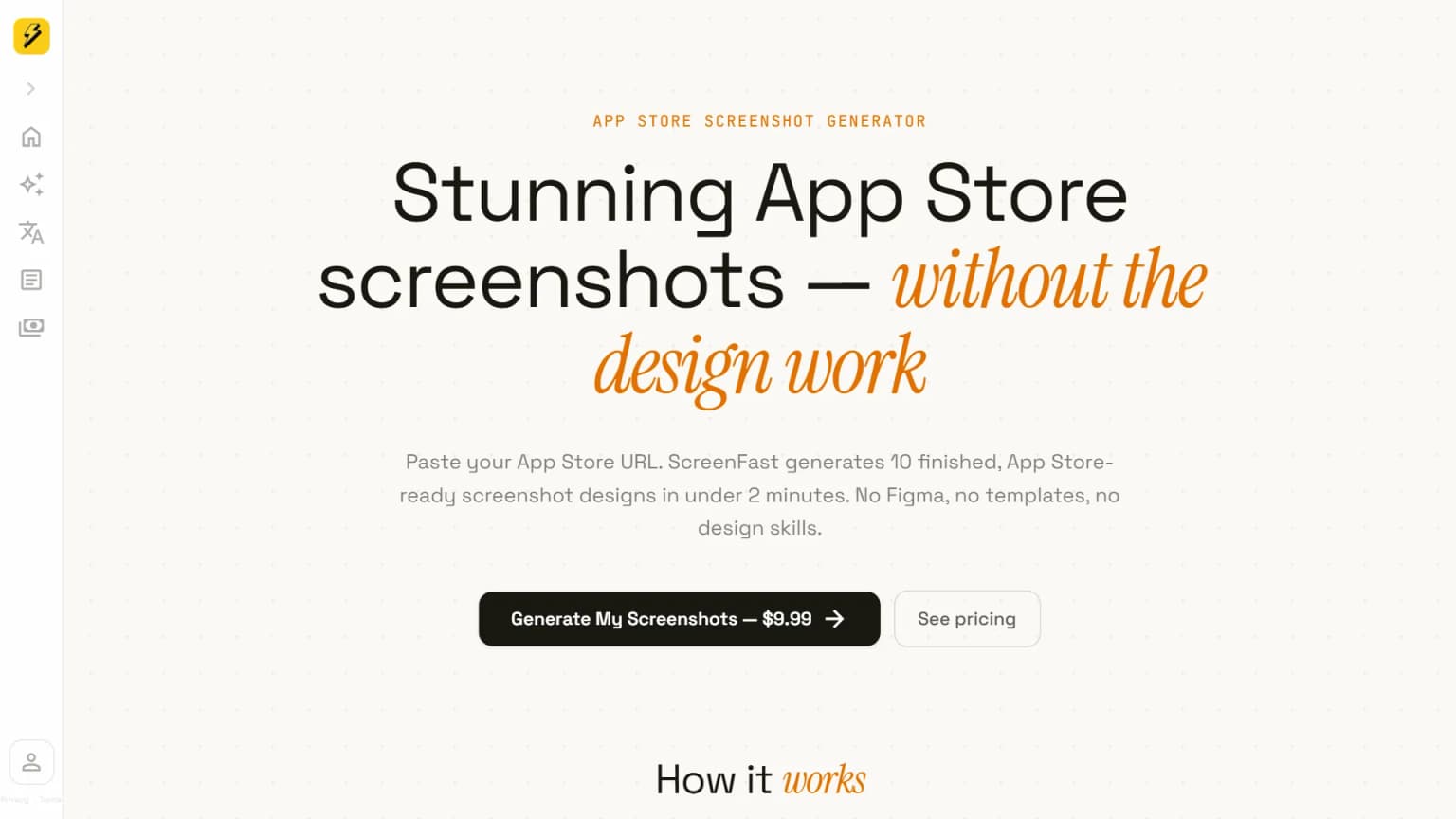
ScreenFast is our own product, so take this section as disclosure rather than recommendation. We built ScreenFast because the App Store screenshot CTR benchmarks we kept seeing in our own apps were below the category benchmark, and we got tired of either spending a weekend in Figma per release or fighting with template tools. The bet was: AI should be able to read your App Store URL, look at your icon and existing screenshots, and produce 10 finished tile variants in 4 design styles (Minimalist, Bold Promise, Mascot, Cinematic) without you touching a canvas.
Where ScreenFast differs from both Previewed and AppScreens:
- No canvas to design. You paste the App Store URL (or upload raw screenshots for prelaunch). The AI does the layout and copy proposal. You pick the variant.
- 10 design directions after the one-time checkout, not 10 canvases to build.
- $9.99 pay-per-pack for one app, team subscriptions from $19.99/month.
- Localization as a separate workflow that takes the design and translates the captions into 16 languages.
ScreenFast does not replace Previewed for mockup-style hero images. It does not replace AppScreens for highly templated multi-locale work. Where ScreenFast wins is the case where you want "design as a finished thing" rather than "design as a canvas to fill in". If that frame fits, see our App Store screenshot generator landing for the full workflow.
For the full positioning across more competitors (Figma, Hotpot AI, Placeit, AppMockup, screenshots.pro), see our alternatives page which has a side-by-side comparison of all of them.
How we tested
This comparison draws on five data sources, cited inline where used.
First, the live homepages and pricing pages of Previewed.app and AppScreens.com, captured in May 2026 (screenshots above). Pricing numbers can drift between when this article is published and when you read it; always confirm on each vendor's own page.
Second, indie-dev threads on r/iOSProgramming, r/AppStoreOptimization, and r/AppBusiness for first-person experience reports. We quote only the SERP-snippet text shown in Google search results and link to each original thread; we do not cite upvote, comment, or follower counts because Reddit blocks third-party scraping and any number we estimated would be a guess.
Third, third-party comparison roundups including The App Launchpad's AppScreens-alternatives post, AppDrift's 10-tool review, and AppMockupGenerator's Previewed comparison. These are also marketing pieces from competitor vendors, but they reflect feature claims and pricing as reported.
Fourth, AppScreens' own published comparison of itself against Figma, Canva, Placeit, and Previewed, which we cross-checked against the Reddit signals so we did not just take the vendor at their word.
Fifth, the live public marketing and feature pages of both tools, captured via the screenshots embedded above. Pricing copy is referenced through third-party reviews.
We have NOT done a paid hands-on test of either tool inside our own iOS app workflow as of this article's publish date. Feature claims reflect what the vendors publish on their public pages and what indie devs report on Reddit. They do not reflect first-person workflow logs from us. We disclose that ScreenFast is our own product. We have no affiliate relationship with Previewed or AppScreens. We do not receive a commission if you sign up for either.
Frequently asked questions
Which is better for App Store screenshots: Previewed or AppScreens?
For pure App Store tiles, AppScreens is more efficient: one design auto-generates all sizes, captions are data fields for localization. Previewed is better when your screenshots also have to work as blog headers, social cards, or animated promo videos. If you only ship to the App Store and you ship to multiple locales, AppScreens wins on hours saved.
How much does Previewed cost in 2026?
Previewed.app offers a free tier with watermarks and limited exports, plus a one-time paid indie tier (per The App Launchpad's 2026 review, around $10). We did not independently verify the live page when we shipped this article. Check the Previewed pricing page for current numbers before you buy.
How much does AppScreens cost in 2026?
AppScreens has a free tier with export limits and a one-time paid indie tier in the low double-digits range, plus team subscriptions with unlimited exports and seats. We did not independently verify the live AppScreens pricing page when we shipped this article. Confirm current numbers on appscreens.com before you buy.
Can I use AppScreens for Google Play screenshots too?
Yes. AppScreens is built around the "one design, every store and device" pitch, which explicitly includes Google Play sizes alongside App Store. This is one of the workflow advantages over Previewed, which treats each Play size as another canvas to set up.
Does Previewed support localization?
Previewed lets you edit headline text per canvas, but there is no built-in "swap text for 16 languages and re-render all sizes" pipeline. For multi-locale work, expect to duplicate canvases per language.
Are AppScreens templates customizable?
To a point. You can change colors, headline text, device frames, and background within the template grid. You cannot break out of the template structure entirely, which is the source of the "limited design flexibility" Reddit critique. If you need fully bespoke layouts, AppScreens is the wrong tool.
Is there a free alternative to Previewed and AppScreens?
Both tools have free tiers with limits. Beyond them, mockup tools like mockuphone.com (mentioned in the r/iOSProgramming thread above) handle device framing only. For full App Store screenshots without a paywall, the realistic free option is a Figma community template, which trades the paywall for hours of manual layout work.
What are the best Previewed alternatives?
The strongest Previewed alternatives in 2026 fall into three buckets. Mockup-focused tools like Rotato and AppMockup compete on 3D renders. Store-specific generators like AppScreens compete on bulk multi-locale output. AI-driven tools like ScreenFast compete on canvas-free direction generation. Pick by which job you actually need done.
What are the best AppScreens alternatives?
Common AppScreens alternatives include Previewed (canvas control across formats), Placeit (subscription mockup library), and ScreenFast (AI generates finished tiles from your App Store URL). The right pick depends on whether you want fewer locales with bespoke design (Previewed/ScreenFast) or many locales with template constraints (other AppScreens alternatives).
Is there a single best screenshot tool for indie devs in 2026?
No, because the right pick depends on volume and design freedom. AppScreens wins on multi-locale speed. Previewed wins on cross-format flexibility. ScreenFast wins on zero-canvas-time. Pick by your actual workflow, not by a feature checkbox.
How does a tool like this differ from a generic app store screenshot maker?
A generic app store screenshot maker (Figma plugins, Canva templates, mockuphone) handles one piece of the pipeline: device frame, headline, or export size. Tools like Previewed, AppScreens, and ScreenFast handle the full pipeline from a single input. The Reddit threads we cited above show that the workflow-time gap between piece-by-piece and end-to-end is the biggest factor in monthly hours saved.
Are Previewed reviews positive overall?
Most Previewed reviews on indie-dev forums and r/iOSProgramming are positive for mockup-style use cases (hero banners, blog posts, video promos). Reviews skew critical when devs use Previewed for high-volume App Store work because the "design every size separately" model does not scale to many locales.
Where does ScreenFast fit?
ScreenFast is our own product, so this is disclosure not recommendation. We sit between the two: not a canvas (like Previewed) and not a templated generator (like AppScreens). The workflow audits your App Store listing for free, then generates 10 design directions after checkout without asking you to open a canvas. See our pricing page for the $9.99 pay-per-pack model.
Bottom line
The Previewed vs AppScreens decision is really a workflow question, not a quality question. Both tools produce App-Store-acceptable screenshots. Previewed gives you canvas control across many output formats, which is gold if you reuse mockups across blog, social, and store, and painful if you ship 10 tiles across 16 locales every release. AppScreens gives you one-design-many-sizes responsive output plus localization-as-data, which is gold for multi-locale App Store workflows and a constraint if you want a fully bespoke look.
If you fall outside both buckets and want design directions without touching a canvas, that is the gap ScreenFast was built for. Paste your App Store URL for a free audit, then generate 10 directions after the $9.99 checkout.
Related reading: 9 Best App Store Screenshot Generators of 2026 (Honest Roundup). Nine tools compared by use case, including AppScreens, AppLaunchpad, Previewed, Rotato, Placeit, AppMockup, Hotpot, Screenshots Pro, and ScreenFast.
Last updated: 2026-05-27.