AppScreens vs AppLaunchpad (2026): Which Screenshot Tool Fits?
TL;DR
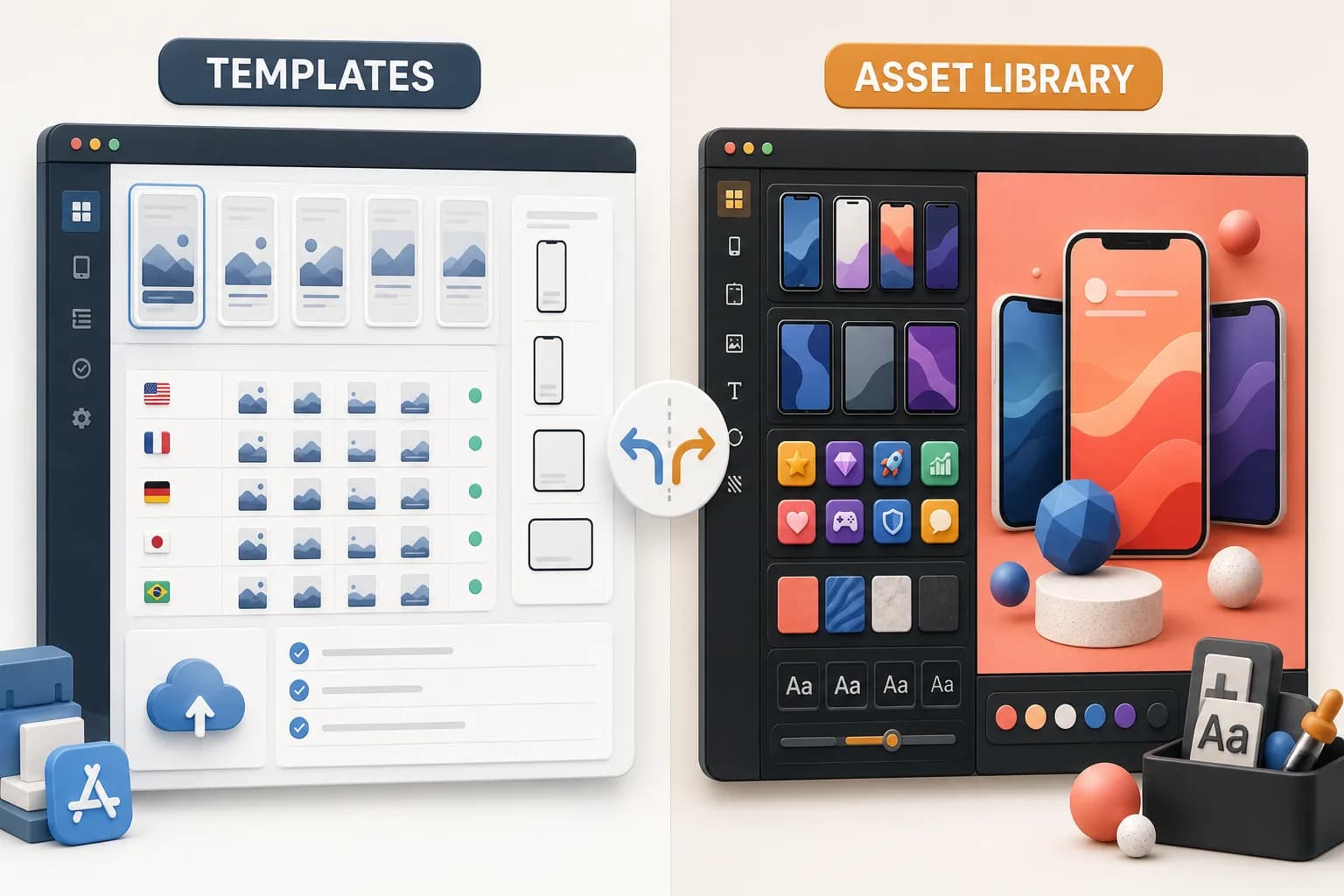
AppScreens vs AppLaunchpad is a close comparison because both products use an editable, template-first workflow. AppScreens is the better fit for teams that value repeatable store operations, paid locale limits, and direct App Store or Google Play upload. AppLaunchpad is the better fit for people who want a much larger template and asset library, broad device support, and more visual ingredients inside one editor. Neither product removes the creative brief in the way an AI-first tool does.
Disclosure: ScreenFast is our product. This article compares two competitors by job and does not pretend that one tool wins every category. We reviewed public product and pricing pages. We did not buy either paid plan for this article.
Last updated: 2026-07-30
Quick comparison
| Decision | AppScreens | AppLaunchpad |
|---|---|---|
| Core workflow | Editable templates for store production | Editable templates plus a large asset library |
| Platforms | App Store and Google Play | App Store and Google Play |
| Template depth | Smaller curated library by plan | Advertises 1,000+ templates |
| Localization | Paid locale limits, with 80+ on Scale when checked | Localization inside the editor |
| Store operations | Direct upload on paid plans | Export and size automation |
| Free option | One project with clear limits | Free access with paid Pro features and export limits |
| Best for | Repeat release operations | Visual variety and asset choice |
The table shows why the decision is not just about price. Both tools can make store screenshots. The difference is what each system emphasizes after the first design.
What AppScreens does
AppScreens is a browser-based production system for App Store and Google Play screenshots. A user selects a template, adds app screens and captions, and creates the required device sizes. The project stays editable for the next update.
That repeatable project structure is useful for a team with several releases. A new feature can reuse the same layout. A new locale can stay inside the same project. Paid plans also connect creation to store upload.
When checked on July 24, 2026, the official pricing page showed a free tier plus Pro and Scale options. The EUR view showed Pro at EUR 99 per year and Scale at EUR 168 per year. AppScreens uses a currency selector, so the final amount can differ by region and billing choice. Check the official AppScreens pricing page before purchase.
The free plan is more than a demo, but it has a clear ceiling. It was limited to one project, five templates, and five screenshots when reviewed. Paid plans add projects, screens, locales, design controls, and upload features.
For a deeper breakdown, read our AppScreens review or the direct ScreenFast vs AppScreens comparison.
What AppLaunchpad does
AppLaunchpad is also a browser screenshot editor, but it leans harder into library depth. Its homepage advertises more than 1,000 templates, recent iPhone and Android devices, iPads and tablets, more than 2,000 icons and SVGs, illustrations, backgrounds, gradients, font controls, localization, and automatic scaling.
This makes AppLaunchpad feel closer to a store-specific design suite. A user can start from a template, then change the device, typography, background, image, illustration, and supporting graphics. It covers App Store and Google Play output.
The large library is valuable when a team already knows the direction. It gives the editor many ways to build that direction. It does not remove the need to choose the promise, caption, hierarchy, and style.
AppLaunchpad advertises free and paid access. Its own comparison content described a Pro plan and noted that prices and promotions can change. Verify the current price, export limits, and renewal terms on the official AppLaunchpad site before checkout.
AppScreens vs AppLaunchpad for templates
AppLaunchpad has the clearer advantage in headline template count. The site advertises 1,000+ templates plus a large collection of icons, SVGs, illustrations, backgrounds, and fonts.
AppScreens takes a more constrained approach. The free plan includes a small starter set. Paid plans unlock more templates and layout controls. That smaller system can be easier to govern across repeat releases.
More templates do not always mean a faster decision. A library is useful after the brief is clear. It can slow down a team that is still asking basic questions:
- What should screenshot one promise?
- Which product moment proves the claim?
- Should the set feel calm, bold, technical, or playful?
- Which layout fits the app category?
If those questions are open, review App Store screenshot examples before choosing a template.
Platform and device support
Both products cover iOS and Android store assets. That is a major difference from ScreenFast, which is centered on the iOS App Store workflow.
AppLaunchpad gives device breadth a prominent role. It advertises current iPhones, Android devices, iPads, and tablets. It also promotes automatic scaling to required store sizes.
AppScreens offers responsive production across store sizes. Its paid plans add more device coverage and production controls. Scale is designed for higher project and locale volume.
For a team that ships the same app to both stores, either competitor may be a better operational fit than an iOS-first generator. The best choice depends on whether the team values library depth or repeat upload operations.
Localization workflow
Localization is not a small extra. Every locale creates copy, review, layout, file naming, export, and upload work.
AppScreens makes locale limits easy to compare by plan. When checked, Pro included five locales and Scale included more than 80. Paid projects keep variants inside one reusable production system.
AppLaunchpad advertises localization as part of its global App Store and Google Play workflow. Its main product page does not make every paid limit visible in the same way, so confirm the current Pro limits before purchase.
ScreenFast takes another route. Its App Store screenshot localization tool separates translation, review, version choice, and re-rendering. That is useful when the source artwork already exists and the main risk is bad translated copy.
Pricing and total cost
The cheapest plan is not always the lowest-cost launch.
Include these items in the decision:
- Time spent finding the template.
- Time spent writing benefit-led captions.
- Time spent adapting every screen and device.
- Time spent reviewing locales.
- Time spent exporting and uploading files.
- Time needed for the next product update.
AppLaunchpad can offer more visual material for the money. AppScreens can remove more repeat store operations. A team with one launch may prefer a different plan from an agency with twenty active apps.
Use the current vendor checkout, not a cached review, for the final price. Promotions and regional pricing can move faster than an article.
Which should you choose?
Choose AppScreens if:
- You want a reusable store production project.
- Direct store upload matters.
- You can map your locale volume to a clear paid tier.
- Your team values a controlled template system.
- You expect frequent listing updates.
Choose AppLaunchpad if:
- You want a large template and asset library.
- You need broad phone and tablet coverage.
- You enjoy hands-on visual editing.
- You want icons, illustrations, backgrounds, and fonts in one tool.
- App Store and Google Play are equally important.
Choose an AI-first tool if:
- You do not have the creative direction yet.
- The hardest task is writing and visualizing the selling idea.
- You want multiple concepts before editing.
ScreenFast creates 10 directions from an App Store URL or uploaded prelaunch screens. See the App Store screenshot generator if that is the job you need to remove.
Methodology
We reviewed the public AppScreens product and pricing pages, the AppLaunchpad product page, and current vendor comparison content on July 30, 2026. We compared the jobs each product claims to complete. We did not infer paid features from old third-party reviews. We also separated vendor claims, such as template count, from independent proof.
Prices, promotions, export limits, and plan names can change. Confirm the final details on each official site.
FAQ
Is AppScreens better than AppLaunchpad?
AppScreens is better for a team that values repeat store operations, paid locale tiers, and direct upload. AppLaunchpad is better for a team that wants a larger visual library and broad device options. The better product depends on the workflow.
Which has more App Store screenshot templates?
AppLaunchpad advertises more than 1,000 templates. AppScreens uses a smaller library that expands by plan. Template count does not measure the quality of the creative brief or the speed of approval.
Do both tools support Google Play screenshots?
Yes. Both advertise App Store and Google Play production. This makes them useful for teams that manage both stores from one project.
Which tool is best for localization?
AppScreens provides clear paid locale limits and broad coverage on Scale. AppLaunchpad also advertises localization, but buyers should verify current plan limits. Teams with finished artwork can also use a dedicated screenshot localization workflow.
Is there a free AppScreens or AppLaunchpad plan?
Both advertise free access. Each free option has practical limits. Check project, template, export, device, and watermark rules before building a launch around it.