App Rating Impact on Downloads: Evidence and Recovery (2026)

TL;DR. App ratings help people judge whether to download, but there is no verified universal "4.0-star cliff" or percentage of extra installs per star. Read recent review themes, rating volume, territory and app version together. Fix the product issue first, request reviews through Apple's native prompt at a suitable moment, and measure new ratings alongside downloads and retention. Resetting the summary rating is possible with a new version; it does not erase written reviews.
Last updated: 2026-10-17.
Disclosure: ScreenFast is our screenshot-design product. It cannot change an app's rating or buy reviews. This guide focuses on what an indie team can inspect and improve without manipulating feedback.
What a rating tells a potential user
A rating is a compressed account of past users' experiences. A low score can raise doubts before someone reads the description. Yet two apps with the same number can have very different problems. One may have a recent sign-in outage. Another may have years of complaints about a paid feature that the listing presents as free. The right response is not the same.
Apple displays a summary rating on the product page and in search results. That rating is specific to each territory. Check the storefront your campaign actually targets; do not treat a US screenshot of the rating as a worldwide score. Apple's ratings and reviews guide explains the display and response workflow.
Read the number with three pieces of context: how many ratings support it, what recent written reviews say, and whether the current version fixes those complaints. A rounded score alone cannot answer those questions. Nor does it tell you what share of visitors downloaded because of the score rather than the app's brand, price or screenshots.
Why we removed the "4.0-star cliff" chart
The previous version of this article turned weakly sourced rating bands into a conversion chart. It also repeated fixed install lifts and featuring thresholds that we could not substantiate with a suitable primary dataset. Those numbers are no longer part of this guide.
That is not a claim that ratings have no effect. It means the evidence does not justify a universal rule such as "moving from 3.9 to 4.0 raises conversion by X%." An old survey about what people say they would consider is not a controlled test of what today's users download. A vendor chart without a clear sample, period and metric definition is not a reliable forecast.
For your own app, write a narrower question: did first-time downloads improve in the same country and source after we fixed the issue mentioned in recent reviews? Keep a note of price changes, campaigns and listing edits. If several changed at once, report the result as an association, not proof that the rating caused it. Our conversion benchmark guide helps keep those metric definitions separate.
The arithmetic: why rating volume changes the job
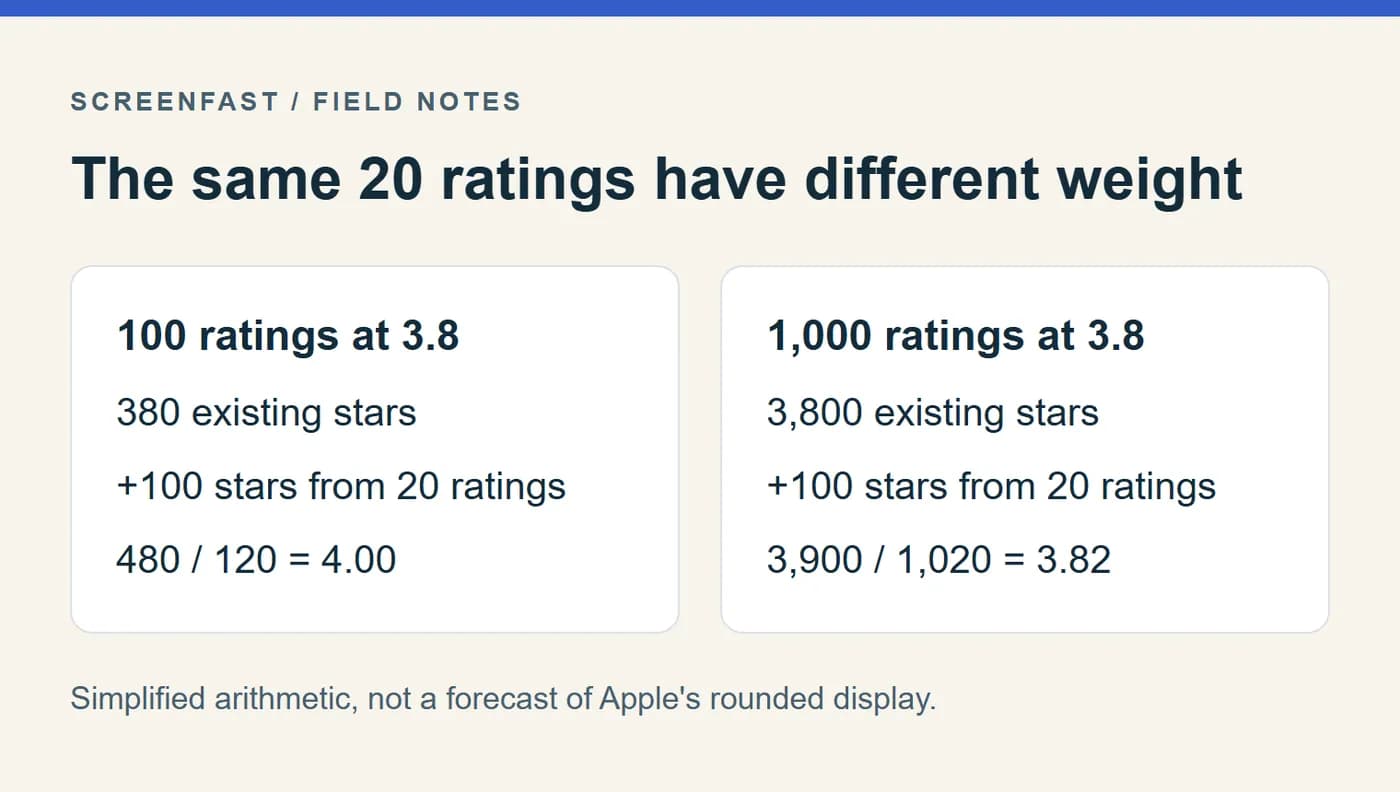
Consider a simplified example with an exact arithmetic mean. An app has 100 ratings averaging 3.8 stars, or 380 total stars. Twenty new five-star ratings would yield (380 + 100) / 120 = 4.0. The same twenty ratings added to 1,000 ratings at 3.8 produce about 3.82, not 4.0.
| Starting ratings | Exact starting mean | Added five-star ratings | New arithmetic mean |
|---|---|---|---|
| 100 | 3.8 | 20 | 4.00 |
| 1,000 | 3.8 | 20 | 3.82 |
| 1,000 | 3.8 | 200 | 4.00 |
This is an illustrative calculation, not a promise about Apple's rounded display or a target for soliciting five-star reviews. Real users can leave any score. The displayed average may not reveal the underlying exact mean, and reviews can change over time.
The useful lesson is operational: a small app's average can swing with a few experiences. A large app needs sustained product improvement. Neither should chase a magic minimum number of ratings. Record the distribution and incoming themes instead of treating volume as a campaign quota.
Build a review triage sheet you can act on
Read a bounded recent sample, such as the last release's written reviews in your main storefront. Record the sample window so someone else can repeat the check. Separate a rating without text from a written complaint; do not invent a cause for a one-star score with no explanation.
Use five columns: date and version, user-reported problem, reproducible evidence, owner, and next action. Avoid copying personal details into a shared sheet. The purpose is to find a fix, not build a profile of the reviewer.
| Theme | Verify | Useful action |
|---|---|---|
| Sign-in fails | Fresh install and supported login methods | Reproduce and fix the failing path |
| Paid feature felt hidden | Store promise, onboarding and paywall | Clarify the offer and improve the purchase flow |
| Purchase not restored | StoreKit entitlement and restore behavior | Test restoration on a clean device |
| Crash after an update | Release and device pattern | Link the report to crash evidence |
| Download or Apple billing problem | Whether it belongs to the app or store | Direct the user to the appropriate support channel |
One detailed complaint can expose a serious bug even if it is rare. Conversely, ten copied comments do not prove ten independent failures. Keep the evidence level visible. If you cannot reproduce the problem, say so and ask for the minimum useful diagnostic detail through private support.
Ask at a useful moment, not after a satisfaction quiz
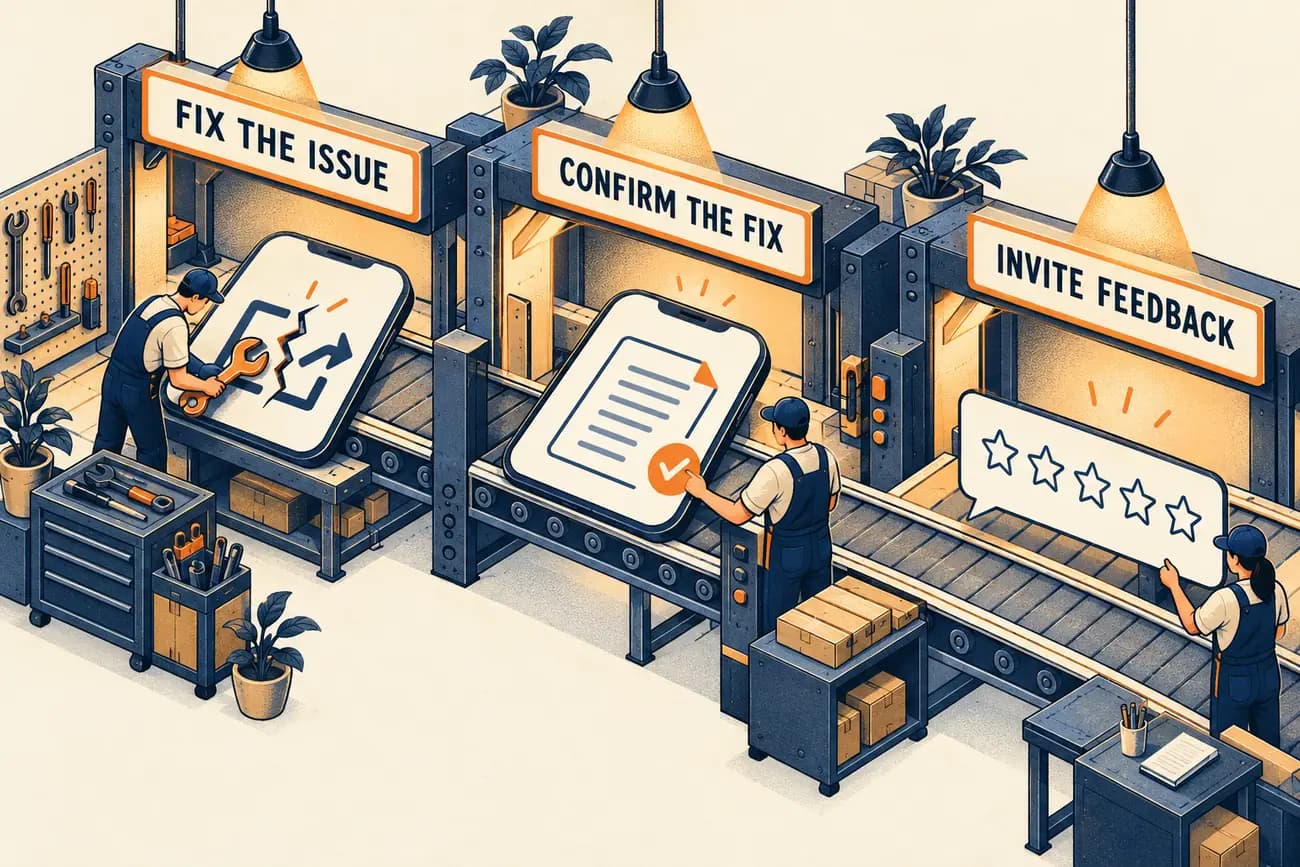
Apple recommends requesting a rating after someone completes a meaningful action, without interrupting the task. Use the supported native review API for your deployment target. Apple's public guidance describes a limit of up to three prompts in a 365-day period; your app should not assume that every request will display a prompt.
A reasonable event is the successful completion of the app's core job: a saved plan, a finished lesson, or an exported document. The event is a timing choice, not evidence that this person will give five stars. Do not build a custom "Are you happy?" screen that sends positive answers to the store and diverts negative answers elsewhere. Keep support easy to find for everyone, independently of the rating request.
Avoid arbitrary universal rules such as seven days installed, three sessions, or a 90-day cooldown. Those may be product choices, but they are not an Apple-mandated recipe or a proven route to a higher rating. Choose a moment that makes sense for how often your app is used. A monthly tax workflow and a daily habit app should not share the same timing by default.
Check the current App Review Guidelines, including rules against review manipulation. Do not offer credits, access or prizes in exchange for a positive rating. A prompt should ask for feedback, not train users to give a particular answer.
Write replies that help the next reader too
Apple notifies a reviewer when you respond, and the user can update the review. That creates a chance to resolve an issue, not an entitlement to a better score. Reply with a specific acknowledgement, what is known, and one useful next step.
For a fictional export bug that you have actually fixed, a concise response could be:
Thanks for reporting the export failure. Version 2.4 includes a fix for this issue. Please update and try again. If it still fails, contact support from Settings so we can check the file type with you.
Do not publish that response until the stated version and fix are real. If the problem is still open, say that the team is investigating and ask for relevant details privately. Do not request passwords, purchase receipts or personal account information in a public reply. Avoid pasting the same apology under unrelated complaints.
For store downloading or billing issues, Apple's ratings guide recommends Apple Support when appropriate. For offensive material or spam that violates the rules, use Report a Concern. Reporting is not a tool for removing a negative opinion simply because it hurts your score.
Resetting the summary rating: what stays and what changes
You can choose to reset the summary rating when releasing a new version. Apple recommends doing so sparingly. The reset instructions are the authority for the current controls and permissions.
Written reviews remain. A reset therefore does not erase the history a prospective user can read, and a new low-volume rating may provide less reassurance than the existing score. Fix the underlying issue before considering a reset. Do not describe the feature as a way to delete bad reviews.
Before deciding, record the current score, count and main territories. Note which product changes justify a fresh summary and how you will monitor new feedback. Keep that decision separate from a screenshot or price test so you can interpret later changes. If the app still has the same unresolved problems, resetting the visible average does not solve them.
Measure recovery without inventing causation
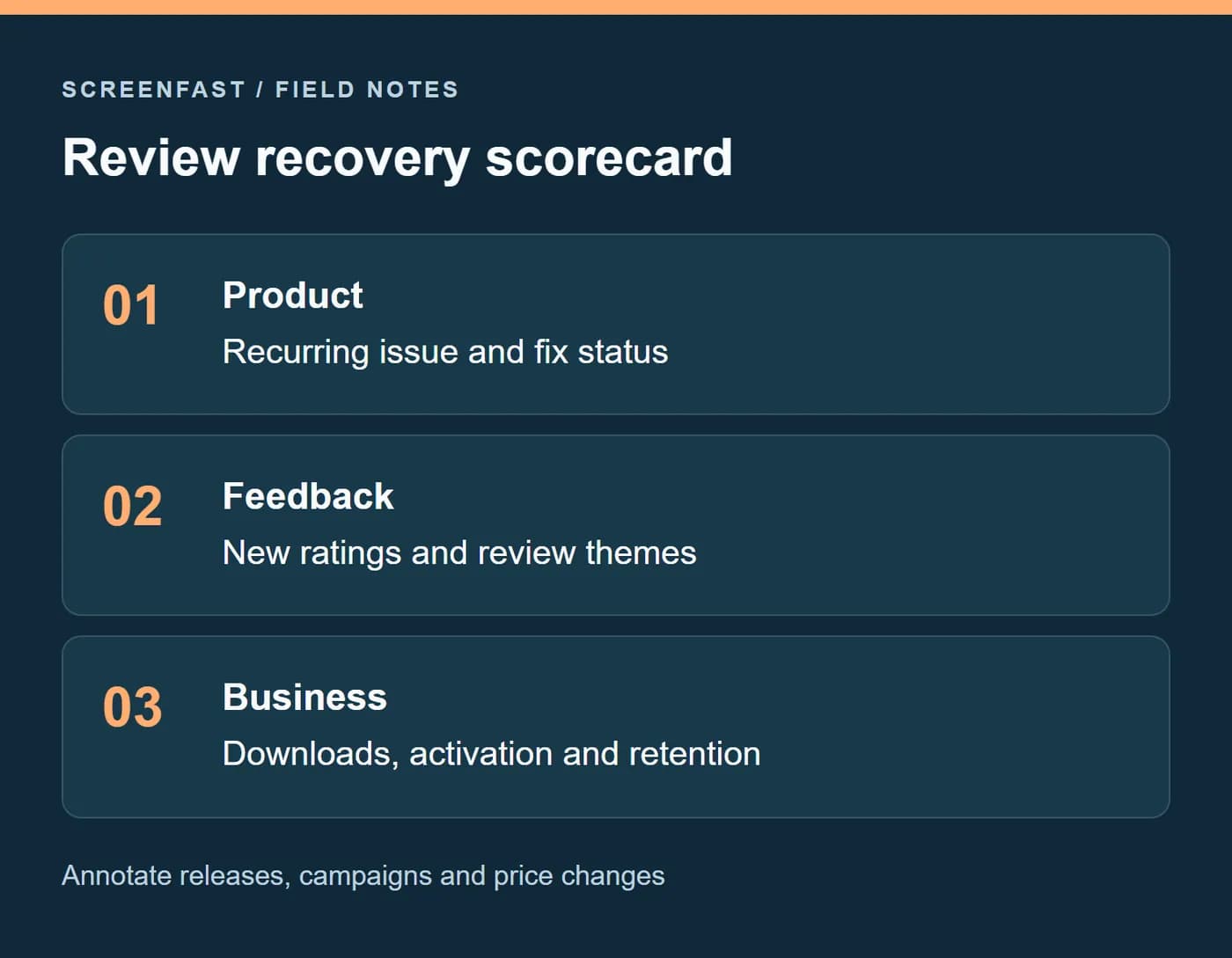
Create a weekly scorecard for the same territory and release cohort. Include new rating count, distribution where available, recurring review themes, first-time downloads, crashes and the app's core success event. Add dates for releases, campaigns, pricing and listing changes.
Suppose an export fix ships on Monday, a paid campaign starts Tuesday, and new screenshots go live Wednesday. Downloads rise. You cannot credit the rating alone. The useful report says which things changed and whether the export complaints stopped. If the app now attracts more users but the same failure rate persists, acquisition has outpaced the repair.
Review recovery in this order: did the failure become less common, did affected users receive a useful answer, did new feedback change, and did downstream behavior improve? Do not demand an immediate change in the rounded average as proof that a bug fix mattered. Large rating histories move slowly.
When a rating belongs in a screenshot
Apple allows an app's current rating in marketing materials when it is accurate. Using a customer's review requires that reviewer's permission. These are different permissions; a public review is not automatically a reusable testimonial.
If you include a rating badge, record the storefront and verification date in your source notes. Recheck it at each release. Avoid a badge whose score is stale, whose context is unclear, or whose text obscures the app. There is no substantiated rule that a badge always helps above 4.5 and always harms below it.
ScreenFast can help produce screenshot design directions, but you must verify any social-proof text. Use the screenshot mistakes checklist for the asset review and the launch checklist for the wider release. Better artwork cannot repair a broken purchase or sign-in flow.
Methodology
We reviewed Apple's ratings, review-response, reset and App Review guidance on 2026-10-17. This is a practical operating guide, not an original study of rating elasticity. The arithmetic table and response text are labeled examples. We removed unsupported rating-band conversion data, fixed featuring thresholds and old universal lift claims. Illustrations explain the workflow; none is evidence from a live app experiment.
Frequently asked questions
How much do ratings affect App Store downloads?
They provide a visible trust signal, but no universal percentage applies to every app. Compare like-for-like cohorts and track product, price and campaign changes before attributing a download change to the rating.
Is 4.0 stars a mandatory featuring threshold?
We found no documented Apple rule establishing that universal cutoff. Treat a low rating as a reason to inspect user problems, not proof that crossing one decimal guarantees placement.
Can I delete a bad review?
You cannot remove a review merely because it is negative. Report content that violates the rules through App Store Connect. A summary-rating reset does not erase written reviews.
Should a new app focus on count or average?
Focus on a working product and representative feedback. A small count makes the average volatile, but a target such as 100 reviews is not a substitute for fixing recurring problems.
Can I ask only happy users for ratings?
Do not use a satisfaction quiz to filter who reaches the store review flow. Request feedback through the native prompt at an appropriate task-completion moment and make support available to everyone.
Do review responses guarantee a higher rating?
No. They can resolve misunderstandings and alert users to a fix. The user decides whether to revise the review. Measure issue resolution rather than promising a star increase.